줌 MCP 서버
이제 AI의 도움으로 Zoom 회의를 진행할 수 있습니다.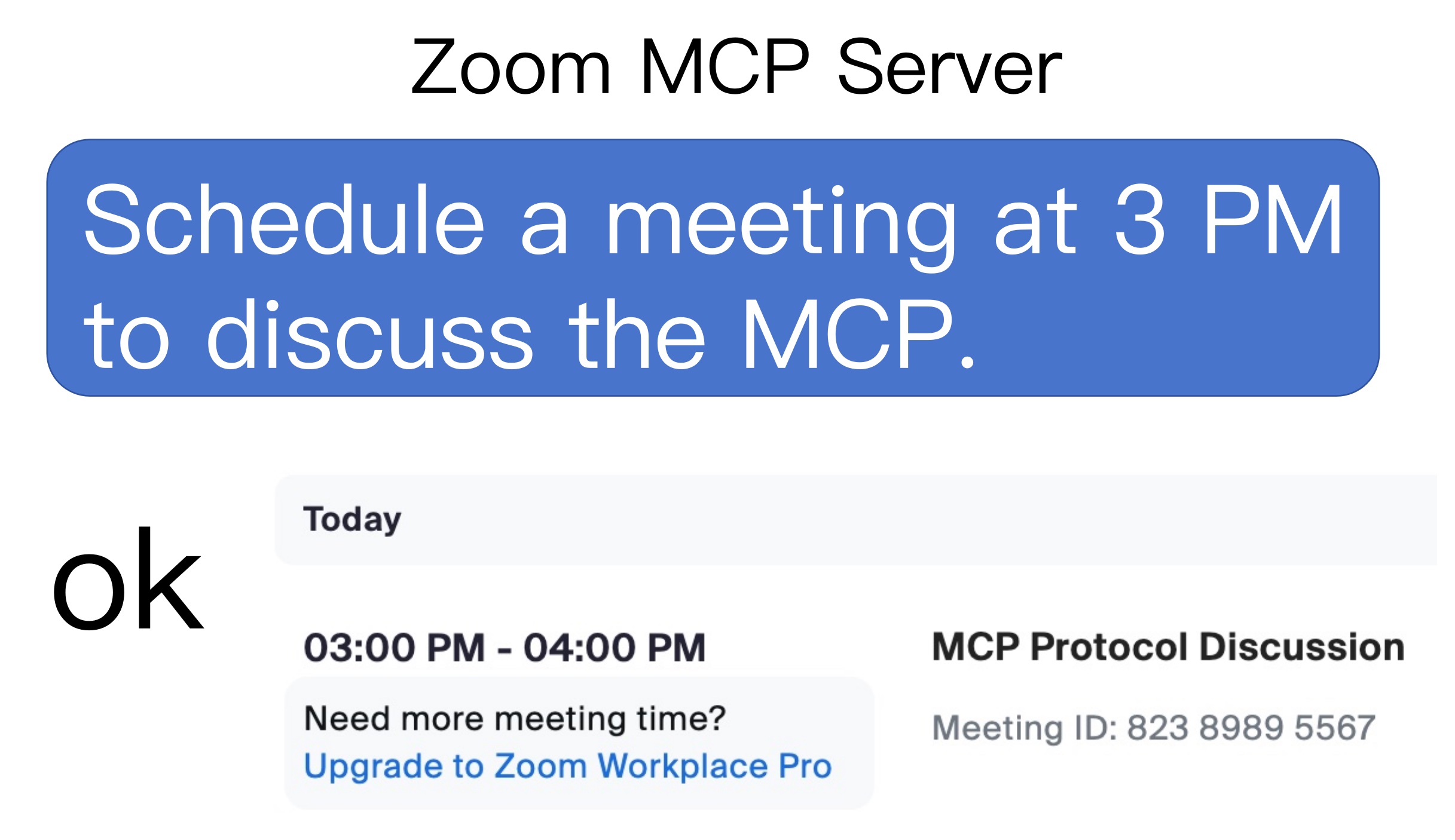
용법
1. 회의 목록
list my meetingslist my upcoming meetings
2. 회의를 만듭니다
Schedule a meeting at today 3 pm with a introduce mcp topic
3. 회의 삭제
delete the latest meetingdelete the 86226580854 meeting
4. 회의 세부 정보를 얻으세요
Retrieve the latest meeting's detailsRetrieve 86226580854 meeting's details
Related MCP server: ChatterBox MCP Server
zoom-mcp-server를 사용하는 2단계
Zoom 클라이언트 ID, Zoom 클라이언트 비밀번호 및 계정 ID 받기
MCP 서버 구성
1. Zoom 클라이언트 ID, Zoom 클라이언트 비밀번호 및 계정 ID 가져오기
앱을 빌드하고 서버 간 OAuth 앱을 선택하세요
범위 추가 > 회의 > 모든 회의 권한 선택
앱을 활성화하면 앱 자격 증명 페이지에서 계정 ID , 클라이언트 ID , 클라이언트 비밀번호를 얻을 수 있습니다.
2. MCP 서버 구성
지엑스피1
