mcp-sentry:Sentry MCP 服务器

概述
一个模型上下文协议服务器,用于从 Sentry.io 检索和分析问题。此服务器提供工具,用于检查来自您的 Sentry 帐户的错误报告、堆栈跟踪和其他调试信息。
工具
get_sentry_issue
get_list_issues
按项目 slug 检索和分析 Sentry 问题
输入:
返回:问题列表及其详细信息包括:
标题
问题 ID
地位
等级
首次出现时间戳
上次上线时间戳
事件计数
基本问题信息
提示
sentry-issue
从 Sentry 检索问题详细信息
输入:
返回:格式化的问题详细信息作为对话上下文
Related MCP server: MCP Server Sentry
安装
通过 Smithery 安装
要通过Smithery自动为 Claude Desktop 安装 mcp-sentry:
npx -y @smithery/cli install @qianniuspace/mcp-sentry --client claude
使用 uv(推荐)
使用uv时无需特殊安装。我们将使用uvx直接运行mcp-sentry 。
使用 PIP
或者,您可以通过 pip 安装mcp-sentry :
或者使用紫外线
安装后,您可以使用以下命令将其作为脚本运行:
配置
与 Claude Desktop 一起使用
将其添加到您的claude_desktop_config.json中:
"mcpServers": {
"sentry": {
"command": "uvx",
"args": ["mcp-sentry", "--auth-token", "YOUR_SENTRY_TOKEN","--project-slug" ,"YOUR_PROJECT_SLUG", "--organization-slug","YOUR_ORGANIZATION_SLUG"]
}
}
"mcpServers": {
"sentry": {
"command": "docker",
"args": ["run", "-i", "--rm", "mcp/sentry", "--auth-token", "YOUR_SENTRY_TOKEN","--project-slug" ,"YOUR_PROJECT_SLUG", "--organization-slug","YOUR_ORGANIZATION_SLUG"]
}
}
"mcpServers": {
"sentry": {
"command": "python",
"args": ["-m", "mcp_sentry", "--auth-token", "YOUR_SENTRY_TOKEN","--project-slug" ,"YOUR_PROJECT_SLUG", "--organization-slug","YOUR_ORGANIZATION_SLUG"]
}
}
添加到您的 Zed settings.json:
例如 Curson
"context_servers": [
"mcp-sentry": {
"command": {
"path": "uvx",
"args": ["mcp-sentry", "--auth-token", "YOUR_SENTRY_TOKEN","--project-slug" ,"YOUR_PROJECT_SLUG", "--organization-slug","YOUR_ORGANIZATION_SLUG"]
}
}
],
"context_servers": {
"mcp-sentry": {
"command": "python",
"args": ["-m", "mcp_sentry", "--auth-token", "YOUR_SENTRY_TOKEN","--project-slug" ,"YOUR_PROJECT_SLUG", "--organization-slug","YOUR_ORGANIZATION_SLUG"]
}
},
"context_servers": {
"sentry": {
"command": "python",
"args": [
"-m",
"mcp_sentry",
"--auth-token",
"YOUR_SENTRY_TOKEN",
"--project-slug",
"YOUR_PROJECT_SLUG",
"--organization-slug",
"YOUR_ORGANIZATION_SLUG"
],
"env": {
"PYTHONPATH": "path/to/mcp-sentry/src"
}
}
},
调试
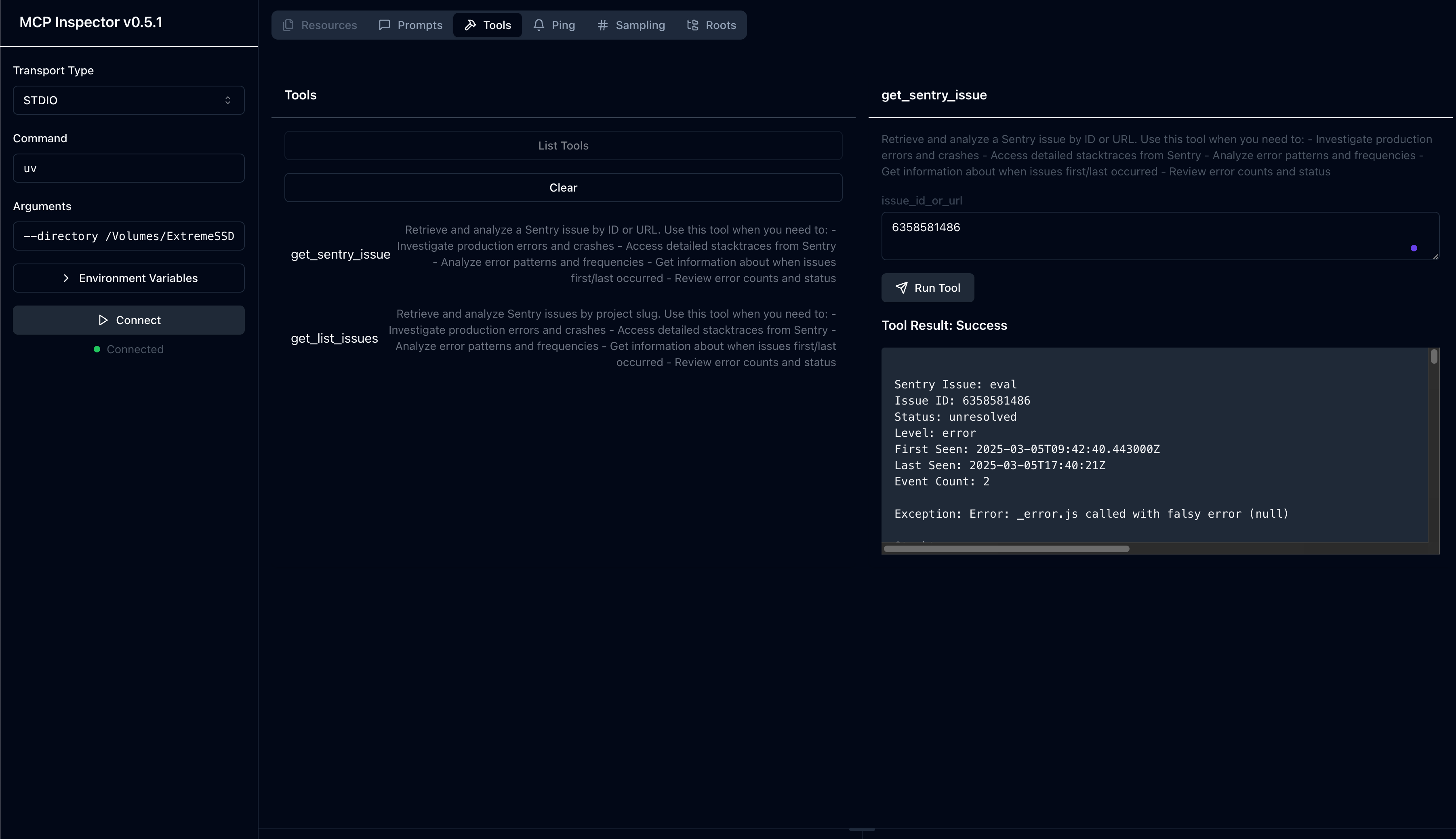
您可以使用 MCP 检查器来调试服务器。对于 uvx 安装:
npx @modelcontextprotocol/inspector uvx mcp-sentry --auth-token YOUR_SENTRY_TOKEN --project-slug YOUR_PROJECT_SLUG --organization-slug YOUR_ORGANIZATION_SLUG
或者,如果您已将软件包安装在特定目录中或正在其上进行开发:
cd path/to/servers/src/sentry
npx @modelcontextprotocol/inspector uv run mcp-sentry --auth-token YOUR_SENTRY_TOKEN --project-slug YOUR_PROJECT_SLUG --organization-slug YOUR_ORGANIZATION_SLUG
或就术语而言
npx @modelcontextprotocol/inspector uv --directory /Volumes/ExtremeSSD/MCP/mcp-sentry/src run mcp_sentry --auth-token YOUR_SENTRY_TOKEN
--project-slug YOUR_PROJECT_SLUG --organization-slug YOUR_ORGANIZATION_SLUG
分叉自
执照
此 MCP 服务器采用 MIT 许可证。这意味着您可以自由使用、修改和分发该软件,但须遵守 MIT 许可证的条款和条件。更多详情,请参阅项目仓库中的 LICENSE 文件。