Supports cracking MySQL database password hashes
Supports cracking PostgreSQL database password hashes
Uses Python 3.8+ as the implementation language for the MCP server
Hashcat MCP Server 🔥
A powerful Model Context Protocol (MCP) server that provides intelligent hashcat integration for Claude Desktop. Crack hashes, analyze passwords, and perform security assessments directly from your Claude conversations.
✨ Features
Smart Hash Identification - Automatically detect hash types with confidence scoring
Multiple Attack Modes - Dictionary, brute-force, hybrid, and rule-based attacks
Batch Processing - Crack multiple hashes simultaneously
Session Management - Track and monitor cracking progress
GPU Monitoring - Real-time hardware performance metrics
Password Analysis - Analyze cracked passwords for security insights
Auto Attack Strategies - Intelligent attack sequence selection
Security Hardened - Input validation and injection protection
Related MCP server: MCP Memory Server
🎬 Demo
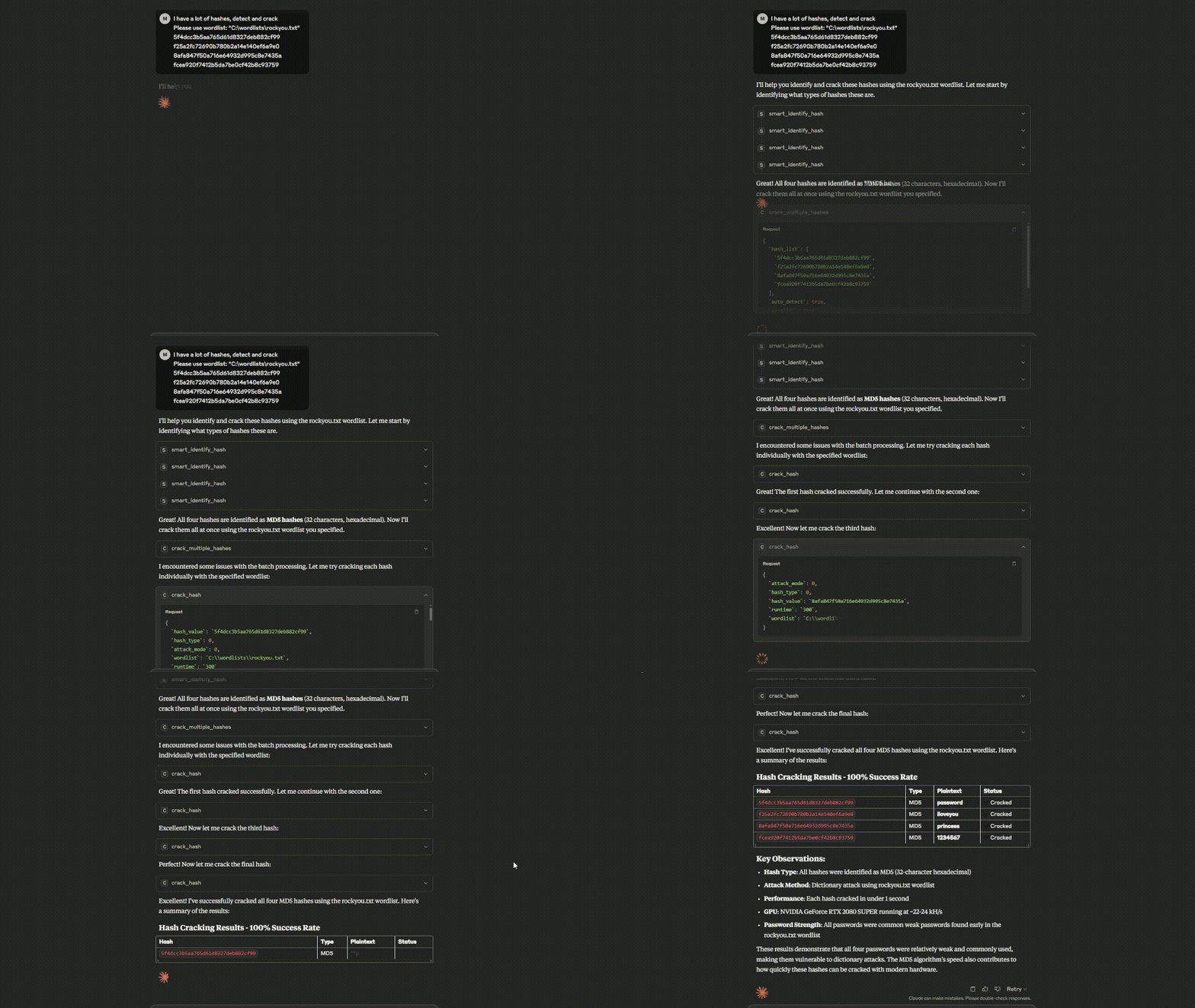
Watch the Hashcat MCP Server in action - from hash identification to successful cracking!
🛡️ RootSec Community
Join our cybersecurity community for the latest in offensive security, AI integration, and advanced penetration testing techniques:
🔗
RootSec is a community of security professionals, researchers, and enthusiasts sharing knowledge about:
Advanced penetration testing techniques
AI-powered security tools
Red team methodologies
Security research and development
Industry insights and discussions
🚀 Quick Start
1. Install Dependencies
2. Configure Claude Desktop
Edit your Claude Desktop config file:
Windows: %APPDATA%\Claude\claude_desktop_config.json
Mac: ~/Library/Application Support/Claude/claude_desktop_config.json
Important: Update the paths to match your system:
args[0]- Path to yourhashcat_mcp_server.pyfileHASHCAT_PATH- Path to your hashcat executableHASHCAT_SAFE_DIRS- Comma-separated list of safe directories for wordlists
3. Restart Claude Desktop
Close and reopen Claude Desktop to load the MCP server.
🔧 Configuration
Required Environment Variables
HASHCAT_PATH- Path to hashcat executable (required)
Optional Environment Variables
HASHCAT_SAFE_DIRS- Safe directories for wordlists (recommended)HASHCAT_LOG_LEVEL- Logging level: DEBUG, INFO, WARNING, ERROR (default: DEBUG)
📖 Usage Examples
Basic Hash Identification
Crack a Hash
Auto Attack Strategy
Batch Processing
📊 Supported Hash Types
The server supports 400+ hash types including:
Raw Hashes: MD5, SHA1, SHA256, SHA512
Operating Systems: NTLM, bcrypt, sha512crypt, md5crypt
Network Protocols: WPA/WPA2, Kerberos
Applications: MySQL, PostgreSQL, Oracle
And many more...
🔍 Available Functions
smart_identify_hash()- Enhanced hash identificationcrack_hash()- Crack single hash with various attack modescrack_multiple_hashes()- Batch hash crackingauto_attack_strategy()- Intelligent automated attacksbenchmark_hashcat()- Performance benchmarkingget_gpu_status()- Hardware monitoringanalyze_cracked_passwords()- Password security analysisgenerate_smart_masks()- Intelligent brute-force patternsestimate_crack_time()- Time estimation for attacks
⚠️ Disclaimer
This tool is for educational and authorized security testing purposes only. Always ensure you have proper authorization before testing any systems or hashes that don't belong to you.
📄 License
This project is licensed under the MIT License - see the LICENSE file for details.
Happy Hashing! 🔓
