The AI Humanizer MCP Server refines AI-generated content to make it sound more natural and human-like. It offers:
AI Text Detection: Identifies AI-generated content using tools like COPYLEAKS and HEMINGWAY
Natural Language Enhancement: Transforms robotic text into human-like writing
Grammar Perfection: Ensures grammatical accuracy
Readability Optimization: Improves text flow and comprehension
Length Control: Adjusts content length while preserving meaning
Term Preservation: Maintains specific terminology and key phrases
Results Sharing: Generates URLs to view task details and results on text2go.ai
AI Humanize MCP Server
A powerful Model Context Protocol (MCP) server that helps refine AI-generated content to sound more natural and human-like. Built with advanced AI detection and text enhancement capabilities.
Powered by text2go.
Table of Contents
Screenshot
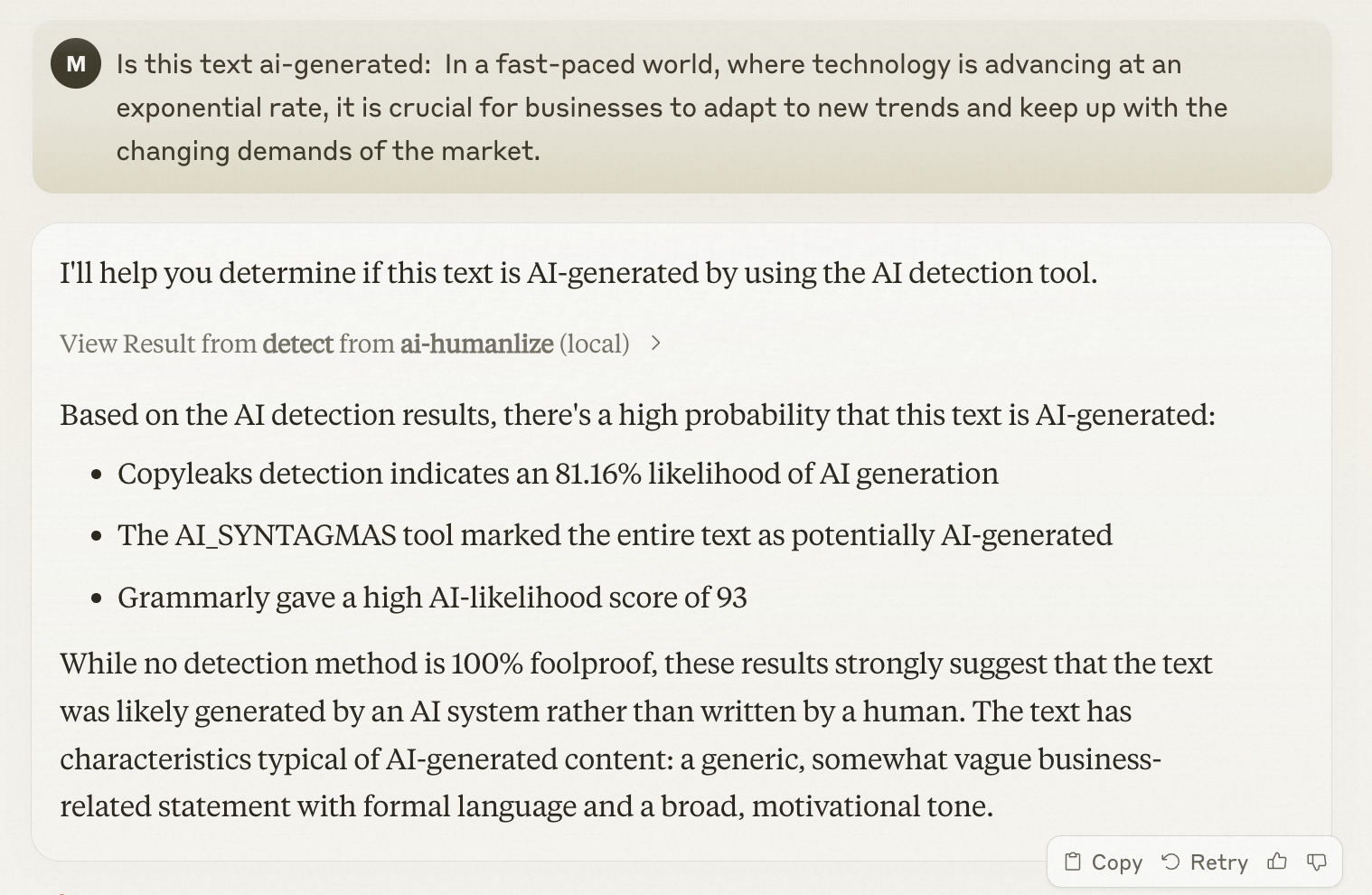
Related MCP server: Resemble AI Voice Generation MCP Server
✨ Key Features
🤖 AI Detection - Accurately identify AI-generated content
👤 Natural Language Enhancement - Transform robotic text into natural human-like writing
⭐ Grammar Perfection - Ensure flawless grammatical accuracy
📋 Readability Optimization - Improve text flow and comprehension
📏 Length Control - Adjust content length while preserving meaning
⚖️ Term Preservation - Maintain specific terminology and key phrases
Prerequisites
node version >= 16
Claude Desktop latest version
Installation
By npx
Configure Claude Desktop:
Open Claude Desktop
Navigate to Settings → Developer → Edit Config
Add the following configuration:
Restart Claude Desktop to apply changes
By Source Code
Clone this repository
Install Dependencies
Build the project
Configure Claude Desktop:
Open Claude Desktop
Navigate to Settings → Developer → Edit Config
Add the following configuration:
Restart Claude Desktop to apply changes
💡 Usage
AI Text Detection
To check if text is AI-generated, simply ask Claude: