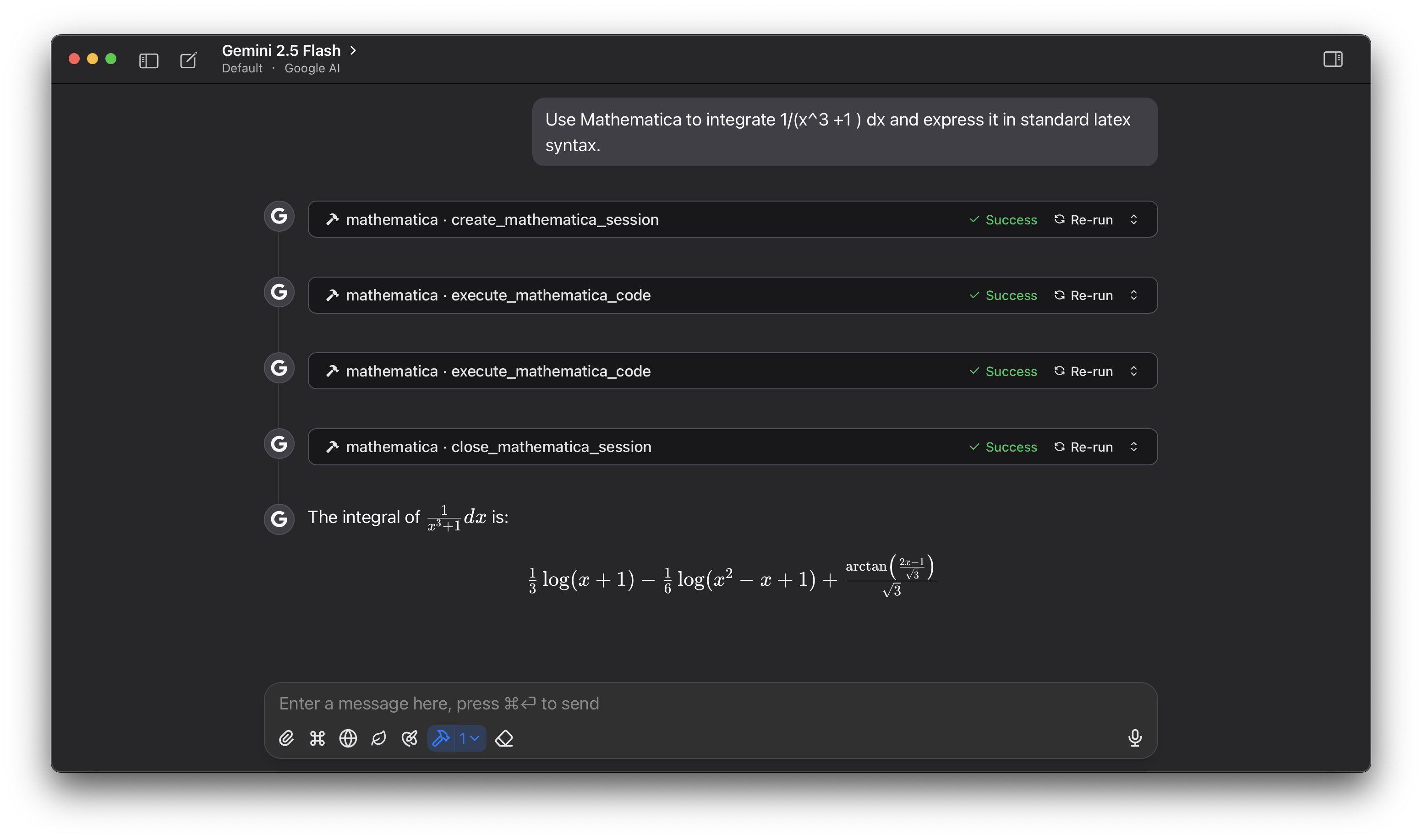
Enables execution of Wolfram Language code in a secure, session-based environment, with tools for session initialization, code execution, and resource management.
Provides tools for creating sessions, executing Wolfram Language code, and managing session resources within a Mathematica kernel, enabling secure, session-based interaction with Wolfram Language.
Mathematica MCP Server
This project provides a Model Context Protocol (MCP) server for interacting with a Wolfram Mathematica kernel. It allows Large Language Models (LLMs) to execute Wolfram Language code in a secure, session-based environment.
The animalid folder contains a simple tool for generating unique, animal-based identifiers. Since LLMs often fail to copy UUIDs correctly, this tool replaces them with animal-themed IDs that are more likely to be transcribed accurately.
Tools Provided
create_mathematica_session: Initializes a new Wolfram Language session and returns a unique session ID.execute_mathematica_code: Executes Wolfram Language code within a specified session.close_mathematica_session: Terminates a session and releases its resources.
Related MCP server: applescript-mcp
Prerequisites
Python 3.10 or higher.
uvPython package manager. (Installation guide)A local installation of the Wolfram Engine or Mathematica. The
wolframclientlibrary requires this to function.
Installation & Setup
Set the Security Key:
This server uses a secret key to generate secure session IDs. You must set this as an environment variable.
export ANIMALID_SECRET_KEY='your-super-secret-and-long-key-here'Note: Do not use a weak key or hardcode it in the script.
Usage
To use this server, you need to connect it to an MCP-compatible client, such as Claude for Desktop.
Configure the MCP Client:
Open your client's MCP configuration file (e.g.,
claude_desktop_config.jsonfor Claude for Desktop) and add the following server configuration.Important: Replace
/path/to/your/project/my_mcpwith the absolute path to this project's directory on your system.{ "mcpServers": { "mathematica": { "command": "uv", "args": [ "--directory", "/path/to/your/project/my_mcp", "run", "wolfram_mathematica.py" ], "env": { "ANIMALID_SECRET_KEY": "default-secret-key-for-dev" } } } }You may need to use the full path to the
uvexecutable in thecommandfield if it's not in your system's PATH. You can find it by runningwhich uv(macOS/Linux) orwhere uv(Windows).
screenshot