The MCP Iceberg Catalog server enables SQL-based interaction with Apache Iceberg tables through Claude Desktop.
Query Execution: Execute SQL queries including
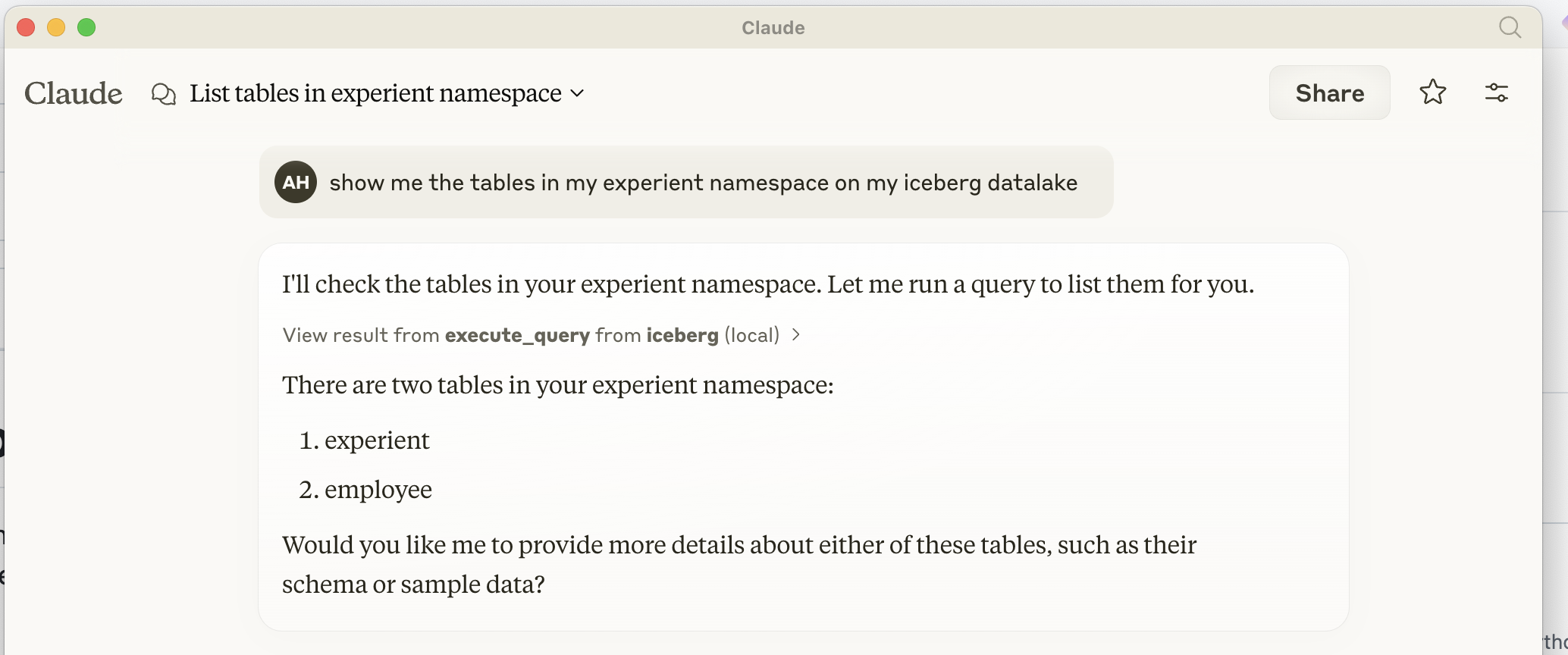
LIST TABLES,DESCRIBE TABLE,SELECT, andCREATE TABLETable Management: List and describe tables stored in the Iceberg catalog
Data Querying: Retrieve data from Iceberg tables using SELECT queries
Table Creation: Create new tables in the Iceberg catalog
Integration: Seamlessly interact with Iceberg tables using PyIceberg for efficient data handling
Note: Features like UPDATE, DELETE, and complex data types are not yet implemented.
Provides a SQL interface for querying and managing Apache Iceberg tables, allowing users to list tables, describe table structures, execute SELECT queries, and insert data into Iceberg data lakes.
MCP Iceberg Catalog
A MCP (Model Context Protocol) server implementation for interacting with Apache Iceberg. This server provides a SQL interface for querying and managing Iceberg tables through Claude desktop.
Claude Desktop as your Iceberg Data Lake Catalog
Related MCP server: PostgreSQL Query MCP Server
How to Install in Claude Desktop
Installing via Smithery
To install MCP Iceberg Catalog for Claude Desktop automatically via Smithery:
Prerequisites
Python 3.10 or higher
UV package installer (recommended) or pip
Access to an Iceberg REST catalog and S3-compatible storage
How to install in Claude Desktop Add the following configuration to
claude_desktop_config.json:
Design
Architecture
The MCP server is built on three main components:
MCP Protocol Handler
Implements the Model Context Protocol for communication with Claude
Handles request/response cycles through stdio
Manages server lifecycle and initialization
Query Processor
Parses SQL queries using
sqlparseSupports operations:
LIST TABLES
DESCRIBE TABLE
SELECT
INSERT
Iceberg Integration
Uses
pyicebergfor table operationsIntegrates with PyArrow for efficient data handling
Manages catalog connections and table operations
PyIceberg Integration
The server utilizes PyIceberg in several ways:
Catalog Management
Connects to REST catalogs
Manages table metadata
Handles namespace operations
Data Operations
Converts between PyIceberg and PyArrow types
Handles data insertion through PyArrow tables
Manages table schemas and field types
Query Execution
Translates SQL to PyIceberg operations
Handles data scanning and filtering
Manages result set conversion
Further Implementation Needed
Query Operations
Implement UPDATE operations
Add DELETE support
Support for CREATE TABLE with schema definition
Add ALTER TABLE operations
Implement table partitioning support
Data Types
Support for complex types (arrays, maps, structs)
Add timestamp with timezone handling
Support for decimal types
Add nested field support
Performance Improvements
Implement batch inserts
Add query optimization
Support for parallel scans
Add caching layer for frequently accessed data
Security Features
Add authentication mechanisms
Implement role-based access control
Add row-level security
Support for encrypted connections
Monitoring and Management
Add metrics collection
Implement query logging
Add performance monitoring
Support for table maintenance operations
Error Handling
Improve error messages
Add retry mechanisms for transient failures
Implement transaction support
Add data validation
