Shows integration with GitHub for repository status tracking via badges and workflow actions.
Uses Shields.io for generating status badges displaying release information, build status, commit activity, and license information.
Yourware MCP
MCP server to upload your project to yourware. Support single file or directory.
Showcase
Visit on yourware: https://v9gfmmif5s.app.yourware.so/
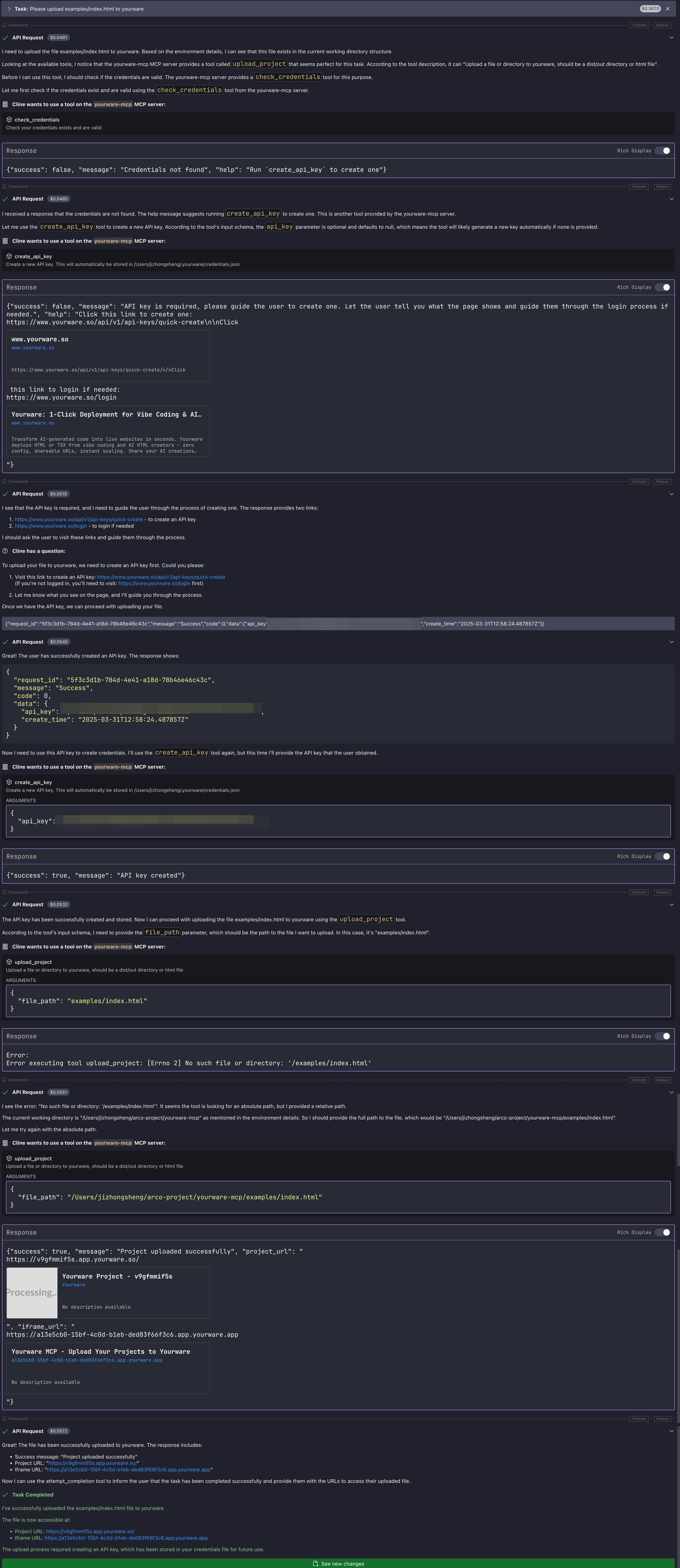
Related MCP server: Lodestar MCP Server
Pre-requisites
You need to login to yourware
Then you can create a new API key, and set the
YOURWARE_API_KEYenvironment variable. Don't worry, you chat with LLM to create and store the API key.
Configuration
General configuration
You can use the following configuration for cline/cursor/windsurf...
Cursor config guide
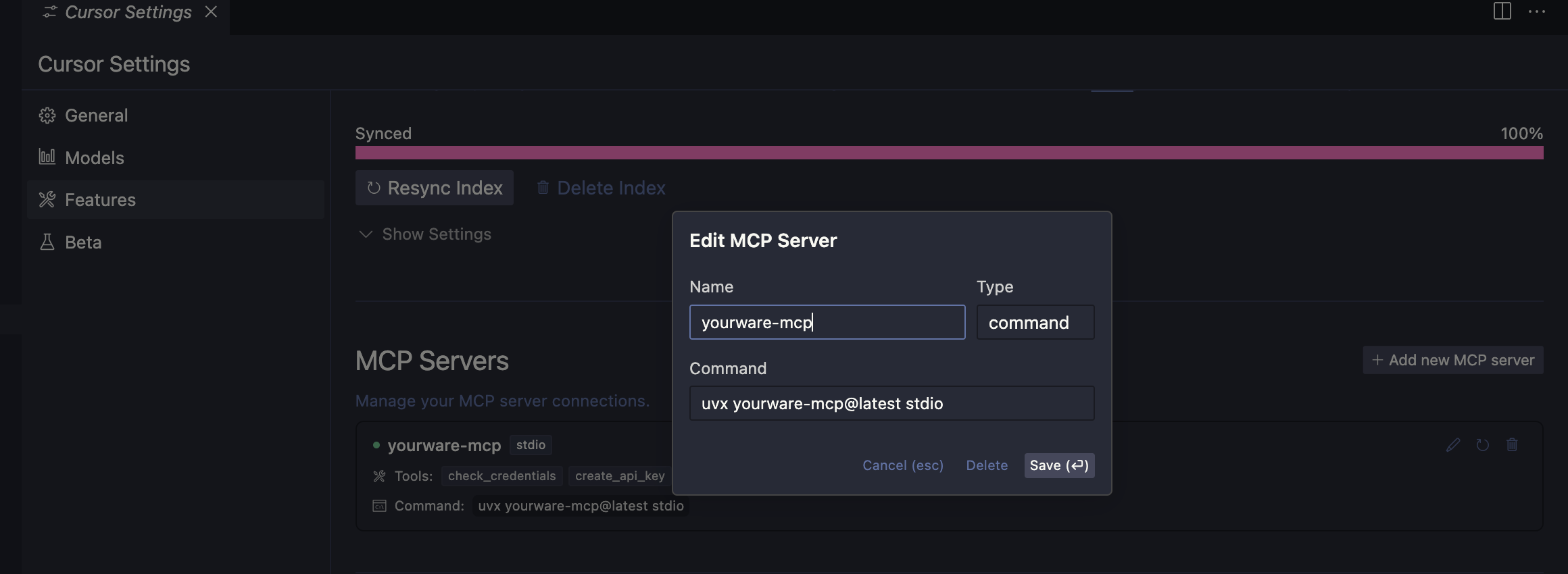
In cursor settings -> features -> MCP Servers, Add a new MCP Server, name it yourware-mcp and set the command to uvx yourware-mcp@latest stdio
Config claude code
Available environments variables
YOURWARE_API_KEY for the API key, you can also let llm config it for you.