Provides access to the Gemini-2.0-flash-thinking-exp-01-21 model's capabilities for mathematical reasoning, logical deduction, and structured thinking with adjustable parameters like max tokens and temperature.
Gemini Thinking MCP Server
A Model Context Protocol (MCP) server implementation for the Google Gemini language model. This server allows Claude Desktop users to access the powerful reasoning capabilities of Gemini-2.0-flash-thinking-exp-01-21 model.
What is Gemini Flash?
Gemini-2.0-flash-thinking-exp-01-21 is a specialized version of Google's Gemini model that's optimized for fast responses while maintaining high quality. It excels at:
Mathematical reasoning
Logical deduction
Step-by-step analysis
Structured thinking
Related MCP server: Gemini MCP Server
Installation
Prerequisites
Node.js (v18 or higher)
npm
Claude Desktop
Google Gemini API key
Setup
Clone this repository:
Install dependencies:
Create a
.envfile with your Google API key:
Build the project:
Configuring Claude Desktop
To use this MCP server with Claude Desktop, update your Claude Desktop configuration:
Locate your Claude Desktop config file:
Windows:
%APPDATA%\Claude\claude_desktop_config.jsonmacOS:
~/Library/Application Support/Claude/claude_desktop_config.json
Add the following to the
mcpServerssection:
Restart Claude Desktop to apply the changes.
Usage
Once configured, you can access the Gemini model in your Claude Desktop conversations:
Parameters
You can adjust the model parameters:
prompt: Your input text for Gemini (required)max_tokens: Maximum tokens to generate (default: 8192)temperature: Controls randomness (default: 0.2)
Examples
Here are some examples of the Gemini Thinking MCP server setup and usage:
Example 1: Installing MCP Server
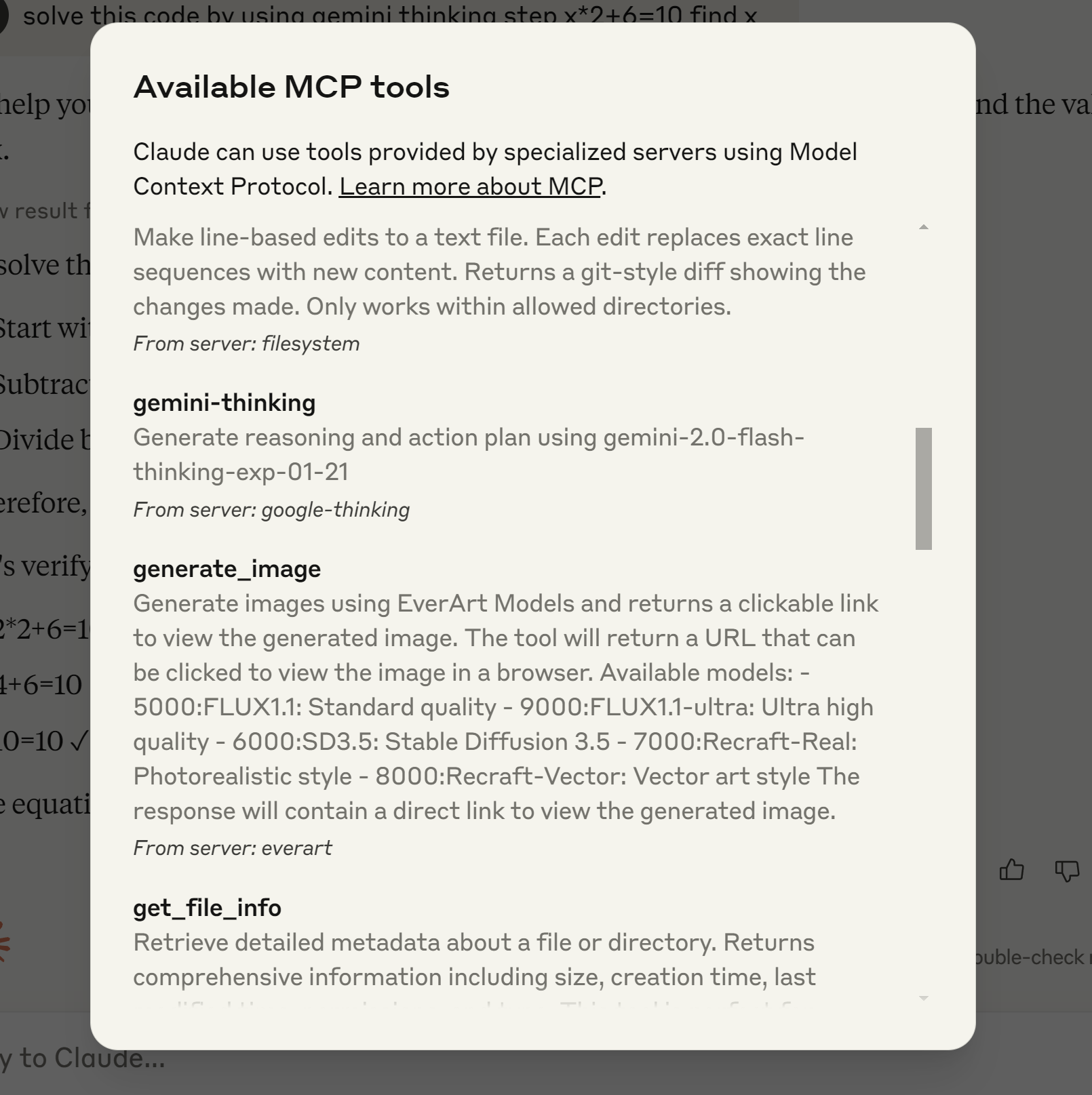 This example shows the process of installing and configuring the Gemini Thinking MCP server in Claude Desktop environment.
Example 2: Testing Mathematical Problem Solving
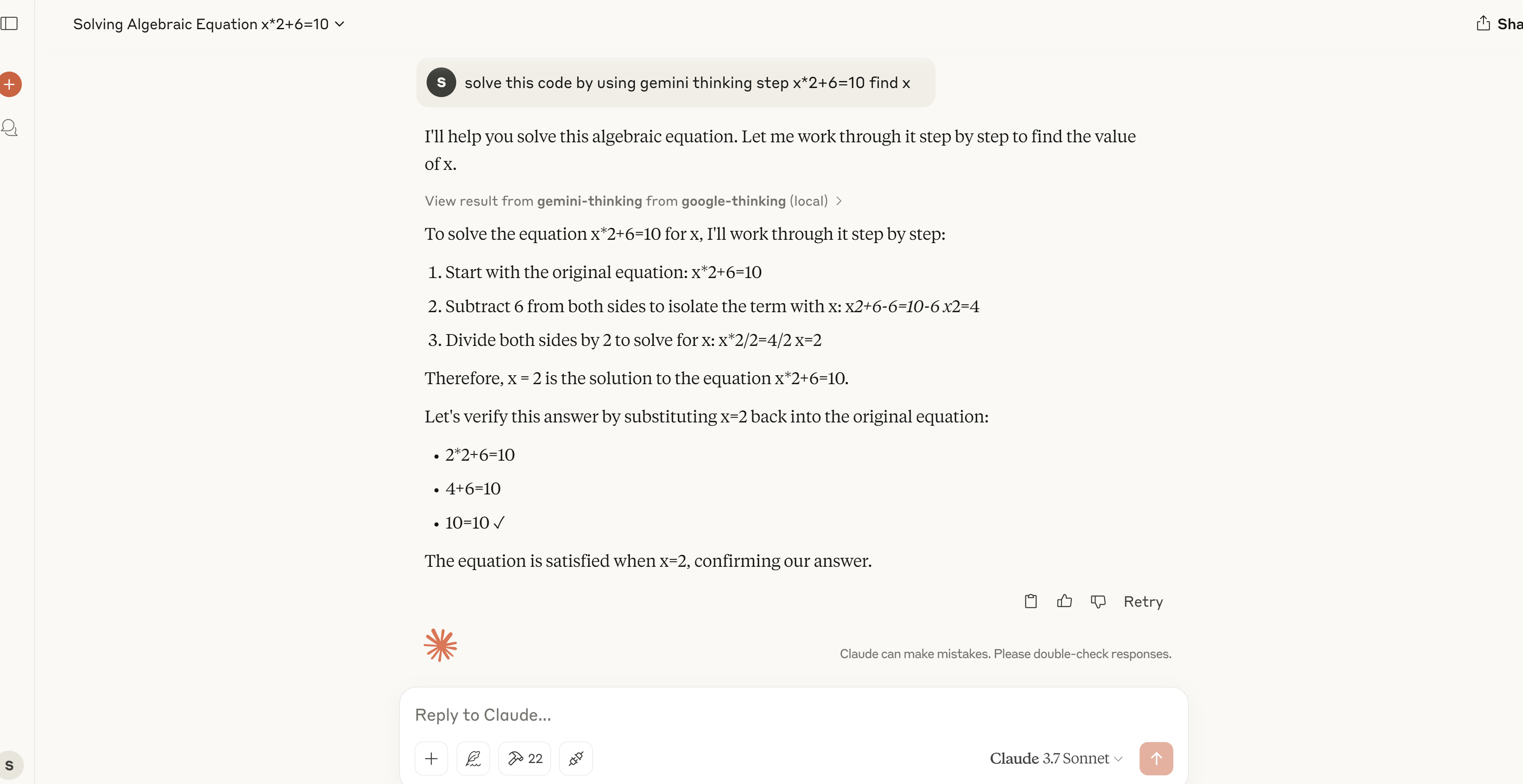 A demonstration of the MCP server solving a mathematical equation step by step, showing its problem-solving capabilities.
Development
Contributing
Contributions are welcome! Please feel free to submit a Pull Request.
License
MIT