📘 fileAI MCP Server Overview
The fileAI MCP Server offers a robust set of tools to work with the fileAI file processing pipeline. It allows for uploading files, performing Optical Character Recognition (OCR), classifying documents, and extracting structured data. The server leverages the Model Context Protocol (MCP) to provide seamless integration with AI models, enabling them to work with your documents programmatically.
✨ Features
End-to-end File Processing: From file upload to structured data extraction — manage the entire lifecycle of your files
AI-Powered: Leverage powerful AI models for OCR, file classification, and structured data extraction.
Schema Management: Define, update, and manage schemas to control how data is extracted for your specific needs
Asynchronous Processing: Upload files and track processing status asynchronously
Related MCP server: File Converter MCP Server
✅ Requirements
To use the FileAI MCP Server, make sure you have:
A fileAI account - Sign up or login here (https://orion.file.ai/en/sign-up)
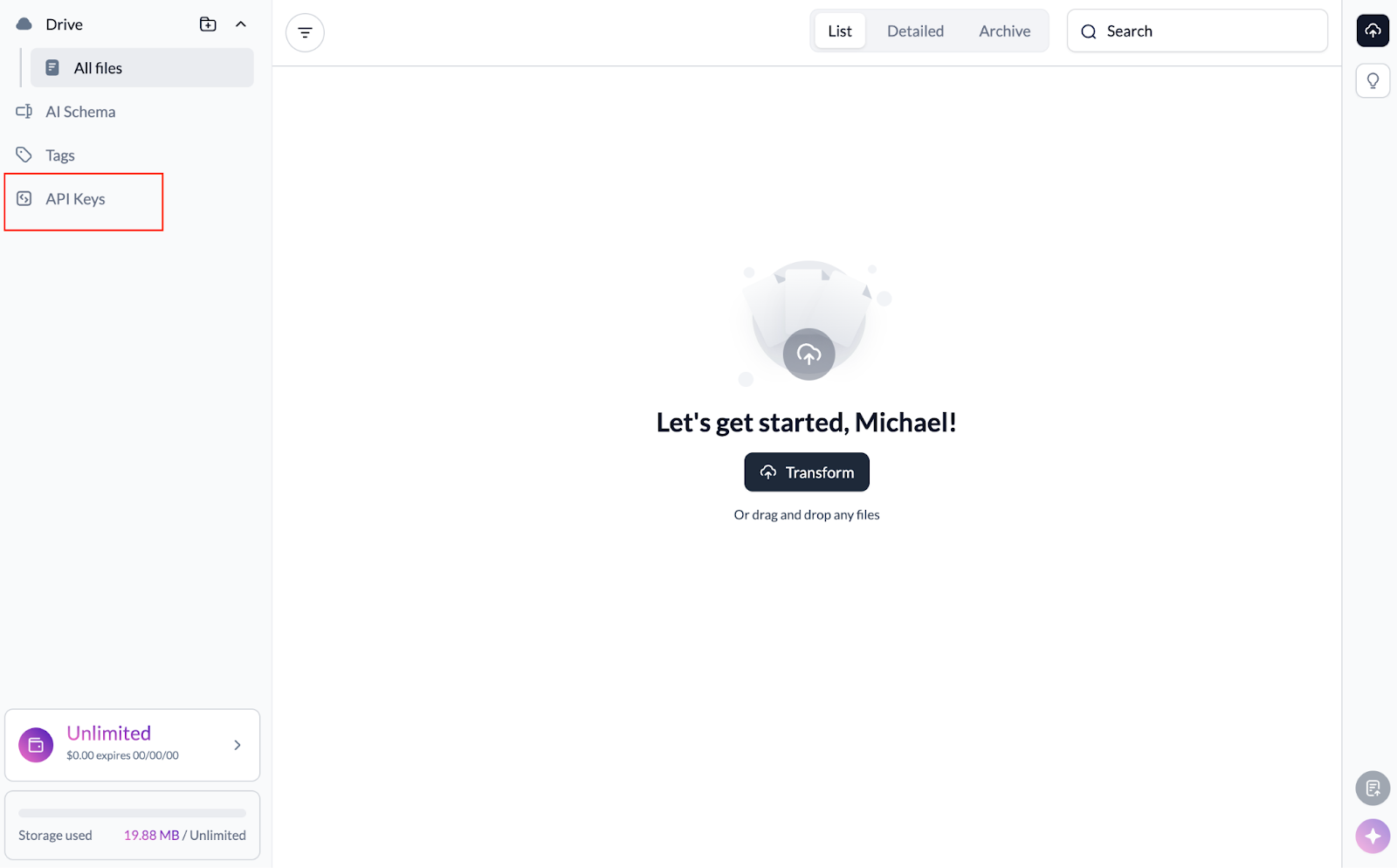
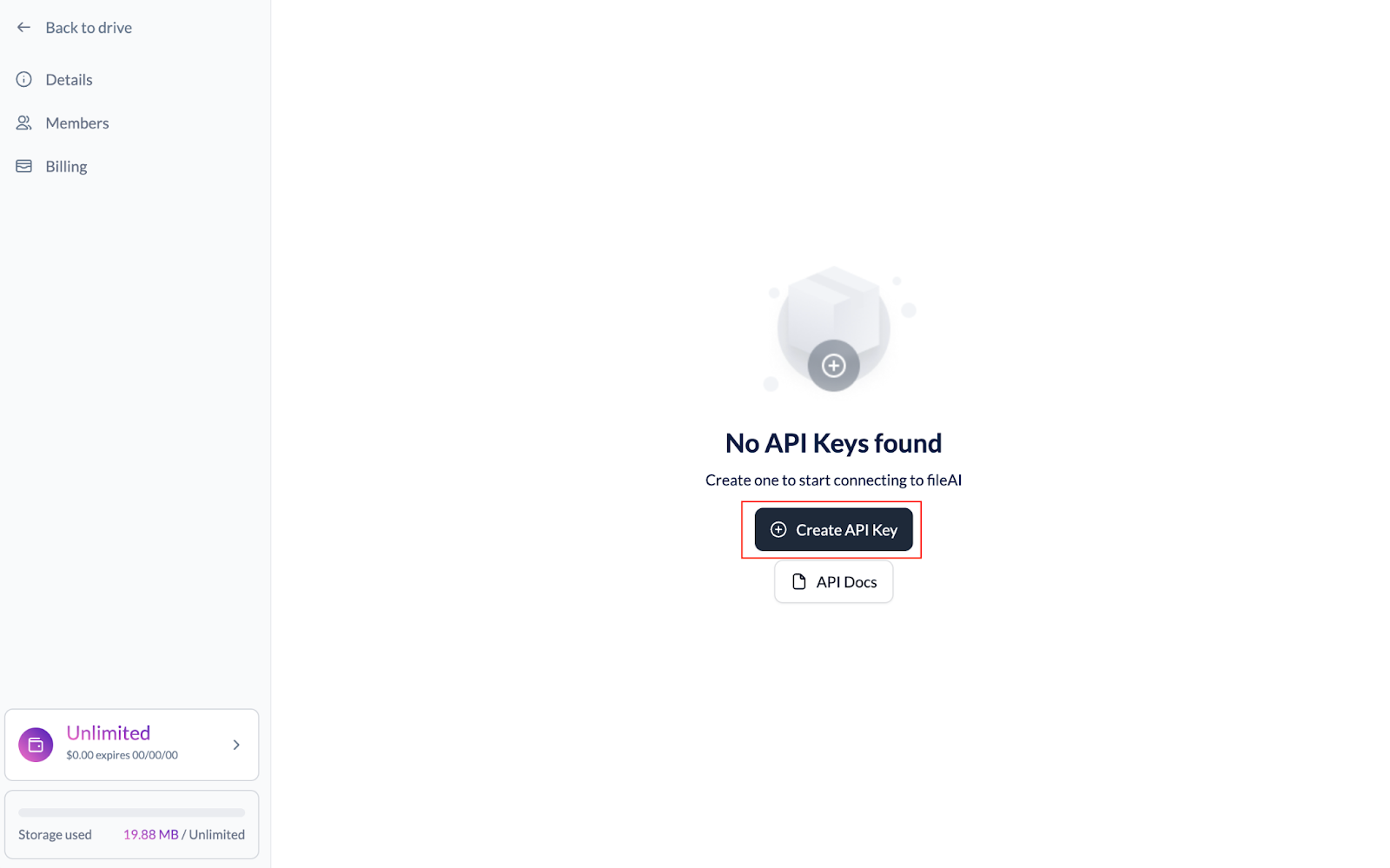
A fileAI API Key - After creating your fileAI account, you can generate your API Key
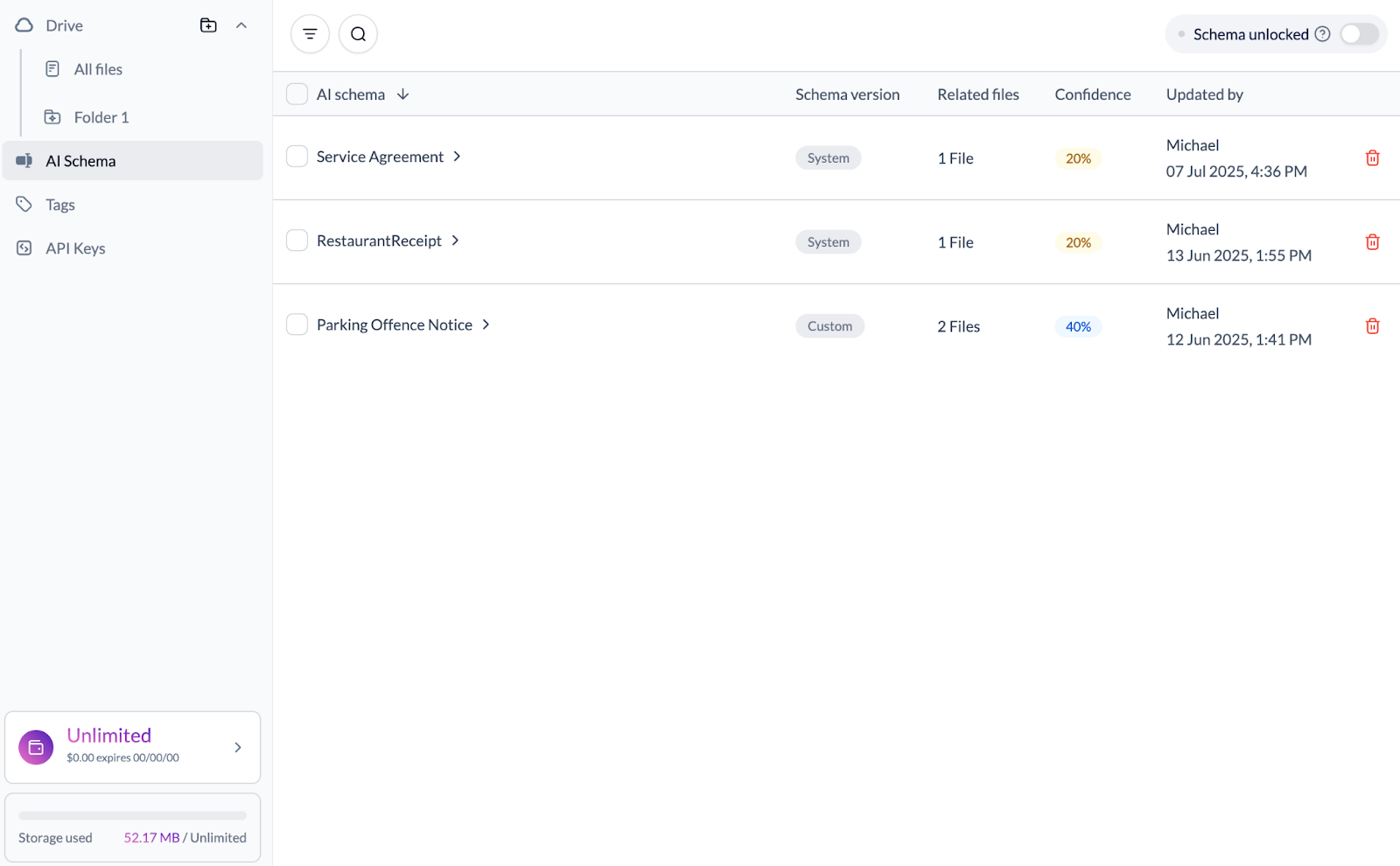
Verified AI Schemas in your fileAI account if you want to receive deterministic responses
Our system automatically suggests extraction and data fetch schemas. In our UI, confirm or edit the schema to call it directly
An MCP client (e.g., Cursor or Claude Desktop)
npx installed in your environment (usually comes with Node.js)
⚙️ Configuration
🔧 Configuring Cursor
HTTP Transport
Open Cursor Settings (Ctrl/Cmd + ,)
Navigate to
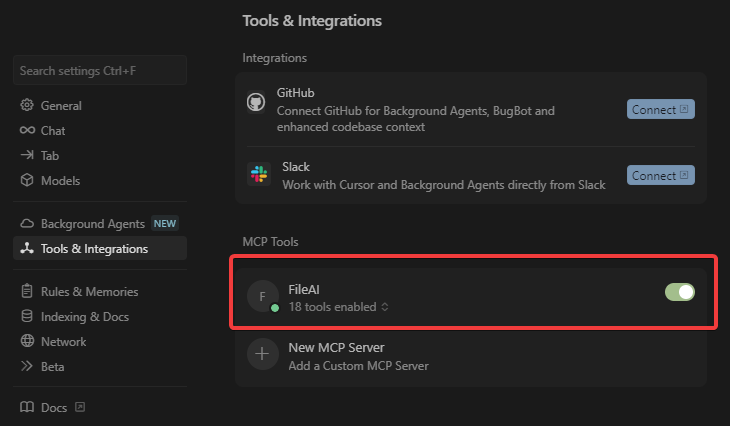
Tools & Integration → MCP ToolsClick
+ New MCP Server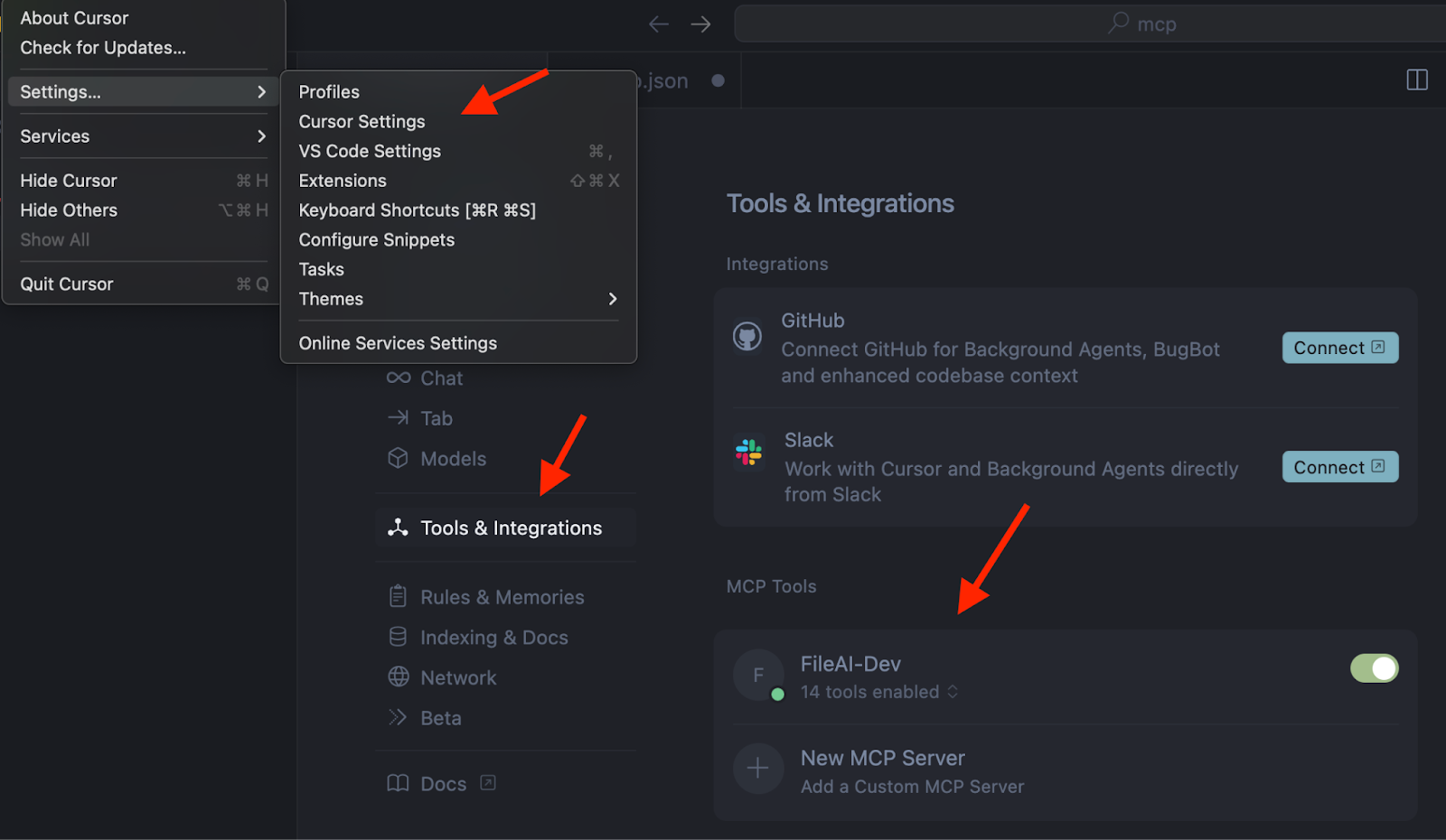
Use the configuration below:
Note: Make sure to replace <YOUR_FILEAI_API_KEY> with your actual fileAI API key.
Verify that the MCP Server is set up correctly. You should see that tools are enabled.
🤖 Configuring Claude
To add the fileAI MCP Server to Claude:
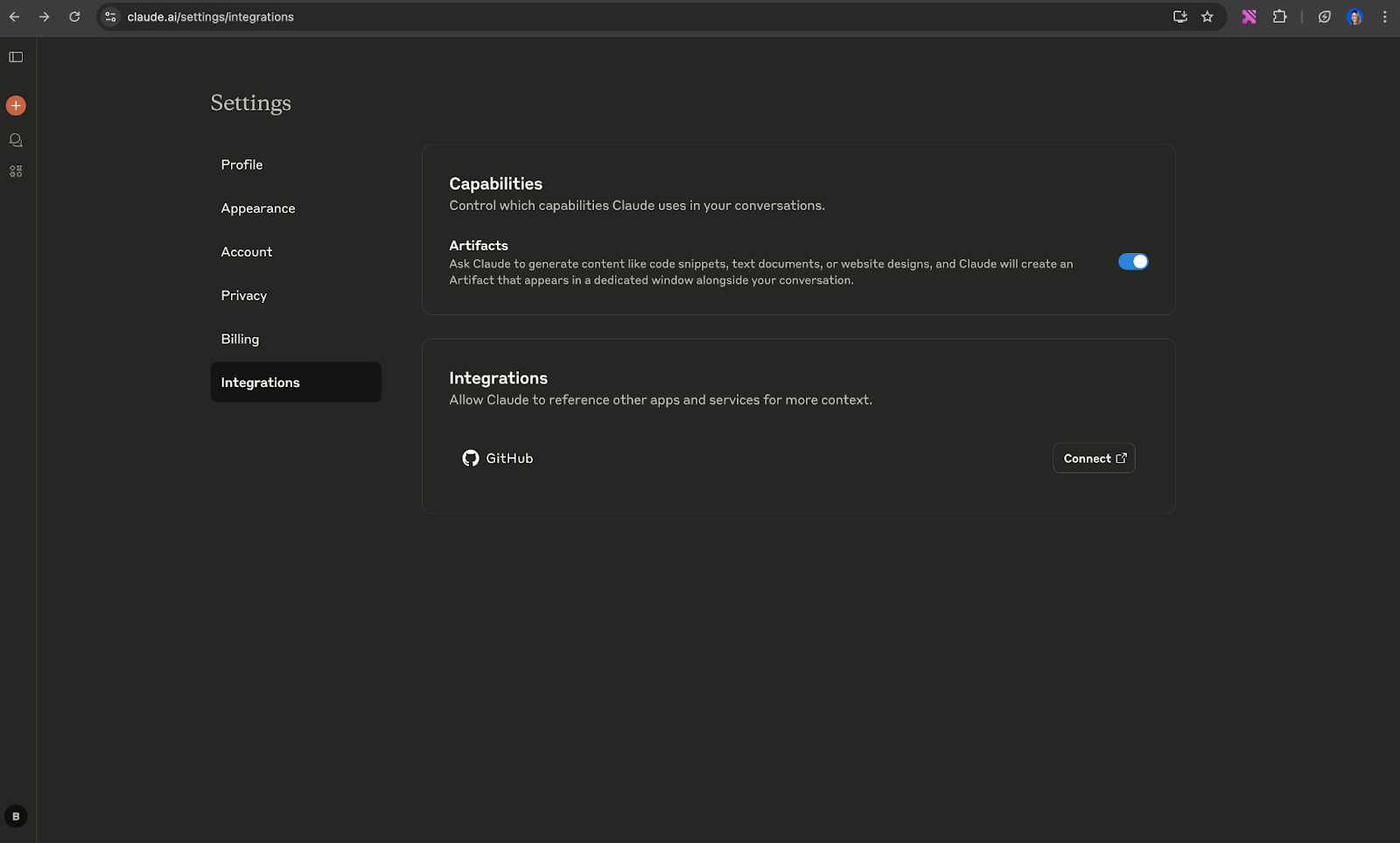
Go to your Claude Integrations page
Click
+ Add integrationIn the URL field, enter:
Replace YOUR_API_API_KEY_HERE with your actual fileAI API key.
***Please note that Claude has restrictive rules regarding the ability to send PII via MCP. Please ensure that your use case is consistent with Claude’s Terms of Service.
🔍 Getting Help
If you're having issues, please reach out to support@file.ai