Mentioned as a planned feature to containerize the MCP server for easier deployment and management.
Provides integration with GitHub demonstrated through video examples of connecting Librechat to the Nautobot MCP server.
Enables AI agents to interact with network data through custom Python tools, allowing for automation tasks and network management operations within Nautobot.
Nautobot MCP
This Nautobot app integrates the MCP (Model Context Protocol) server with Nautobot, providing AI-ready tools and interfaces for network automation and management.
Overview
Nautobot MCP enables AI assistants or applications to interact with your network data through a standardized protocol. The app runs an MCP server alongside Nautobot that exposes tools which can be used by AI systems.
https://modelcontextprotocol.io/introduction
Related MCP server: MCP Calculator
Demo using Librechat - Connected to Nautobot MCP
https://github.com/user-attachments/assets/283d68c2-d35f-4506-b909-45c1850e7281
Installation
1. Install the package
2. Add to INSTALLED_APPS in your Nautobot configuration
3. Configuration
Configure the app through Nautobot's configuration system:
4. Run nautobot post upgrade
Custom Tools
You can create your own custom tools by defining Python functions in the directory specified in MCP_CUSTOM_TOOLS_DIR.
Example custom tool:
The MCP server will automatically discover and register all function-based tools in the specified directory.
Deployment Options
Method 1: Manual Start
You can start the MCP server manually:
Method 2: Systemd Service (Recommended for Production)
Create a systemd service file at /etc/systemd/system/nautobot-mcp.service:
Then enable and start the service:
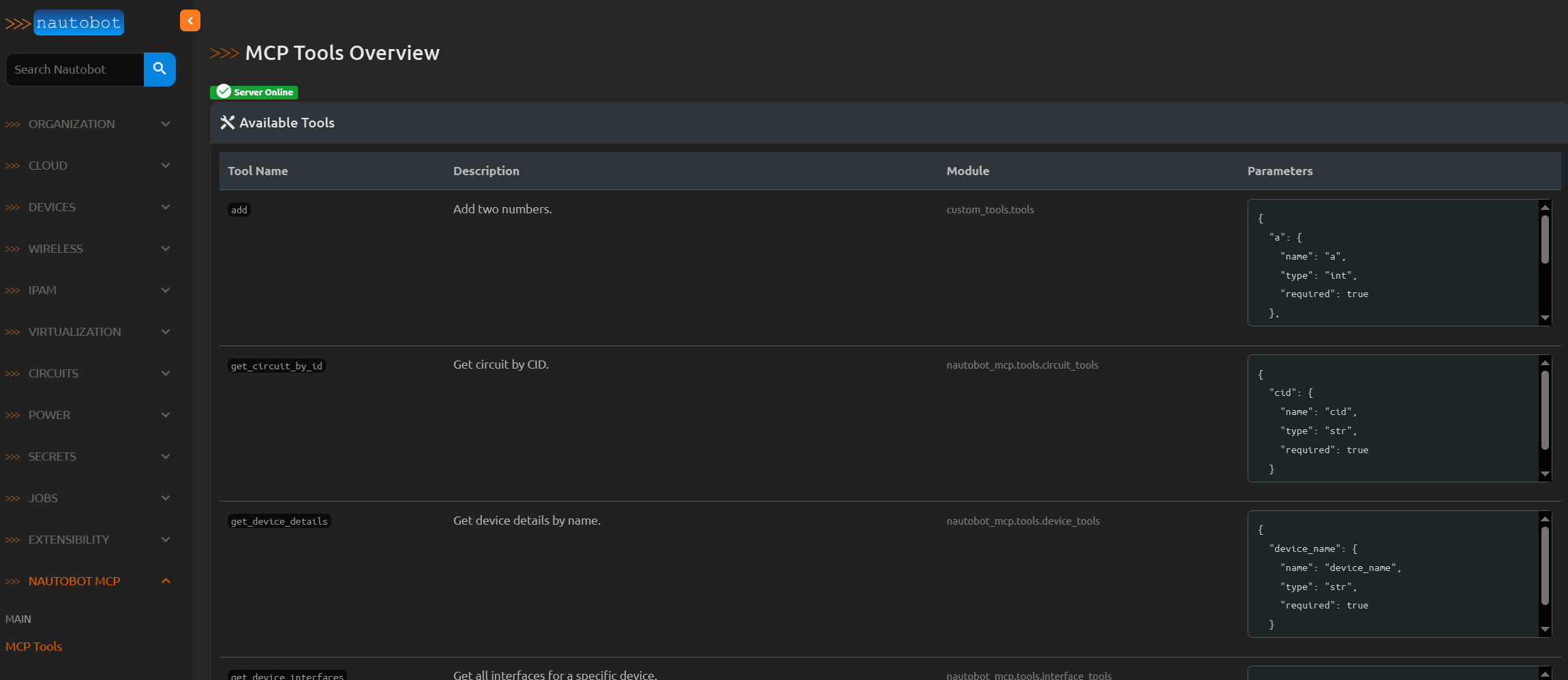
Viewing Available Tools
You can view all registered tools in the Nautobot web interface at:
This page shows all available tools, their descriptions, module paths, and parameter specifications.
TODO
Add a way to route tool execution to a specific Nautobot worker.
Enhance the tool view in the Nautobot web interface to show tool usage statistics.
Create a docker container to run the MCP server.
Add tests.
License
This project is licensed under the Apache License 2.0 - see the LICENSE file for details.