Glama

Cursor IDE 的 MCP 服务器模板

这是一个使用模型上下文协议 (MCP) 为 Cursor IDE 创建自定义工具的简单模板。您可以使用此模板创建自己的代码库,修改工具并将其连接到您的 Cursor IDE。
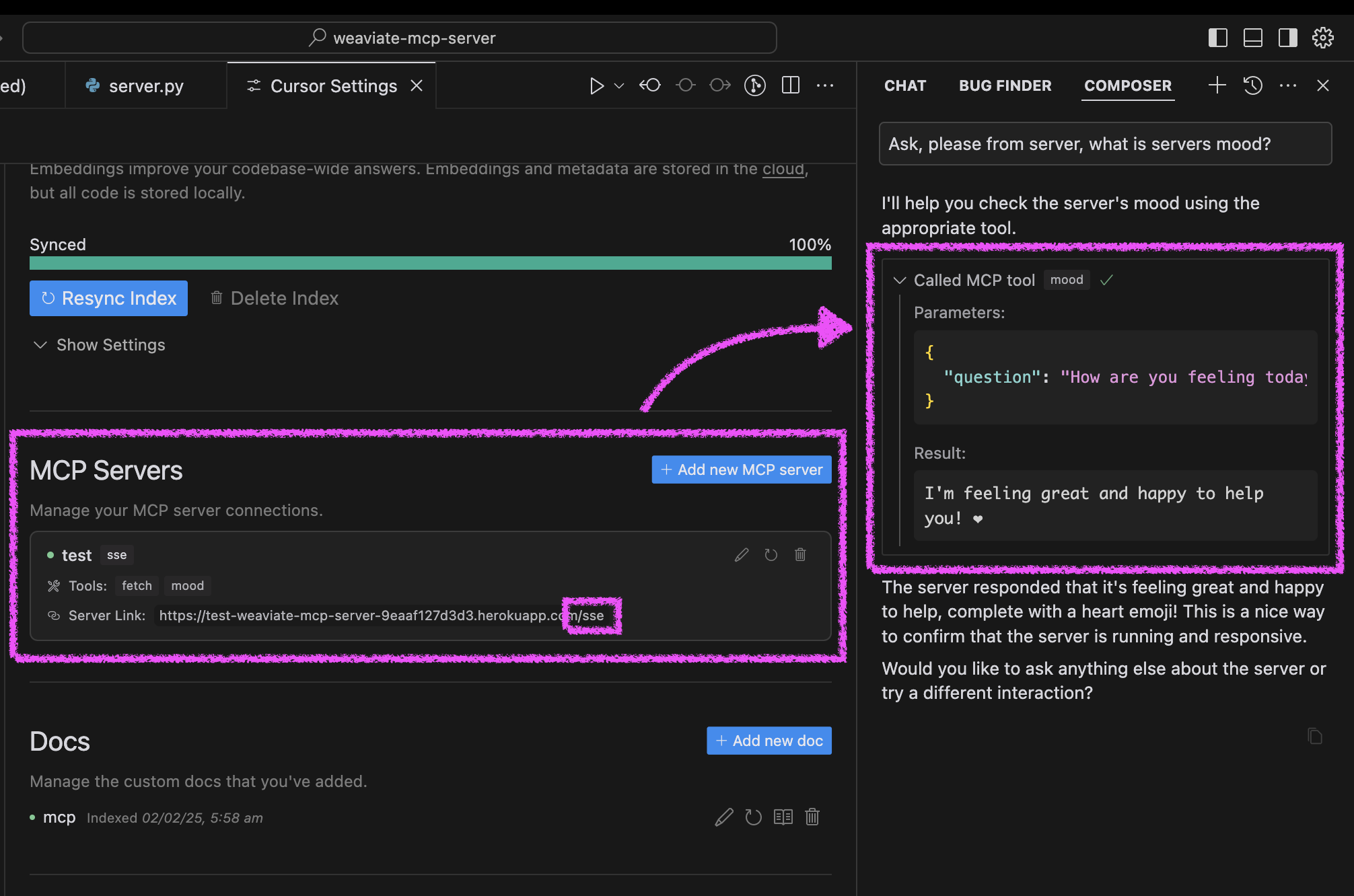
服务员情绪反应

快速入门

  1. 点击“部署到 Heroku”按钮

    部署到 Heroku

  2. 部署完成后,配置Cursor:

    • 打开游标设置 → 功能

    • 添加新的 MCP 服务器

    • 使用带有/sse路径的 Heroku URL(例如https://<your-app-name>.herokuapp.com/sse

  3. 在 Cursor 中测试您的代理的心情:

    • 询问您的代理“请询问我们的服务器状况并让我知道情况如何。”

    • 服务器将回复一条欢快的消息和一颗心❤️

Related MCP server: MCP Server Fetch Python

替代设置方法

您可以通过三种方式运行服务器:使用 Docker、传统 Python 设置或直接在 Cursor IDE 中运行。

Docker 设置

该项目包括 Docker 支持,可轻松部署:

  1. 初始设置:

# Clone the repository git clone https://github.com/kirill-markin/weaviate-mcp-server.git cd weaviate-mcp-server # Create environment file cp .env.example .env
  1. 使用 Docker Compose 构建并运行:

# Build and start the server docker compose up --build -d # View logs docker compose logs -f # Check server status docker compose ps # Stop the server docker compose down
  1. 该服务器将在以下位置可用:

  2. 快速测试:

# Test the server endpoint curl -i http://localhost:8000/sse
  1. 连接到 Cursor IDE:

    • 打开游标设置 → 功能

    • 添加新的 MCP 服务器

    • 类型:选择“sse”

    • 网址:输入http://localhost:8000/sse

传统设置

首先,安装 uv 包管理器:

# Install uv on macOS brew install uv # Or install via pip (any OS) pip install uv

使用 stdio(默认)或 SSE 传输启动服务器:

# Install the package with development dependencies uv pip install -e ".[dev]" # Using stdio transport (default) uv run mcp-simple-tool # Using SSE transport on custom port uv run mcp-simple-tool --transport sse --port 8000 # Run tests uv run pytest -v

安装完成后,您可以将服务器直接连接到Cursor IDE:

  1. 在 Cursor 中右键单击cursor-run-mcp-server.sh文件

  2. 选择“复制路径”复制绝对路径

  3. 打开光标设置(齿轮图标)

  4. 导航至“功能”选项卡

  5. 向下滚动到“MCP 服务器”

  6. 点击“添加新的 MCP 服务器”

  7. 填写表格:

    • 名称:选择任意名称(例如“my-mcp-server-1”)

    • 类型:选择“stdio”(而不是“sse”,因为我们在本地运行服务器)

    • 命令:粘贴您之前复制的cursor-run-mcp-server.sh的绝对路径。例如: /Users/kirillmarkin/weaviate-mcp-server/cursor-run-mcp-server.sh

环境变量

可用的环境变量(可以在.env中设置):

  • MCP_SERVER_PORT (默认值:8000)- 运行服务器的端口

  • MCP_SERVER_HOST (默认值:0.0.0.0)- 绑定服务器的主机

  • DEBUG (默认值:false)-启用调试模式

  • MCP_USER_AGENT - 用于网站抓取的自定义用户代理

附加选项

通过 Smithery 安装

铁匠徽章

要通过Smithery自动安装用于 Claude Desktop 的 Cursor IDE 的 MCP 服务器模板:

npx -y @smithery/cli install @kirill-markin/example-mcp-server --client claude

Glama 服务器评论

One-click Deploy
A
security – no known vulnerabilities
A
license - permissive license
A
quality - confirmed to work

Latest Blog Posts

MCP directory API

We provide all the information about MCP servers via our MCP API.

curl -X GET 'https://glama.ai/api/mcp/v1/servers/kirill-markin/example-mcp-server'

If you have feedback or need assistance with the MCP directory API, please join our Discord server