注释 MCP
与 macOS 上的 Apple Notes 连接的 MCP 服务器。
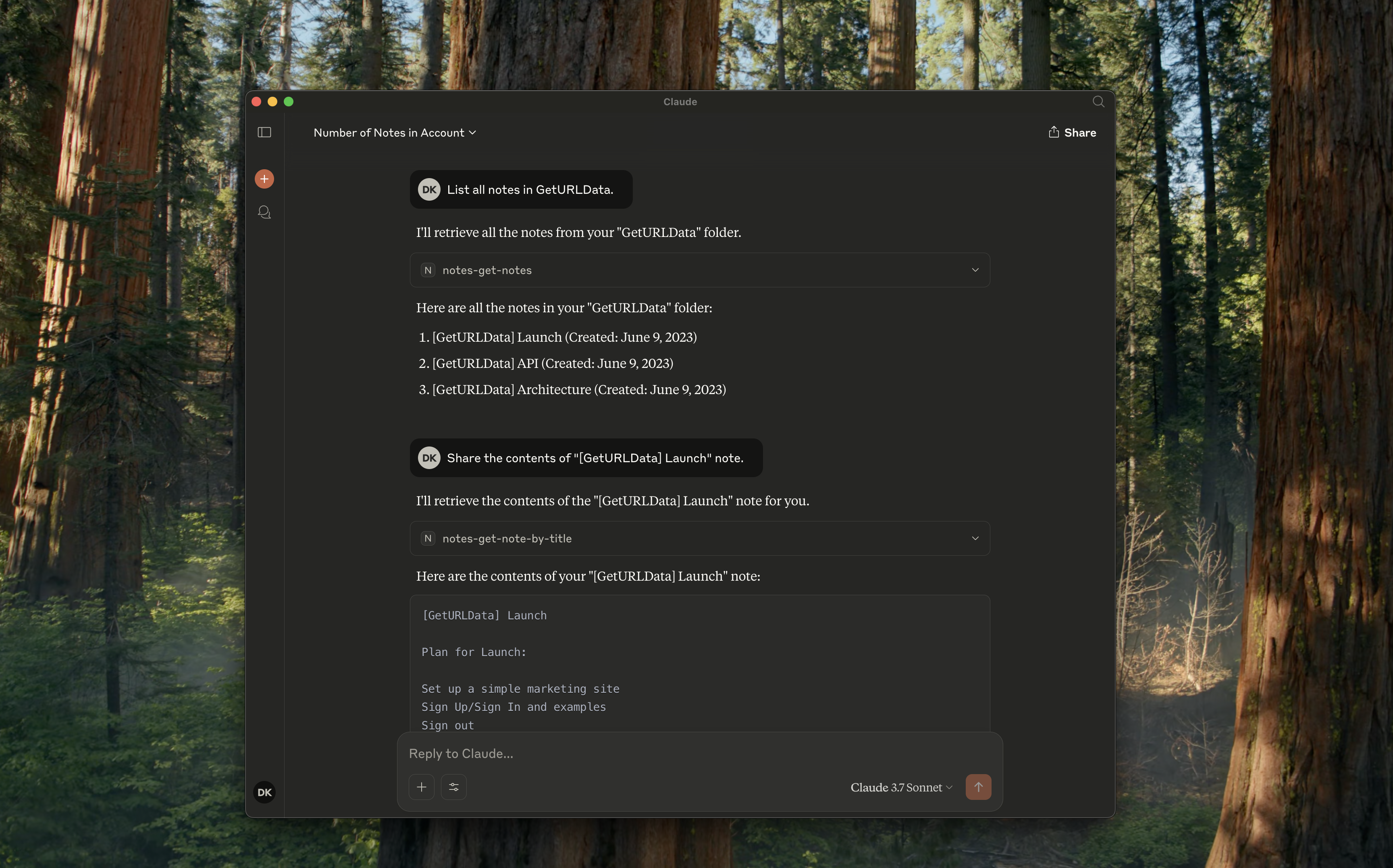
支持的工具
notes-get-folders:获取所有文件夹。notes-get-notes:获取文件夹中的所有笔记。notes-create-note:创建具有标题和内容的新笔记。notes-get-note-by-id:通过标识符获取注释。notes-get-note-by-title:通过完全匹配的标题查找注释。notes-get-note-count:获取笔记总数。
Related MCP server: mcp-my-apple-remembers
用法
构建它
始终先安装依赖项并构建它:
npm install && npm run build
使用 Claude 桌面版
将以下内容添加到您的~/Library/Application\ Support/Claude/claude_desktop_config.json :
{
"mcpServers": {
"notes": {
"command": "node",
"args": ["path/to/notes/mcp/dist/index.js"]
}
}
}
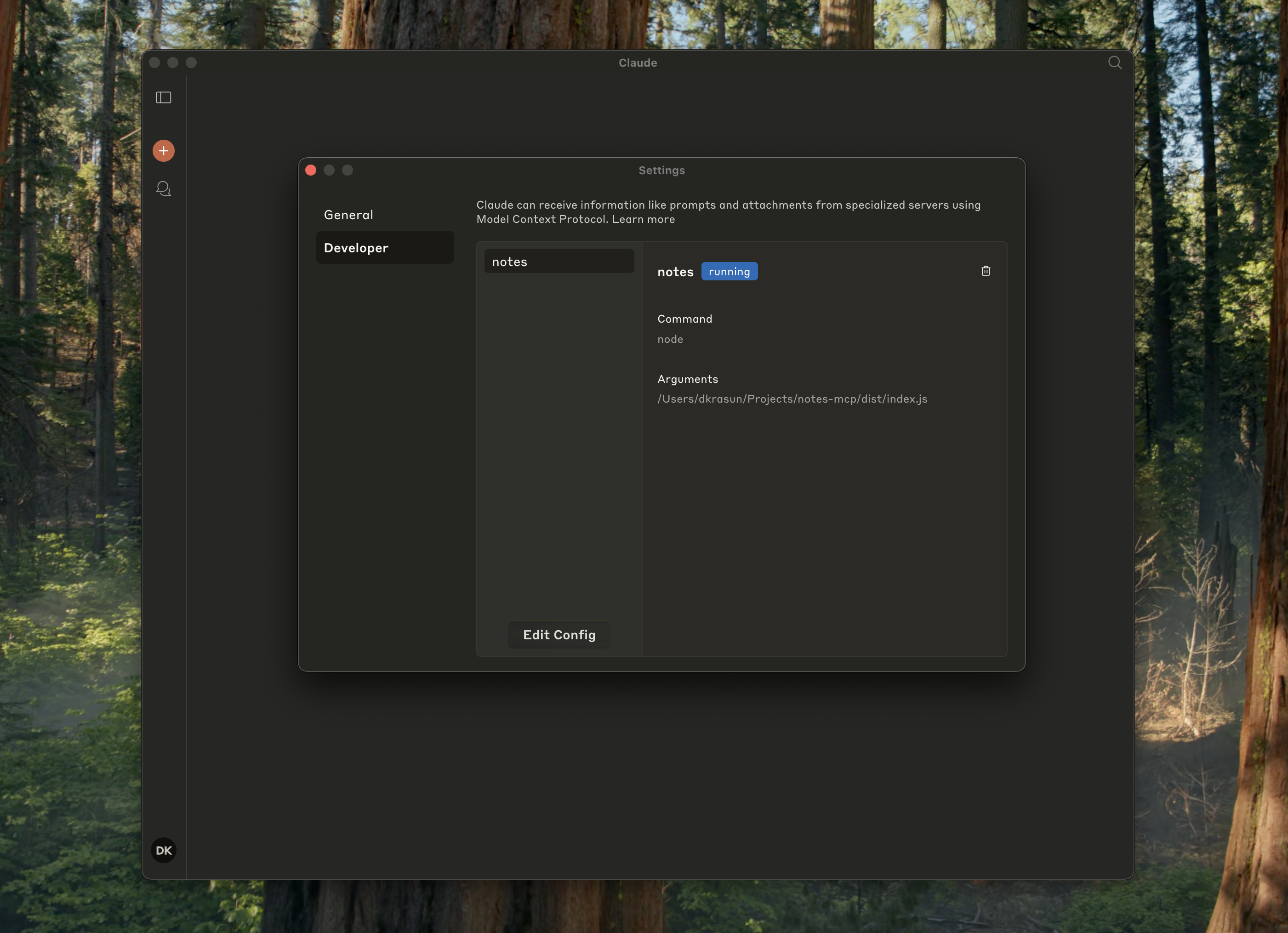
并检查它是否在 Claude 设置中运行:
使用光标
{
"mcpServers": {
"notes": {
"command": "node",
"args": ["path/to/notes/mcp/dist/index.js"]
}
}
}
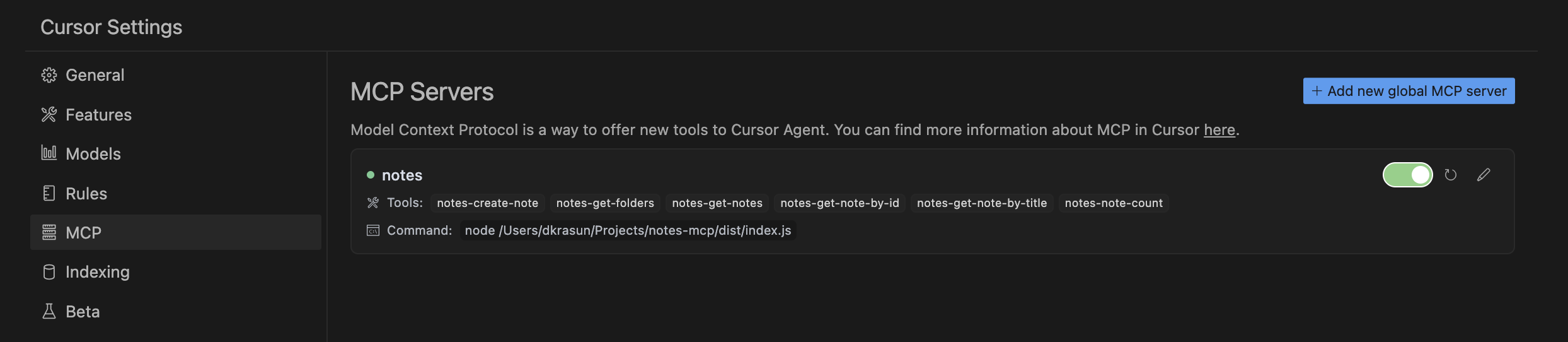
然后检查 Cursor MCP 设置:
独立或用于其他项目
node dist/index.js
执照
Notes MCP是根据 MIT 许可证授权的。


