# Observability
Observability enables tracking the inner workings of a system without having to change the system. This makes it much easier to debug and evaluate overall performance.
`txtai` has an integration with [MLflow](https://mlflow.org) and it's [tracing module](https://mlflow.org/docs/latest/llms/tracing/index.html) to provide insights into each of the components in `txtai`.
## Examples
The following shows a number of examples on how to introduce observability into a `txtai` process.
### Initialization
Run the following sections first to initialize tracing.
```
# Install MLflow plugin for txtai
pip install mlflow-txtai
# Start a local MLflow service
mlflow server --host 127.0.0.1 --port 8000
```
```python
import mlflow
mlflow.set_tracking_uri(uri="http://localhost:8000")
mlflow.set_experiment("txtai")
# Enable txtai automatic tracing
mlflow.txtai.autolog()
```
### Textractor
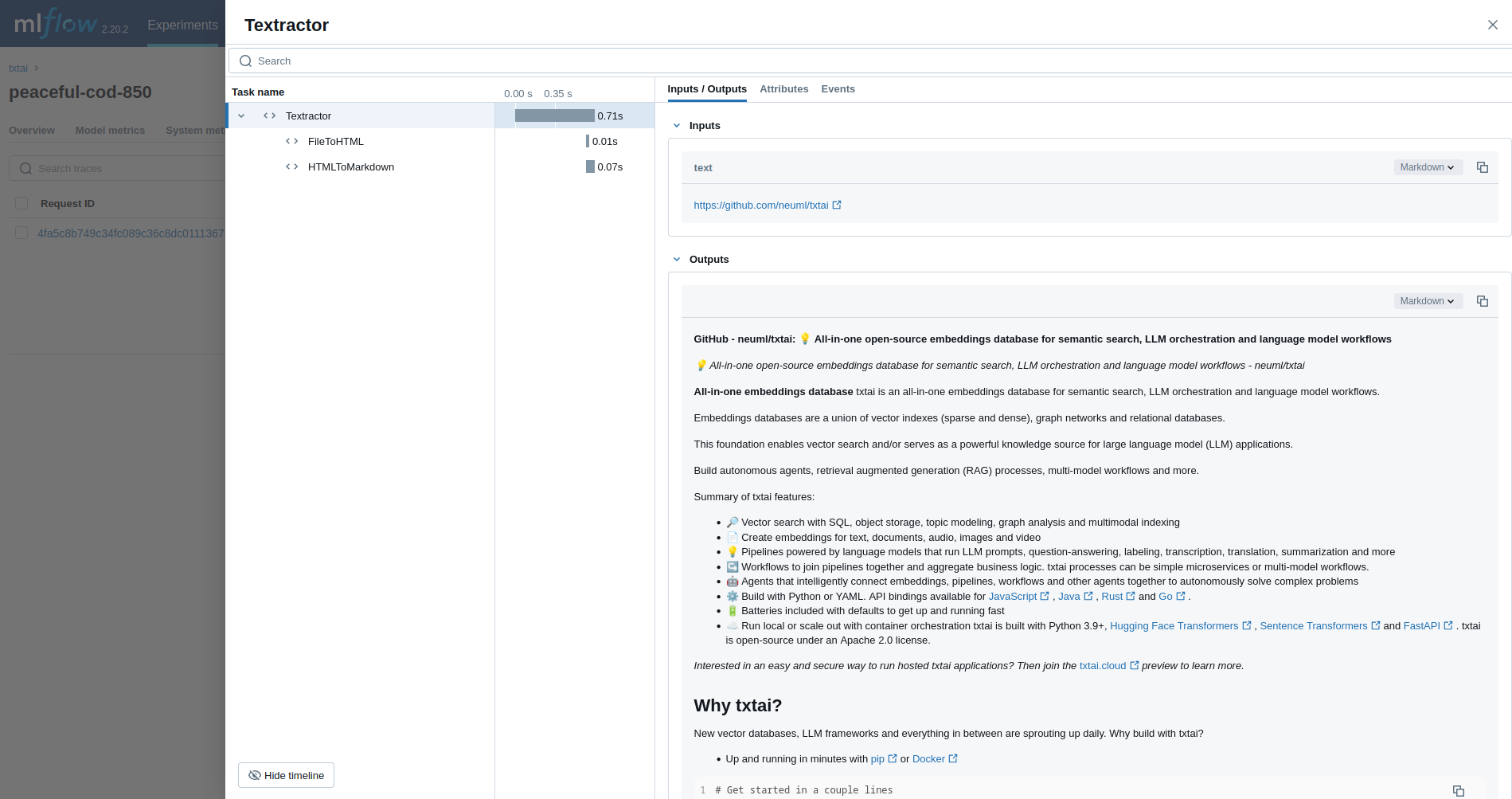
The first example traces a [Textractor pipeline](../pipeline/data/textractor).
```python
from txtai.pipeline import Textractor
with mlflow.start_run():
textractor = Textractor()
textractor("https://github.com/neuml/txtai")
```
### Embeddings
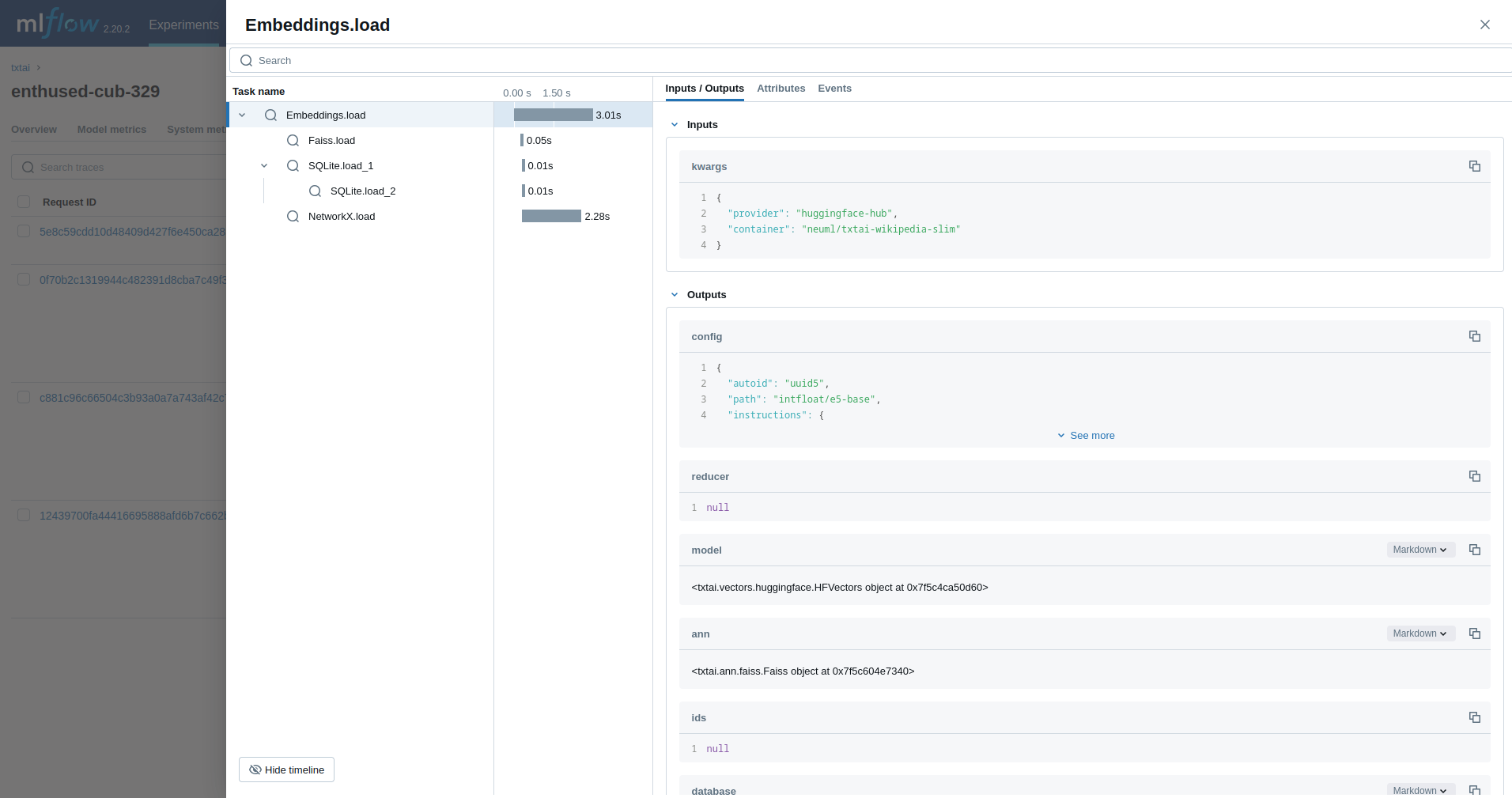
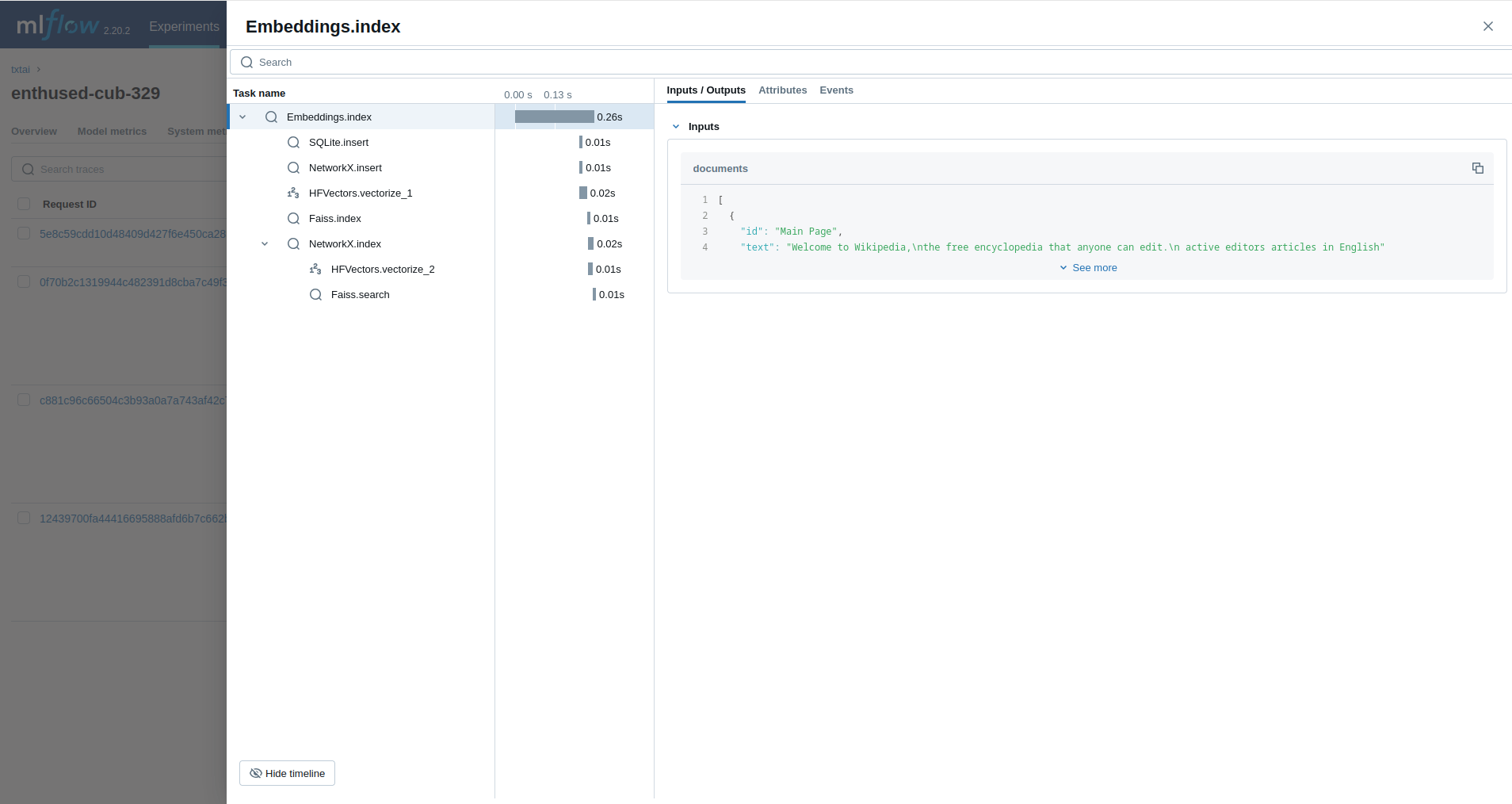
Next, we'll trace an [Embeddings](../embeddings) query.
```python
from txtai import Embeddings
with mlflow.start_run():
wiki = Embeddings()
wiki.load(provider="huggingface-hub", container="neuml/txtai-wikipedia-slim")
embeddings = Embeddings(content=True, graph=True)
embeddings.index(wiki.search("SELECT id, text FROM txtai LIMIT 25"))
embeddings.search("MATCH (A)-[]->(B) RETURN A")
```
### Retrieval Augmented Generation (RAG)
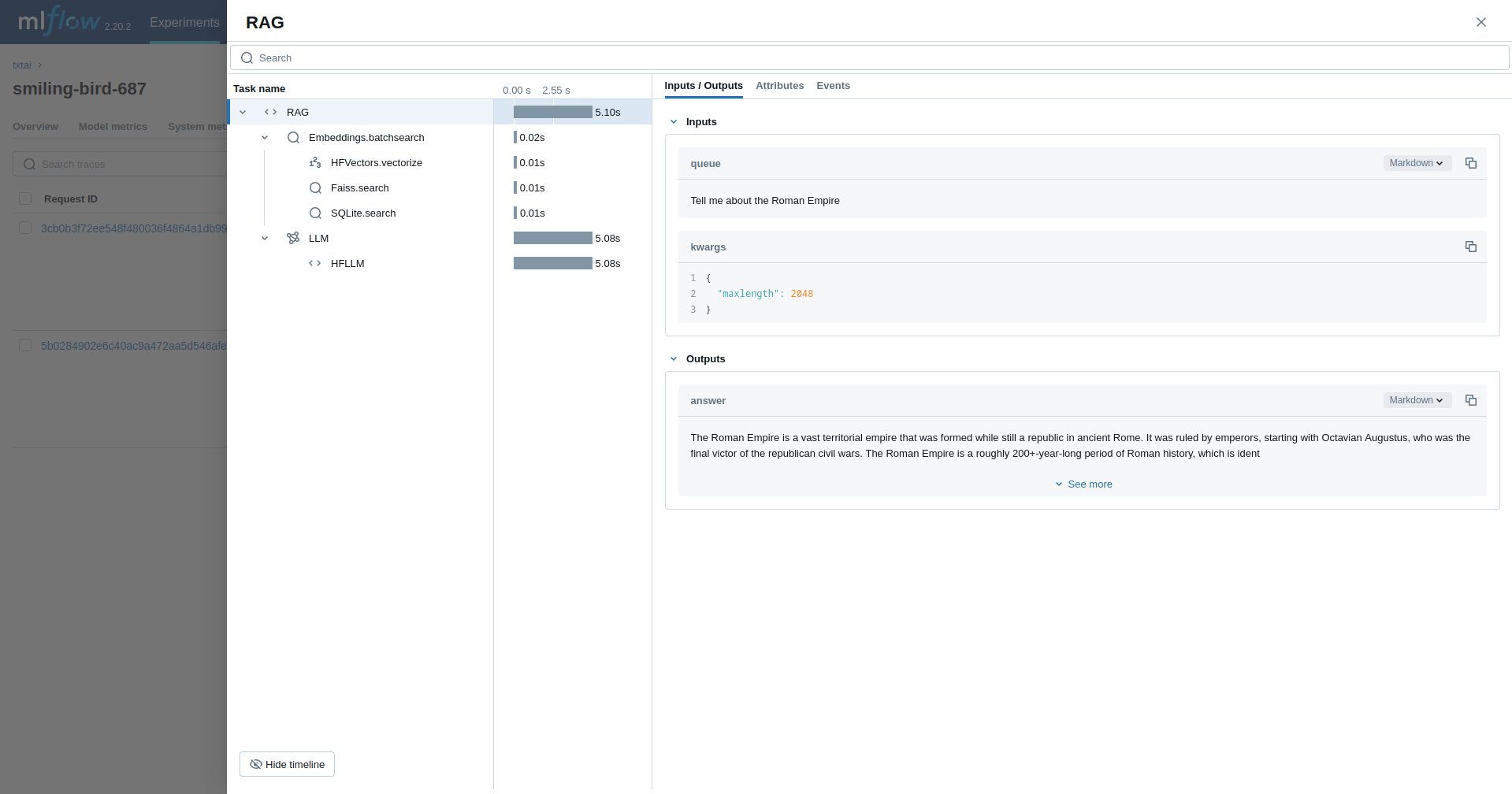
The next example traces a [RAG pipeline](../pipeline/text/rag).
```python
from txtai import Embeddings, RAG
with mlflow.start_run():
wiki = Embeddings()
wiki.load(provider="huggingface-hub", container="neuml/txtai-wikipedia-slim")
# Define prompt template
template = """
Answer the following question using only the context below. Only include information
specifically discussed.
question: {question}
context: {context} """
# Create RAG pipeline
rag = RAG(
wiki,
"openai/gpt-oss-20b",
system="You are a friendly assistant. You answer questions from users.",
template=template,
context=10
)
rag("Tell me about the Roman Empire", maxlength=2048, stripthink=True)
```
### Workflow
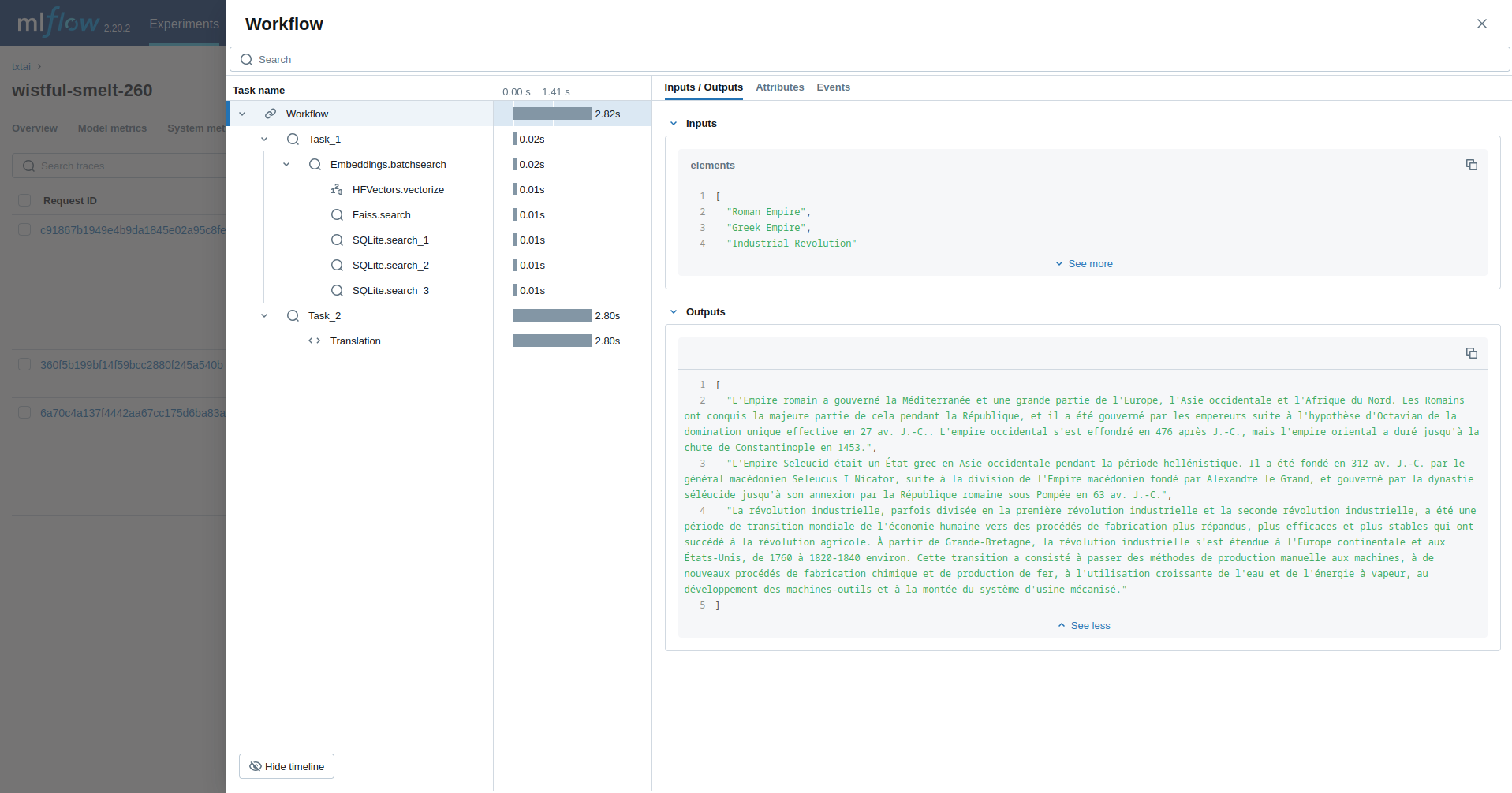
This example runs a [workflow](../workflow). This workflow runs an embeddings query and then translates each result to French.
```python
from txtai import Embeddings, Workflow
from txtai.pipeline import Translation
from txtai.workflow import Task
with mlflow.start_run():
wiki = Embeddings()
wiki.load(provider="huggingface-hub", container="neuml/txtai-wikipedia-slim")
# Translation instance
translate = Translation()
workflow = Workflow([
Task(lambda x: [y[0]["text"] for y in wiki.batchsearch(x, 1)]),
Task(lambda x: translate(x, "fr"))
])
print(list(workflow(["Roman Empire", "Greek Empire", "Industrial Revolution"])))
```
### Agent
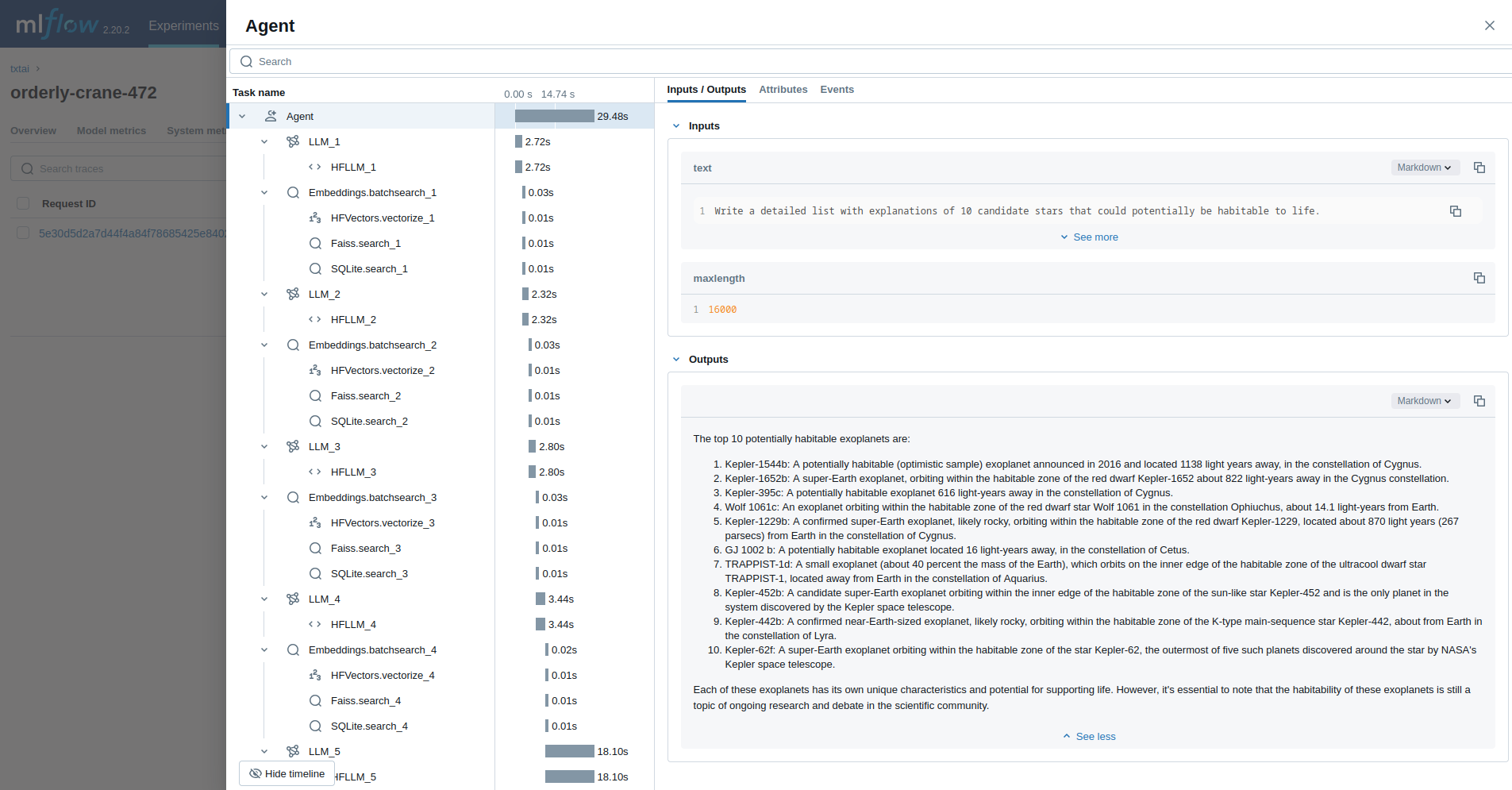
The last example runs a [txtai agent](../agent) designed to research questions on astronomy.
```python
from txtai import Agent, Embeddings
def search(query):
"""
Searches a database of astronomy data.
Make sure to call this tool only with a string input, never use JSON.
Args:
query: concepts to search for using similarity search
Returns:
list of search results with for each match
"""
return embeddings.search(
"SELECT id, text, distance FROM txtai WHERE similar(:query)",
10, parameters={"query": query}
)
embeddings = Embeddings()
embeddings.load(provider="huggingface-hub", container="neuml/txtai-astronomy")
agent = Agent(
tools=[search],
llm="Qwen/Qwen3-4B-Instruct-2507",
max_iterations=10,
)
researcher = """
{command}
Do the following.
- Search for results related to the topic.
- Analyze the results
- Continue querying until conclusive answers are found
- Write a Markdown report
"""
with mlflow.start_run():
agent(researcher.format(command="""
Write a detailed list with explanations of 10 candidate stars that could potentially be habitable to life.
"""), maxlength=16000)
```

## Read more
Check out the [mlflow-txtai](https://github.com/neuml/mlflow-txtai) project to see more examples.