The Lighthouse MCP Server allows you to measure and analyze web page performance using Google's Lighthouse tool.
Run Comprehensive Audits: Perform audits on any URL with options to select specific categories (performance, accessibility, best-practices, SEO, PWA)
Get Performance Scores: Retrieve just the performance score for a specific URL
Customization: Configure device emulation (mobile/desktop) and network throttling settings
Integration: Easily integrate with MCP systems using provided configuration templates
Integrates with Google's Lighthouse tool to provide web performance analysis and auditing capabilities.
Wraps around Google's Lighthouse tool to run comprehensive performance audits on web pages, providing performance scores, metrics, device emulation, network throttling control, and specific audit categories (performance, accessibility, best-practices, seo, pwa).
Enables auditing of Progressive Web App (PWA) metrics as one of the available audit categories when running Lighthouse tests.
Lighthouse MCP Server
An MCP server that wraps around Google's Lighthouse tool to help measure various performance metrics for web pages.
Features
Run comprehensive Lighthouse audits on any URL
Get performance scores and metrics
Configure device emulation (mobile/desktop)
Control network throttling
Select specific audit categories
Related MCP server: Mentor MCP Server
Installation
Option 1: Using npx (Recommended)
You can run the tool directly using npx without installation:
Option 2: Global Installation
Install the package globally:
Then run it:
Option 3: Local Development
Clone this repository
Install dependencies:
npm installBuild the project:
npm run buildRun the server:
npm start
MCP Configuration
When installed via npm (global or npx)
Add the following to your MCP settings configuration file:
When using local development version
Add the following to your MCP settings configuration file:
Replace /absolute/path/to/lighthouse-mcp with the actual path to this project.
Available Tools
run_audit
Run a comprehensive Lighthouse audit on a URL.
Parameters:
url(required): The URL to auditcategories(optional): Array of categories to audit (defaults to all)Options: "performance", "accessibility", "best-practices", "seo", "pwa"
device(optional): Device to emulate (defaults to "mobile")Options: "mobile", "desktop"
throttling(optional): Whether to apply network throttling (defaults to true)
Example:
get_performance_score
Get just the performance score for a URL.
Parameters:
url(required): The URL to auditdevice(optional): Device to emulate (defaults to "mobile")Options: "mobile", "desktop"
Example:
Example Usage
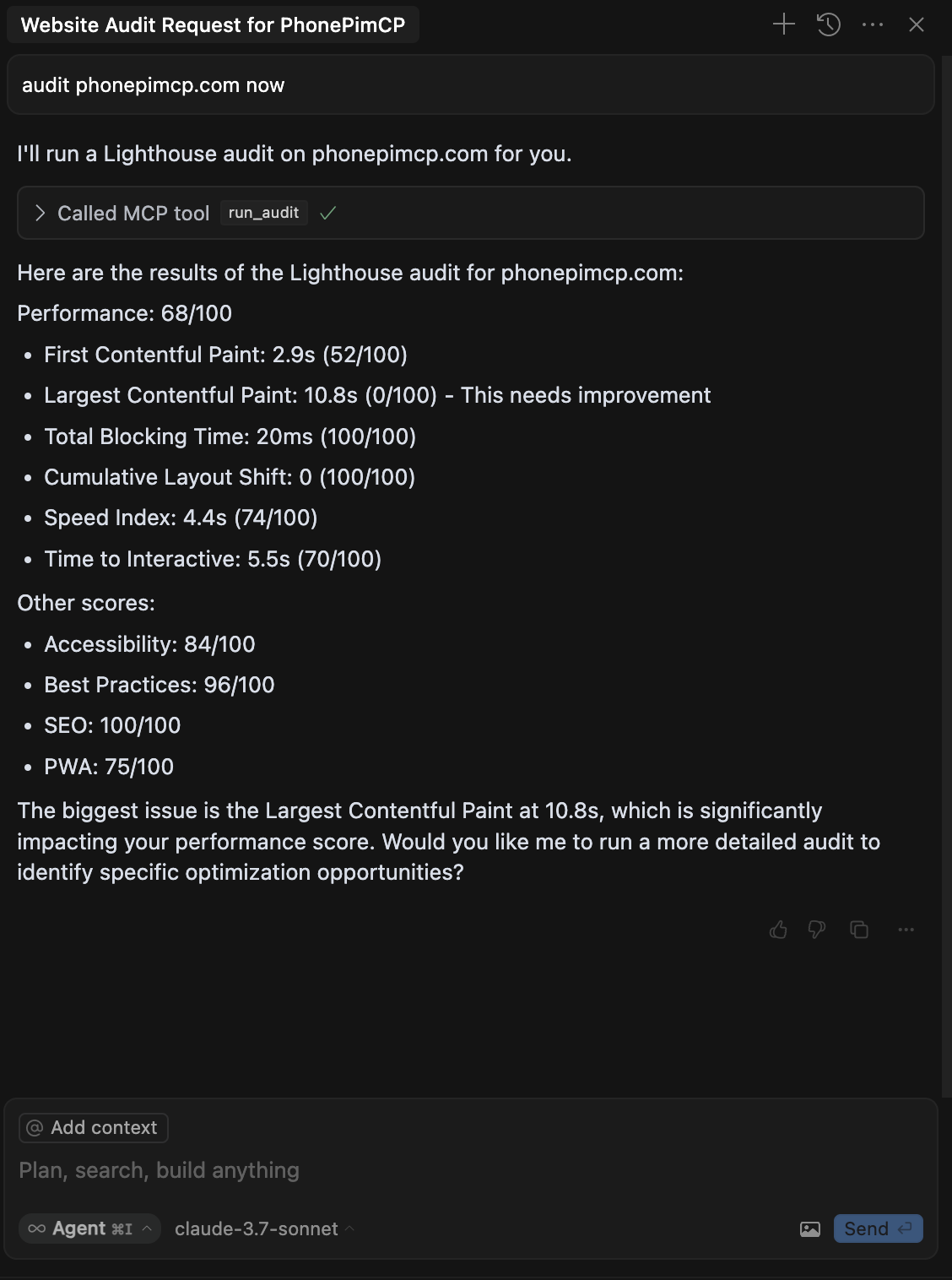
Once the MCP server is configured, you can use it with Claude:
Claude will use the get_performance_score tool to analyze the website and return the results.
Requirements
Node.js 16+
Chrome/Chromium browser (for Lighthouse)
