剧作家 MCP 服务器🎭
一个使用 Playwright 提供浏览器自动化功能的模型上下文协议 (MLM) 服务器。该服务器使 LLM 能够与网页交互、截取屏幕截图、生成测试代码、从网页中提取网页数据,并在真实的浏览器环境中执行 JavaScript。
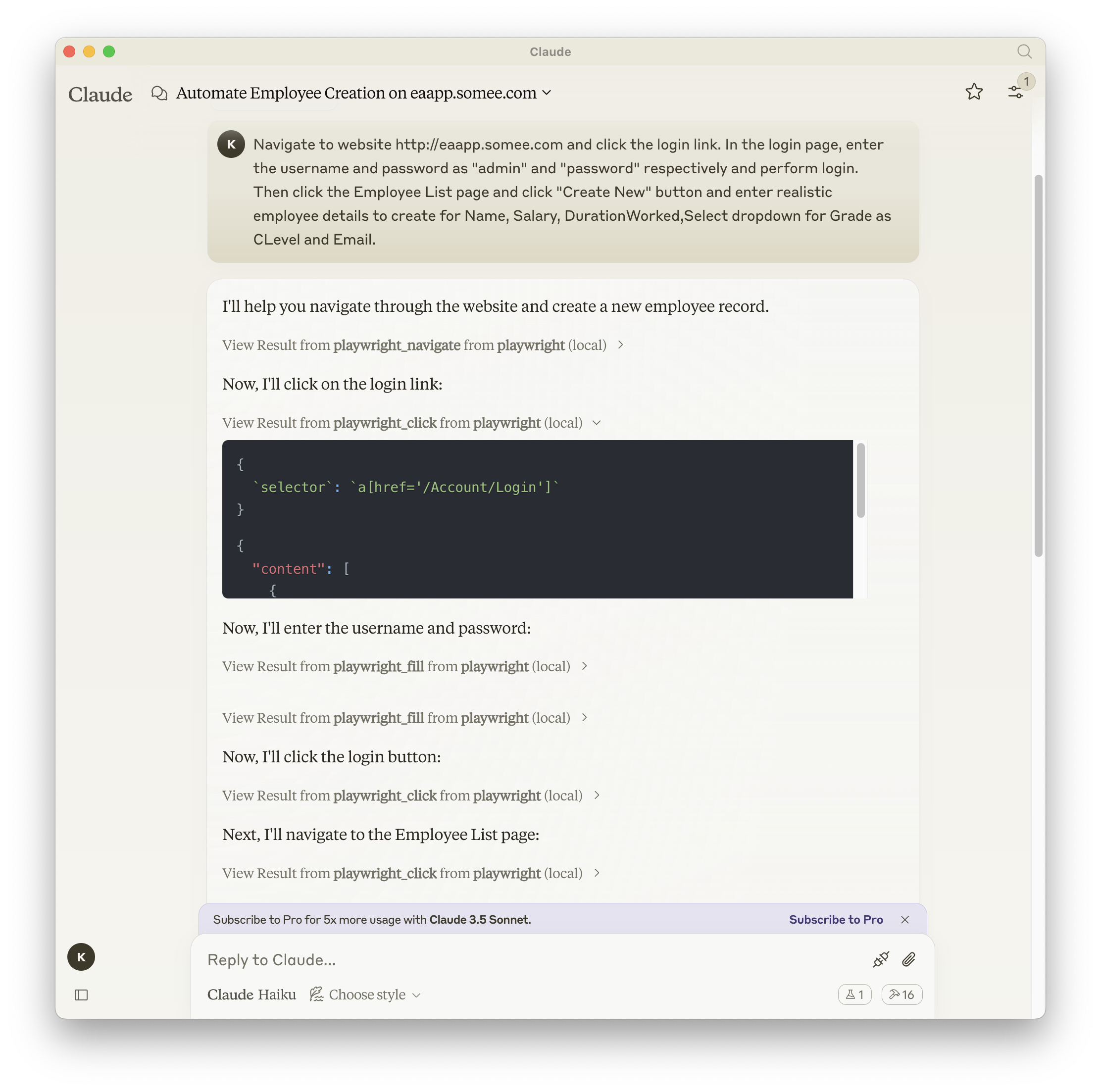
截屏
Related MCP server: Playwright MCP Server
文档| API 参考
安装
您可以使用 npm、mcp-get 或 Smithery 安装该软件包:
使用 npm:
npm install -g @executeautomation/playwright-mcp-server
使用 mcp-get:
npx @michaellatman/mcp-get@latest install @executeautomation/playwright-mcp-server
使用 Smithery
要通过Smithery自动为 Claude Desktop 安装 Playwright MCP:
npx -y @smithery/cli install @executeautomation/playwright-mcp-server --client claude
在 VS Code 中安装
使用以下按钮之一在 VS Code 中安装 Playwright MCP 服务器:
或者,您可以使用 VS Code CLI 安装 Playwright MCP 服务器:
# For VS Code
code --add-mcp '{"name":"playwright","command":"npx","args":["@executeautomation/playwright-mcp-server"]}'
# For VS Code Insiders
code-insiders --add-mcp '{"name":"playwright","command":"npx","args":["@executeautomation/playwright-mcp-server"]}'
安装后,ExecuteAutomation Playwright MCP 服务器将可与 VS Code 中的 GitHub Copilot 代理一起使用。
使用 Playwright Server 的配置
以下是使用 Playwright 服务器的 Claude Desktop 配置:
{
"mcpServers": {
"playwright": {
"command": "npx",
"args": ["-y", "@executeautomation/playwright-mcp-server"]
}
}
}
测试
该项目使用 Jest 进行测试。测试位于src/__tests__目录中。
运行测试
您可以使用以下命令之一运行测试:
# Run tests using the custom script (with coverage)
node run-tests.cjs
# Run tests using npm scripts
npm test # Run tests without coverage
npm run test:coverage # Run tests with coverage
npm run test:custom # Run tests with custom script (same as node run-tests.cjs)
测试覆盖率报告将在coverage目录中生成。