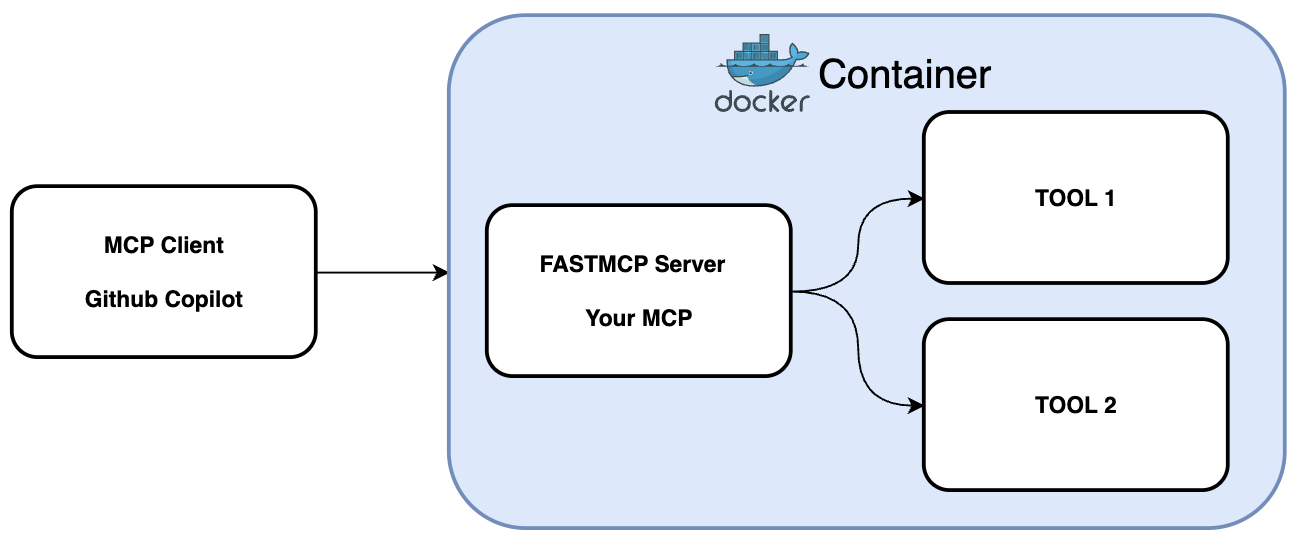
Provides containerized deployment of the MCP server through Docker Compose, simplifying setup and ensuring consistent runtime environments.
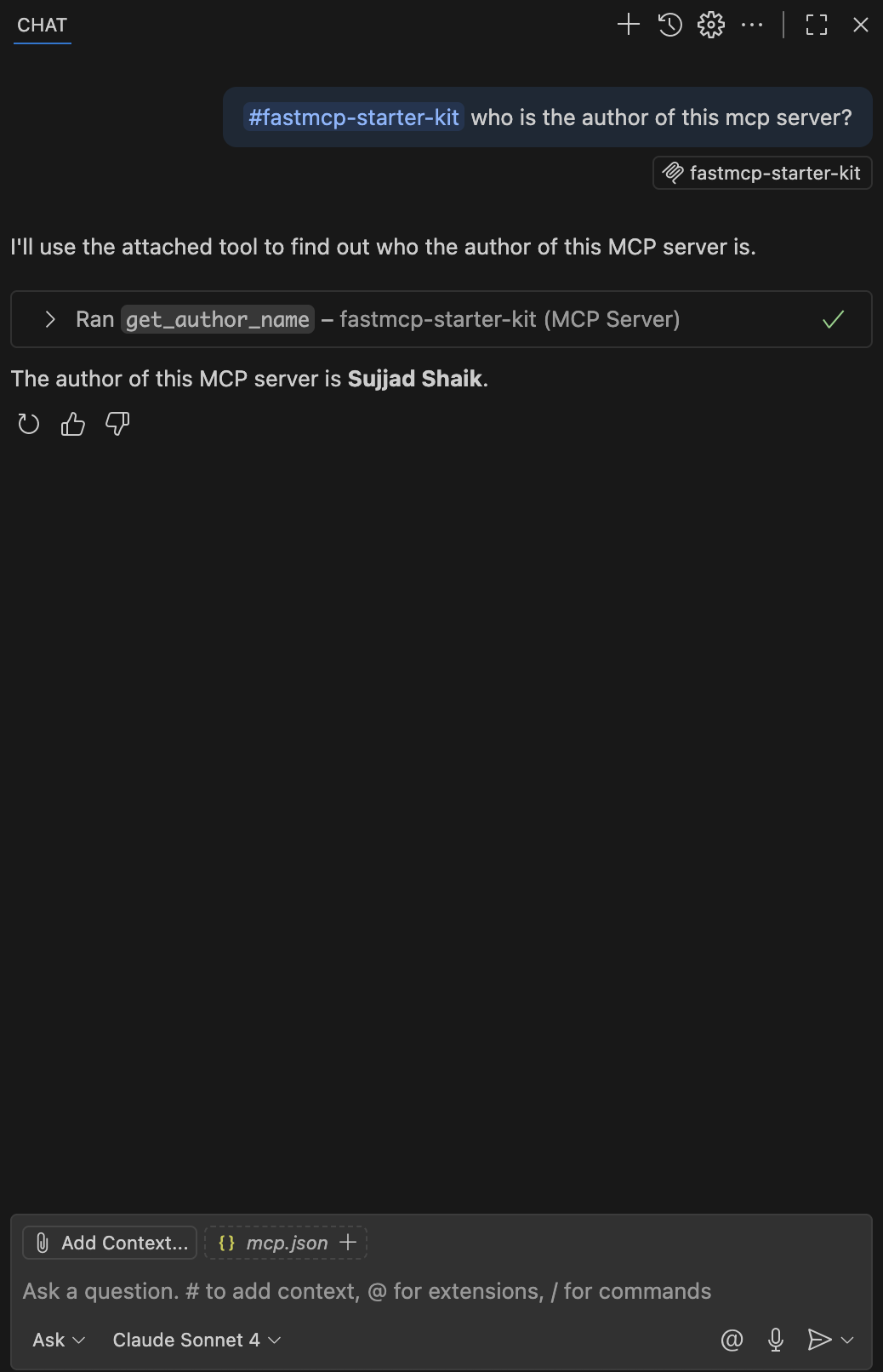
Integrates with GitHub Copilot to provide custom tools, including an example 'get_author_name' tool, allowing Copilot to access and utilize server-defined functions through the Model Context Protocol.
FastMCP Starter Kit
A simple Model Context Protocol (MCP) server starter kit built with FastMCP.
Features
Simple MCP server implementation using FastMCP
Example tool:
get_author_name- Returns the author name of this MCP serverEasy to extend with additional tools and functionality
Related MCP server: Microsoft Copilot Studio MCP
Installation
Fork and Clone this repository.
Install dependencies using uv (recommended):
Or using pip:
Usage
Running the MCP Server
Start the server using:
VS Code Configuration
To use this MCP server with GitHub Copilot in VS Code, create a .vscode/mcp.json file in your project root:
Important Notes:
Make sure your MCP server is running on the port specified in the configuration.
If you're running the server on port 8000 (default), update the URL to
http://localhost:8000/sseThe
--allow-httpflag is required for local HTTP connections
Once you have the MCP server running, you can connect it to GitHub Copilot to access the custom tools. Here's how it looks in GitHub Copilot:
Development
To add new tools to your MCP server:
Add new tool functions in
src/server.pyusing the@mcp.tool()decoratorRestart the server
The new tools will be automatically available to connected clients
Example: