

🪐 ✨ Jupyter MCP 服务器



Jupyter MCP 服务器是一个模型上下文协议(MCP) 服务器实现,可与在任何 JupyterLab 中运行的 📓 Jupyter 笔记本进行交互(也适用于您的 💻 本地 JupyterLab)。
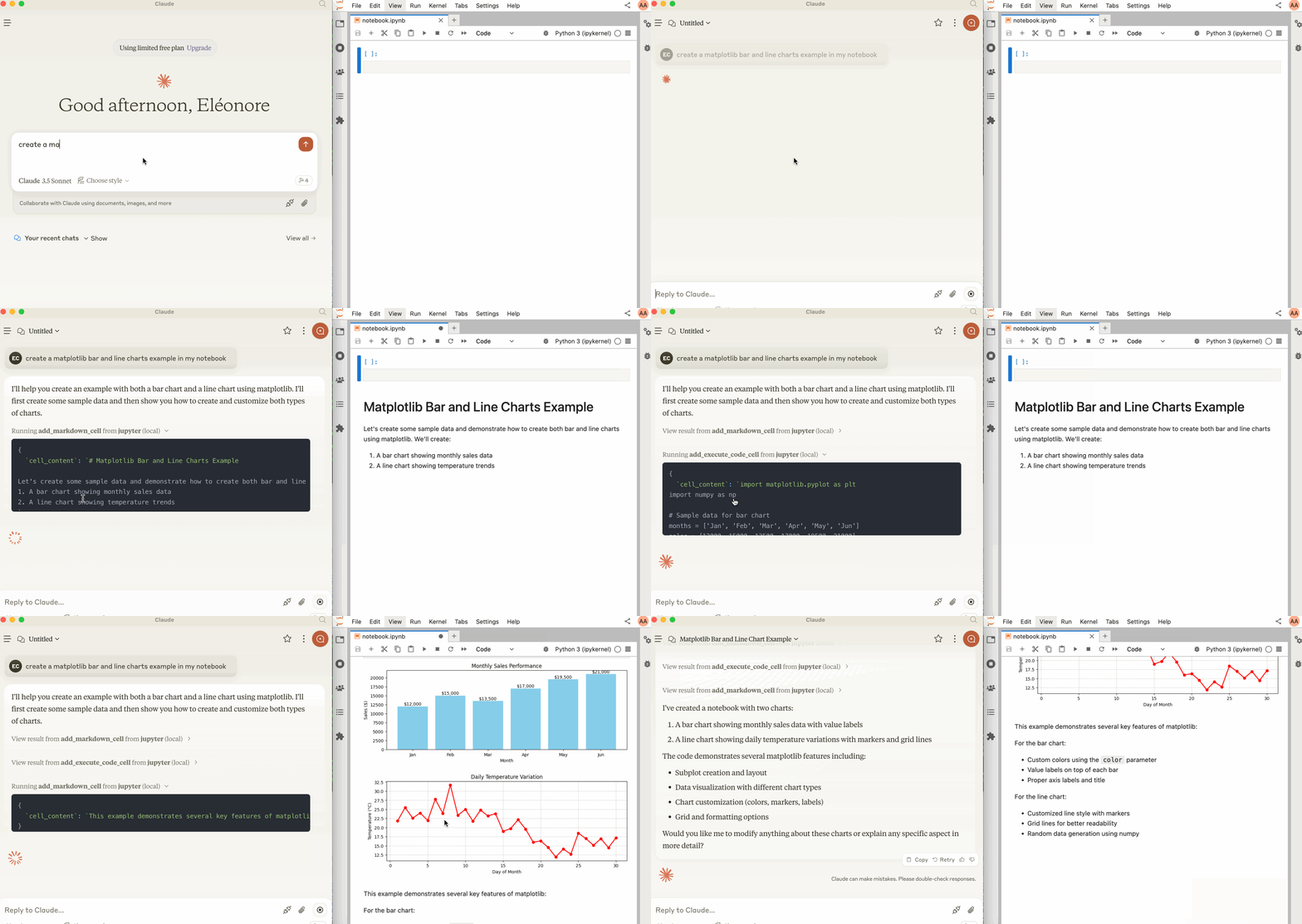
启动 JupyterLab
确保已安装以下软件。协作包必不可少,因为借助Jupyter 实时协作功能,您可以看到笔记本上所做的修改。
pip install jupyterlab==4.4.1 jupyter-collaboration==4.0.2 ipykernel
pip uninstall -y pycrdt datalayer_pycrdt
pip install datalayer_pycrdt==0.12.17
然后,使用以下命令启动 JupyterLab。
jupyter lab --port 8888 --IdentityProvider.token MY_TOKEN --ip 0.0.0.0
您也可以运行make jupyterlab 。
[!笔记]
--ip设置为0.0.0.0以允许在 Docker 容器中运行的 MCP 服务器访问您的本地 JupyterLab。
Related MCP server: Code Summarizer MCP
与 Claude Desktop 一起使用
您可以从此页面下载适用于 macOS 和 Windows 的 Claude Desktop。
对于 Linux,我们成功使用了基于 nix 的非官方构建脚本
# ⚠️ UNOFFICIAL
# You can also run `make claude-linux`
NIXPKGS_ALLOW_UNFREE=1 nix run github:k3d3/claude-desktop-linux-flake \
--impure \
--extra-experimental-features flakes \
--extra-experimental-features nix-command
要将其与 Claude Desktop 一起使用,请将以下内容添加到您的claude_desktop_config.json (在MCP 文档网站上阅读更多内容)。
[!重要的]
确保SERVER_URL和TOKEN的端口与jupyter lab命令中使用的端口相匹配。
NOTEBOOK_PATH应该相对于启动 JupyterLab 的目录。
macOS 和 Windows 上的 Claude 配置
{
"mcpServers": {
"jupyter": {
"command": "docker",
"args": [
"run",
"-i",
"--rm",
"-e",
"SERVER_URL",
"-e",
"TOKEN",
"-e",
"NOTEBOOK_PATH",
"datalayer/jupyter-mcp-server:latest"
],
"env": {
"SERVER_URL": "http://host.docker.internal:8888",
"TOKEN": "MY_TOKEN",
"NOTEBOOK_PATH": "notebook.ipynb"
}
}
}
}
Linux 上的 Claude 配置
CLAUDE_CONFIG=${HOME}/.config/Claude/claude_desktop_config.json
cat <<EOF > $CLAUDE_CONFIG
{
"mcpServers": {
"jupyter": {
"command": "docker",
"args": [
"run",
"-i",
"--rm",
"-e",
"SERVER_URL",
"-e",
"TOKEN",
"-e",
"NOTEBOOK_PATH",
"--network=host",
"datalayer/jupyter-mcp-server:latest"
],
"env": {
"SERVER_URL": "http://localhost:8888",
"TOKEN": "MY_TOKEN",
"NOTEBOOK_PATH": "notebook.ipynb"
}
}
}
}
EOF
cat $CLAUDE_CONFIG
成分
工具
该服务器目前提供 2 种工具:
add_execute_code_cell
在 Jupyter 笔记本中添加并执行代码单元。
输入:
返回:单元格输出。
add_markdown_cell
建筑
您可以从源代码构建 Docker 镜像。
通过 Smithery 安装
要通过Smithery自动为 Claude Desktop 安装 Jupyter MCP 服务器:
npx -y @smithery/cli install @datalayer/jupyter-mcp-server --client claude