The Playwright MCP Server is a browser automation tool that enables programmatic interaction with web pages. With this server, you can:
Navigate to URLs: Browse to specific web addresses
Take Screenshots: Capture images of pages or specific elements
Click Elements: Interact with page elements using CSS selectors
Fill Input Fields: Enter text into forms
Select Options: Choose items from dropdown menus
Hover Elements: Trigger hover events on specific elements
Execute JavaScript: Run custom JS code in the browser console
Perform HTTP Requests: Make GET, POST, PUT, PATCH, and DELETE requests
Playwright MCP Server
A Model Context Protocol server that provides browser automation capabilities using Playwright. This server enables LLMs to interact with web pages, take screenshots, and execute JavaScript in a real browser environment.
Screenshot
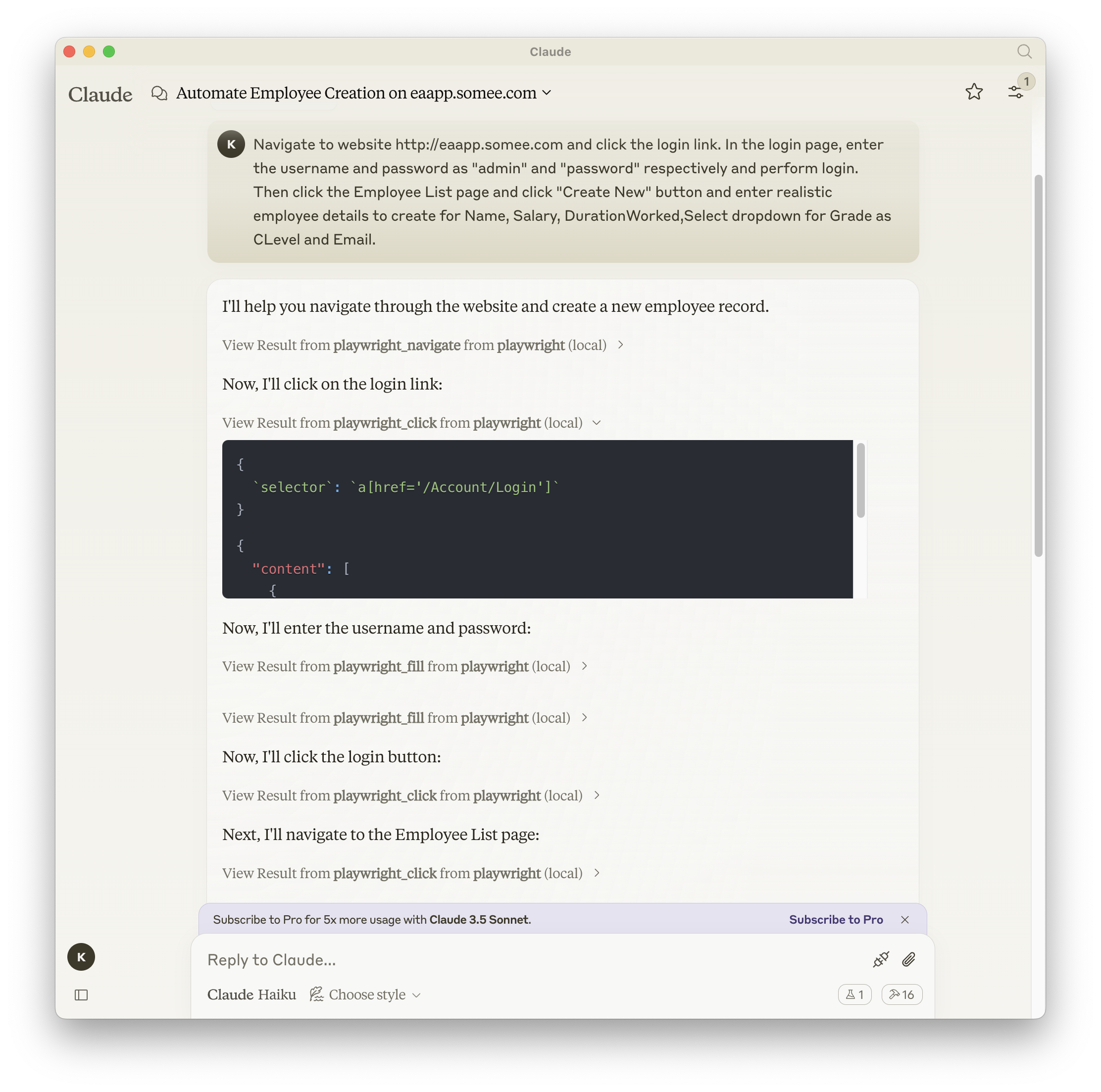
Related MCP server: Puppeteer MCP Server
Documentation | API reference
Installation
You can install the package using either npm, mcp-get, or Smithery:
Using npm:
Using mcp-get:
Using Smithery
To install Playwright MCP for Claude Desktop automatically via Smithery:
Configuration to use Playwright Server
Here's the Claude Desktop configuration to use the Playwright server: