Playwright MCP サーバー
Playwright を用いたブラウザ自動化機能を提供するモデルコンテキストプロトコルサーバー。このサーバーにより、LLM はウェブページを操作したり、スクリーンショットを撮ったり、実際のブラウザ環境で JavaScript を実行したりできるようになります。
スクリーンショット
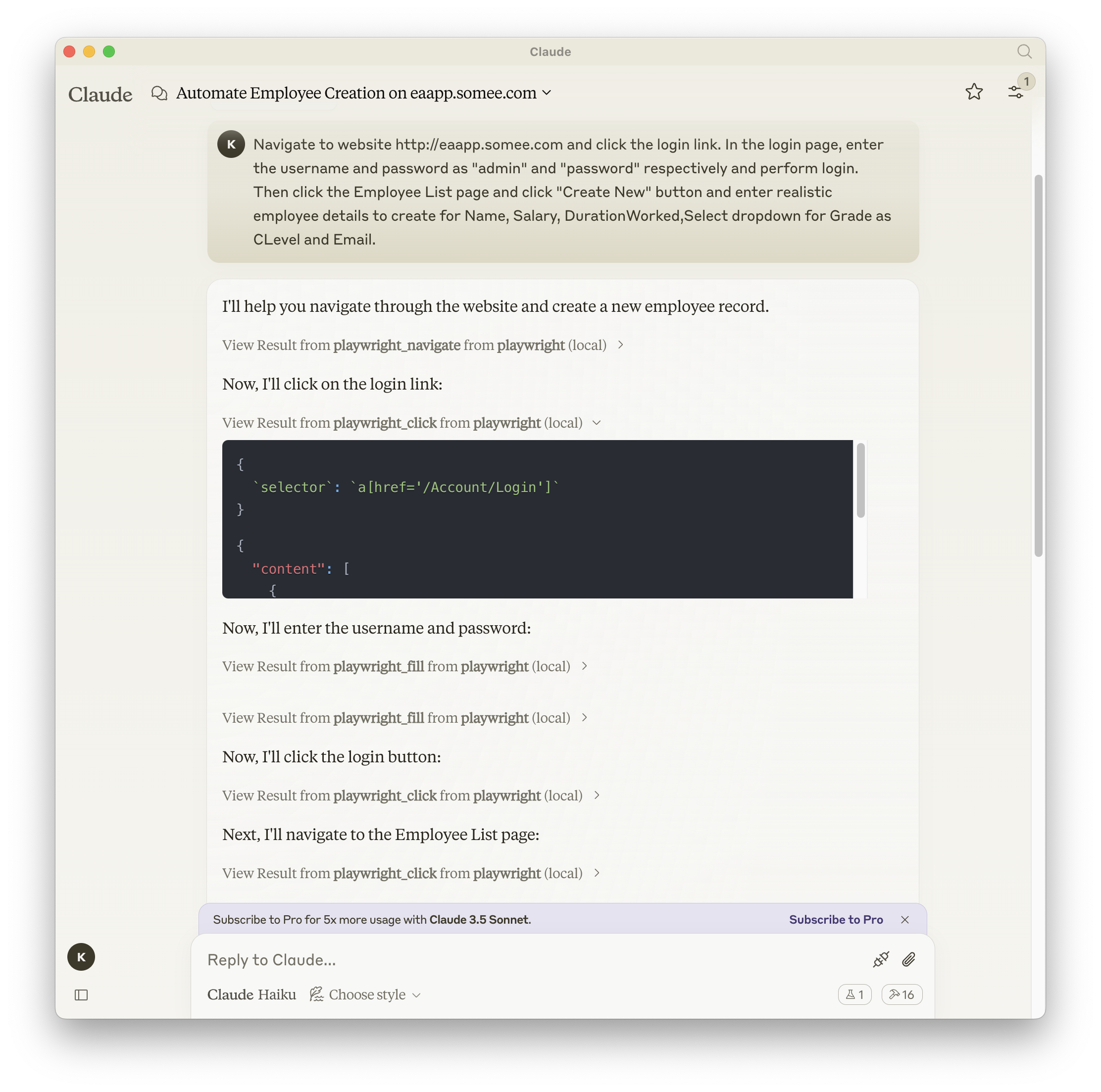
Related MCP server: Puppeteer MCP Server
ドキュメント| APIリファレンス
インストール
npm、mcp-get、Smithery のいずれかを使用してパッケージをインストールできます。
npm を使用する場合:
npm install -g @executeautomation/playwright-mcp-server
mcp-get の使用:
npx @michaellatman/mcp-get@latest install @executeautomation/playwright-mcp-server
鍛冶屋を使う
Smithery経由で Claude Desktop 用の Playwright MCP を自動的にインストールするには:
npx @smithery/cli install @executeautomation/playwright-mcp-server --client claude
Playwright Serverを使用するための設定
Playwright サーバーを使用するための Claude Desktop の構成は次のとおりです。
{
"mcpServers": {
"playwright": {
"command": "npx",
"args": ["-y", "@executeautomation/playwright-mcp-server"]
}
}
}