Meta MCP プロキシ
複数のMCPサーバーとJavaScript関数にまたがるツールの検出と実行を可能にする、柔軟なモデルコンテキストプロトコル(MCP)プロキシです。数百ものツールがある場合でも、コンテキストイベントを縮小できます。このMCPは、他のMCP(またはライブラリ)のラッパーとして機能し、一種のローカルRAG(Retrieval Augmented Generation)を実行してコンテキストサイズを削減します。LLMに2つのメソッド(検出と実行)を提供し、LLMに簡潔な検出処理を要求します。実行メソッドはシンプルなプロキシです。
ツールの目的と、LLM がどのようなトピックにそれを使用すべきかについての詳細を拡張するために、 discoverDescriptionExtras構成を追加することを強くお勧めします。
特徴
🌉統合ツール検出: 複数の MCP サーバーにわたるツールの検索
🔌プロキシ実行: ツール呼び出しを適切なサーバーにルーティングする
🔍スマート検索:あいまい一致で最適なツールを見つける
🧩 JavaScript 統合: カスタム JavaScript 関数を MCP ツールとして公開
📝設定可能: ファイルまたはコマンドライン引数から設定を読み込む
Related MCP server: MCP Server.exe
使用法
🧱 インストール
ファイル~/Library/Application Support/Claude/claude_desktop_config.jsonを編集します。
そして以下を追加します
{
"mcpServers": {
"mcp-openapi-proxy": {
"command": "npx",
"args": ["@nullplatform/meta-mcp-proxy","-f","config.json"]
}
}
}
設定ファイルの形式
config.jsonは次の構造に従う必要があります。
{
"discoverDescriptionExtras": "Additional description for discovery",
"discoverLimit": 10,
"mcpServers": {
"server-name": {
"command": "command-to-execute",
"args": ["arg1", "arg2"],
"env": {
"ENV_VAR1": "value1",
"ENV_VAR2": "value2"
},
"transport": "stdio"
}
}
}
例として
{
"discoverDescriptionExtras": "Api used to manage a pet store with access to pets, pet types, users, orders and store",
"mcpServers": {
"mcp-petstore": {
"command": "uvx",
"args": ["mcp-openapi-proxy"],
"env": {
"OPENAPI_SPEC_URL": "https://petstore.swagger.io/v2/swagger.json",
"API_KEY": "xxxxx"
}
}
}
}
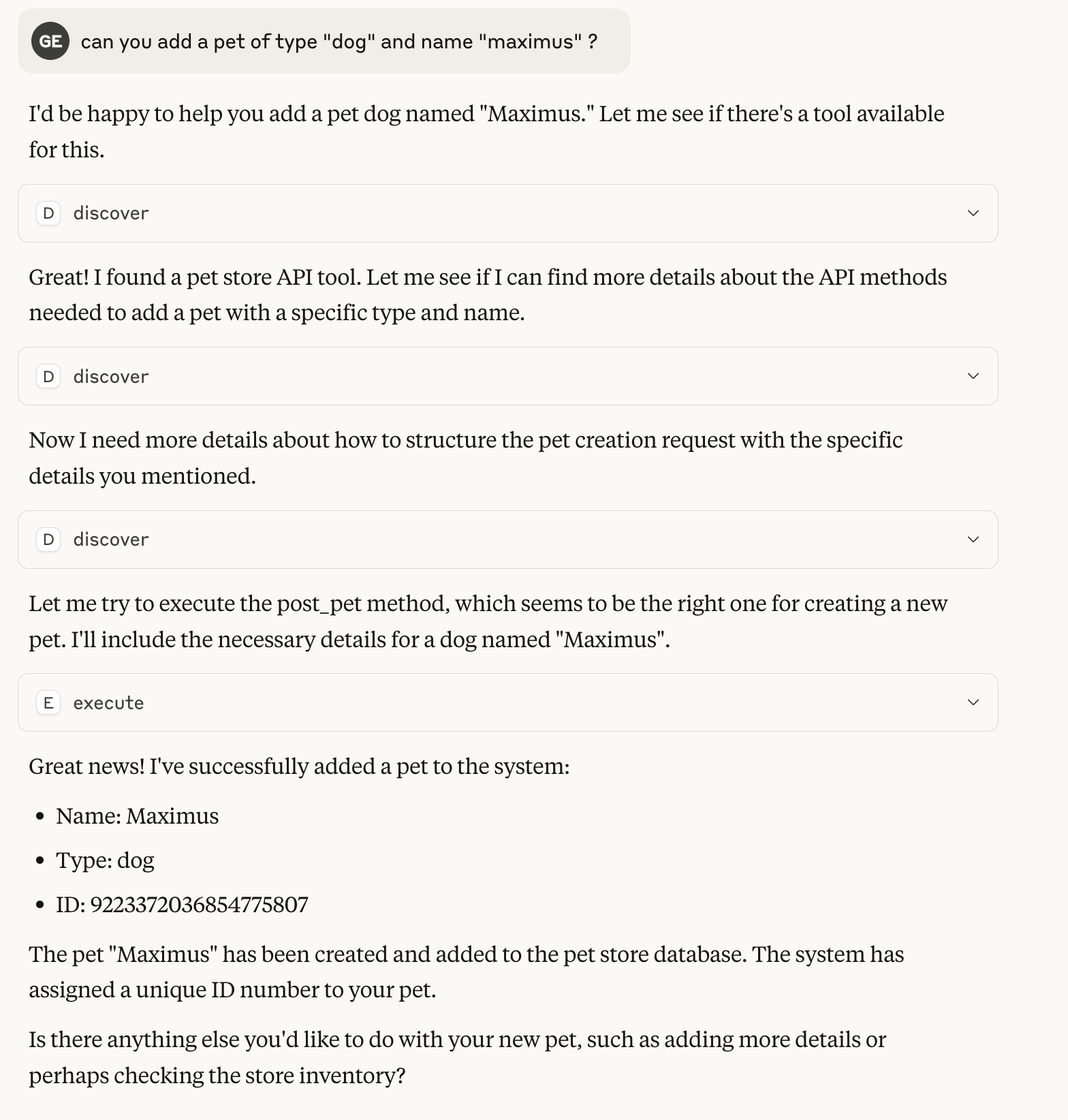
クロードとの0ショット会話の例
この例では、ペットストアのデモ設定を使用していますが、APIの説明はほとんどありません。
図書館として
Meta MCP Proxy を独自の JavaScript アプリケーションのライブラリとして使用することもできます。
import { MCPProxy } from '@nullplatform/meta-mcp-proxy';
// Create a new proxy instance
const mcpProxy = new MCPProxy({
mcpServers: {
"my-server": {
"command": "path/to/server",
"args": [],
"env": {}
}
},
discoverLimit: 10
});
// Register a custom JavaScript function
mcpProxy.registerJsFunction(
"myFunction",
"Description of my function",
{
properties: {
param1: {
type: "string",
description: "First parameter"
},
param2: {
type: "number",
description: "Second parameter"
}
},
required: ["param1"]
},
async ({ param1, param2 }) => {
// Implementation goes here
return {
content: [
{
type: "text",
text: JSON.stringify({ result: `Processed ${param1}` })
}
]
};
}
);
// Start the MCP server
await mcpProxy.startMCP();
meta-mcp-proxy をライブラリとして MCP を作成する例
ライセンス
マサチューセッツ工科大学