vite-플러그인-vue-mcp


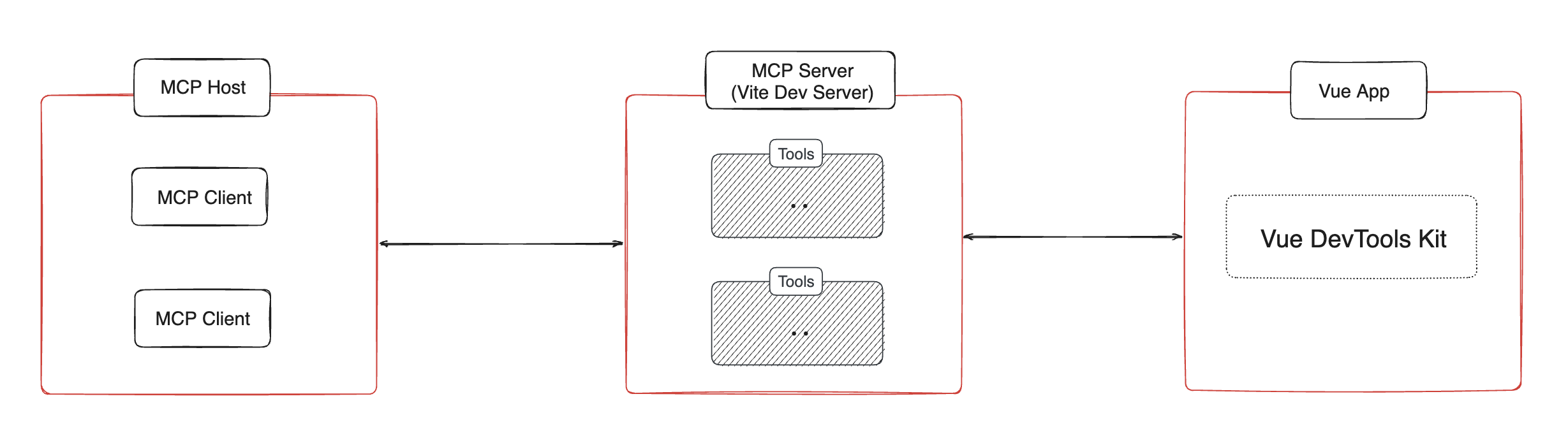
Vue 앱의 MCP 서버가 구성 요소 트리, 상태, 경로, 피니아 트리 및 상태에 대한 정보를 제공할 수 있도록 하는 Vite 플러그인입니다.
설치 📦
지엑스피1
Related MCP server: MCP Server
사용법 🔨
// vite.config.ts
import { VueMcp } from 'vite-plugin-vue-mcp'
export default defineConfig({
plugins: [VueMcp()],
})
그러면 MCP 서버는 http://localhost:[port]/__mcp/sse 에서 사용할 수 있습니다.
Cursor를 사용하는 경우 프로젝트 루트에 .cursor/mcp.json 파일을 생성하세요. 이 플러그인이 자동으로 업데이트해 줍니다. MCP에 대한 자세한 내용은 Cursor 공식 문서를 참조하세요.
옵션
export interface VueMcpOptions {
/**
* The host to listen on, default is `localhost`
*/
host?: string
/**
* Print the MCP server URL in the console
*
* @default true
*/
printUrl?: boolean
/**
* The MCP server info. Ingored when `mcpServer` is provided
*/
mcpServerInfo?: McpServerInfo
/**
* Custom MCP server, when this is provided, the built-in MCP tools will be ignored
*/
mcpServer?: (viteServer: ViteDevServer) => Awaitable<McpServer>
/**
* Setup the MCP server, this is called when the MCP server is created
* You may also return a new MCP server to replace the default one
*/
mcpServerSetup?: (server: McpServer, viteServer: ViteDevServer) => Awaitable<void | McpServer>
/**
* The path to the MCP server, default is `/__mcp`
*/
mcpPath?: string
/**
* Update the address of the MCP server in the cursor config file `.cursor/mcp.json`,
* if `.cursor` folder exists.
*
* @default true
*/
updateCursorMcpJson?: boolean | {
enabled: boolean
/**
* The name of the MCP server, default is `vue-mcp`
*/
serverName?: string
}
/**
* append an import to the module id ending with `appendTo` instead of adding a script into body
* useful for projects that do not use html file as an entry
*
* WARNING: only set this if you know exactly what it does.
* @default ''
*/
appendTo?: string | RegExp
}
기능/도구 ✨
구성 요소 트리 가져오기
get-component-tree : Vue 컴포넌트 트리를 가져옵니다.
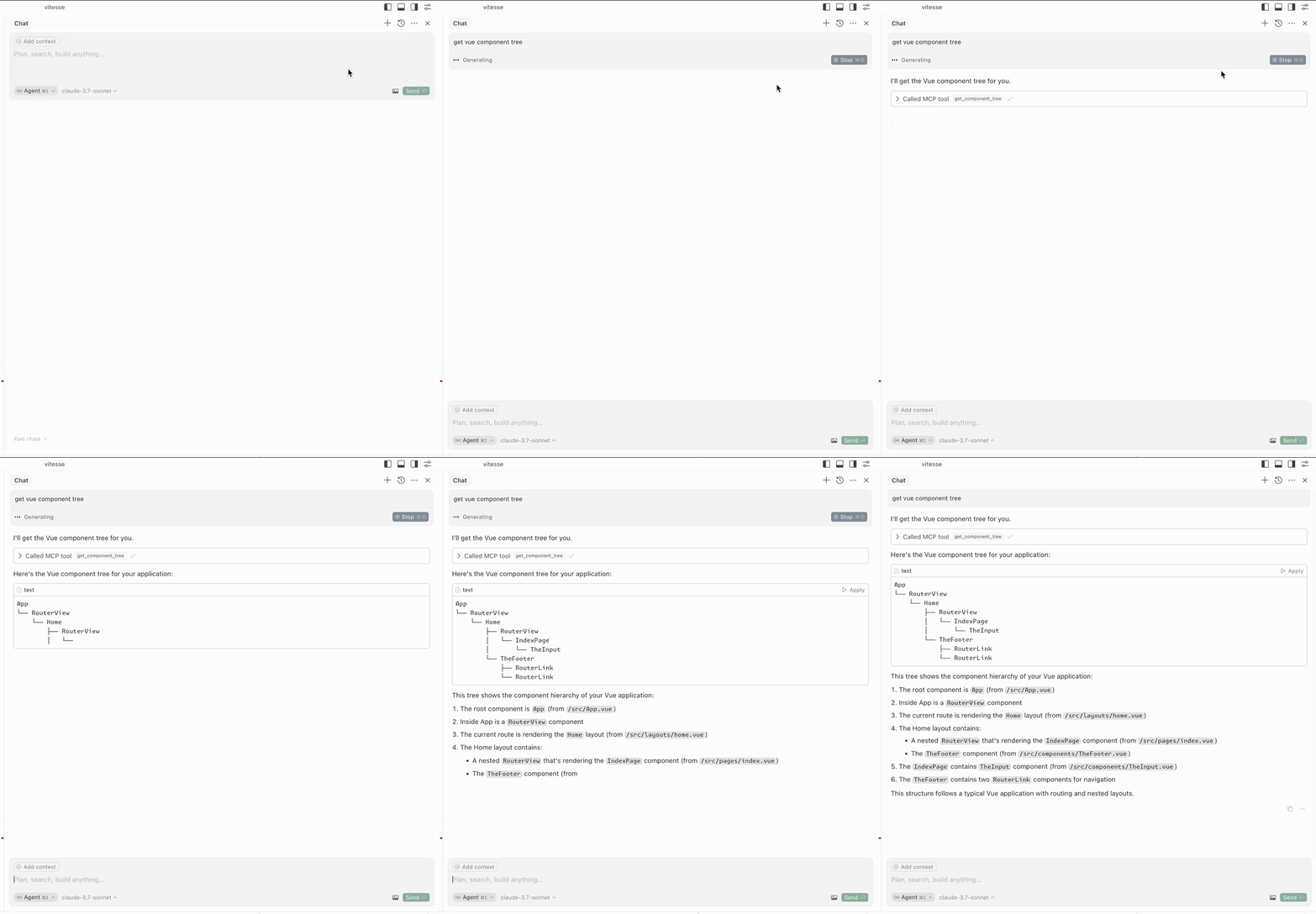
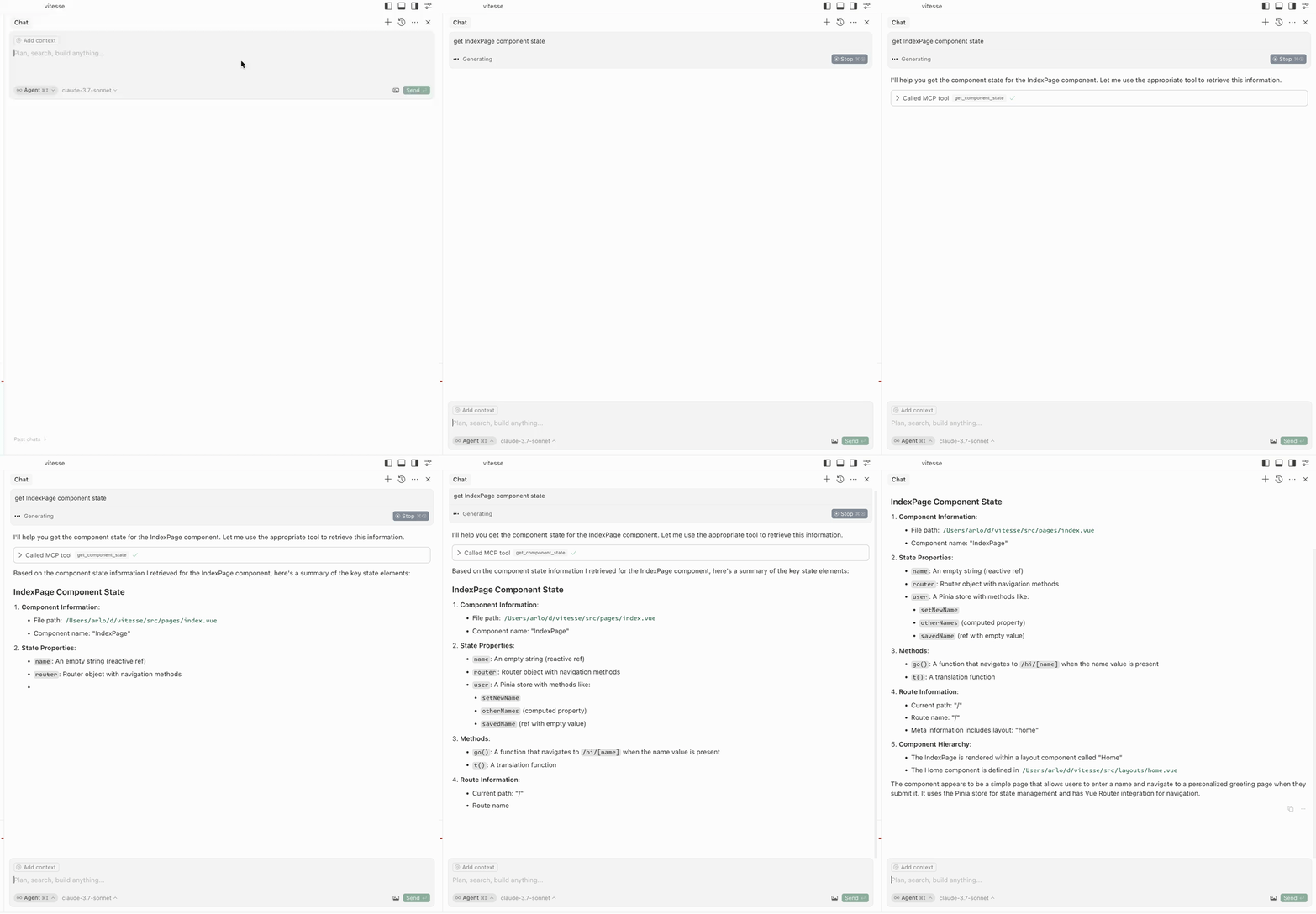
구성 요소 상태 가져오기
get-component-state : 구성 요소의 상태를 가져옵니다(입력: componentName ).
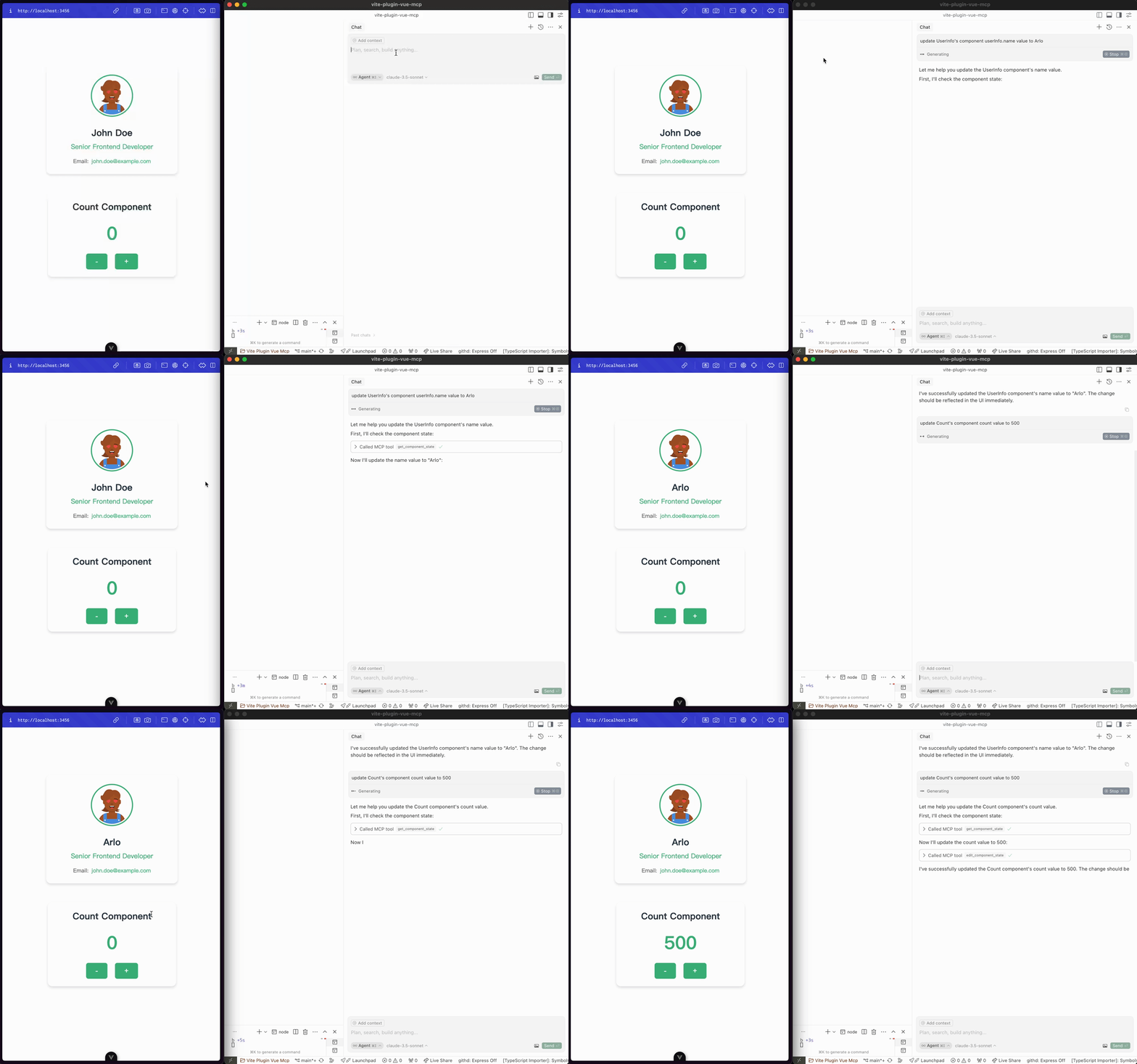
구성 요소 상태 편집
edit-component-state : 구성 요소의 상태를 편집합니다(입력: componentName , path , value , valueType ).
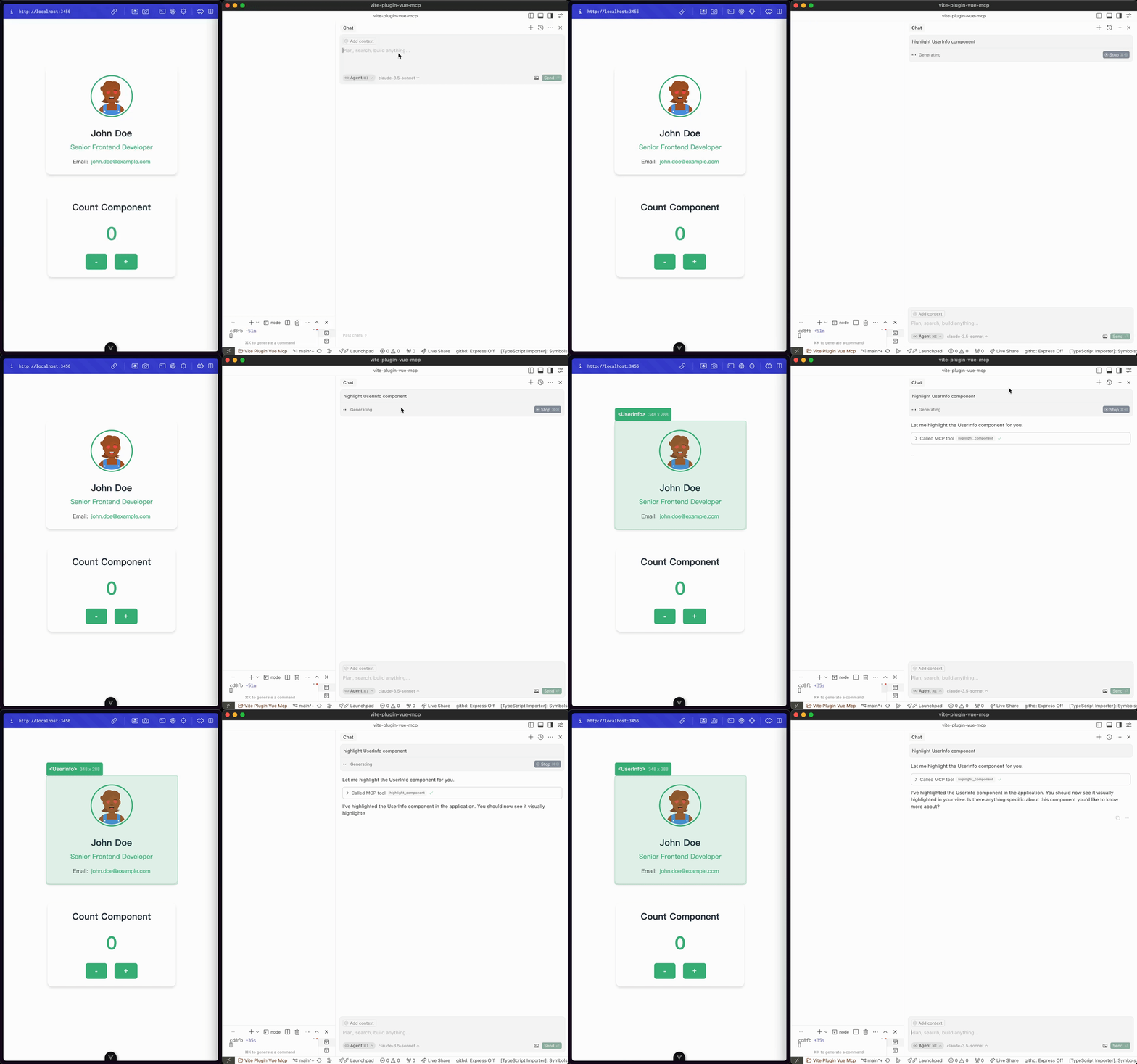
구성 요소 강조
highlight-component : 구성 요소를 강조 표시합니다(입력: componentName ).
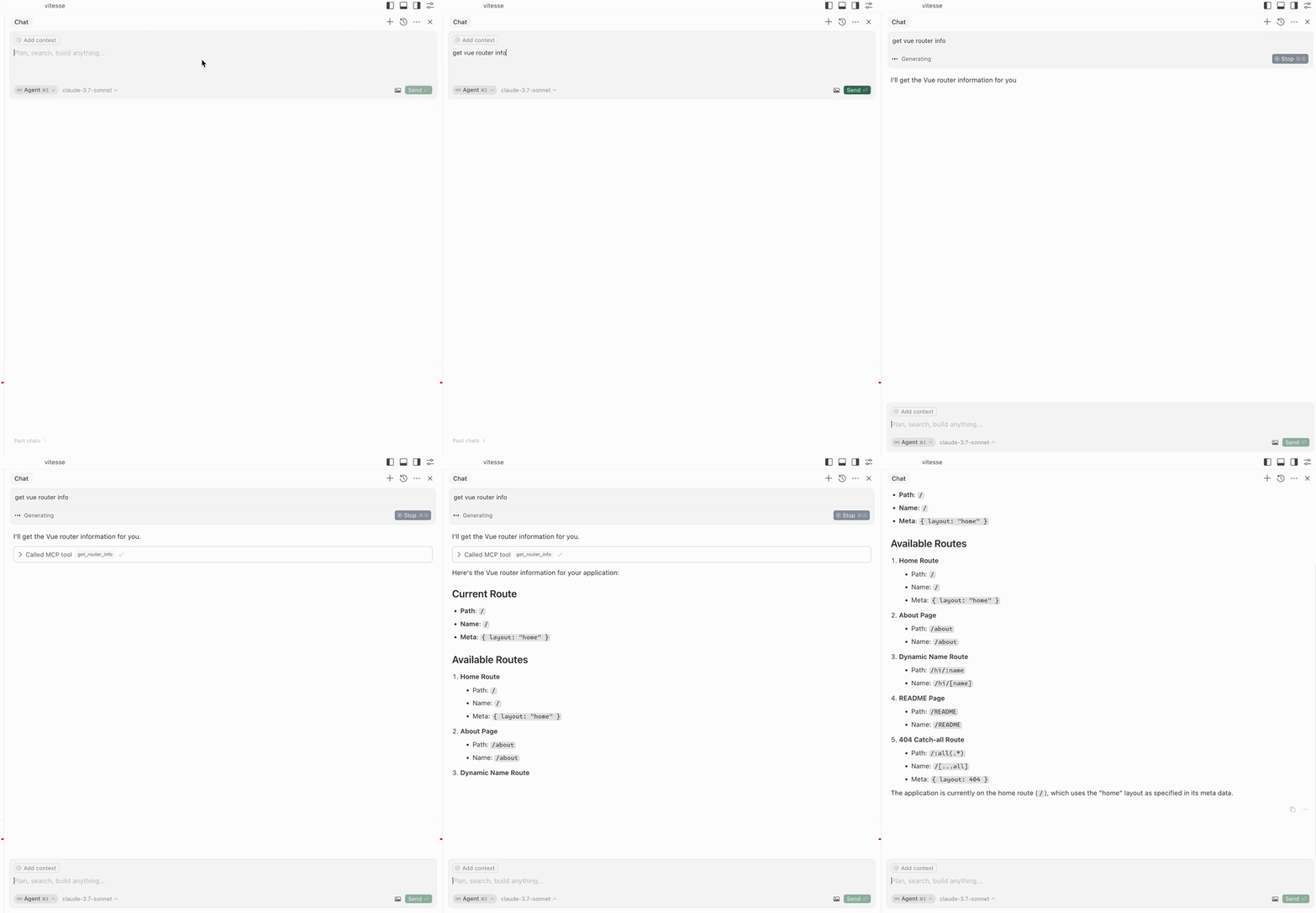
경로 가져오기
get-router-info : 애플리케이션의 Vue 라우터 정보를 가져옵니다.
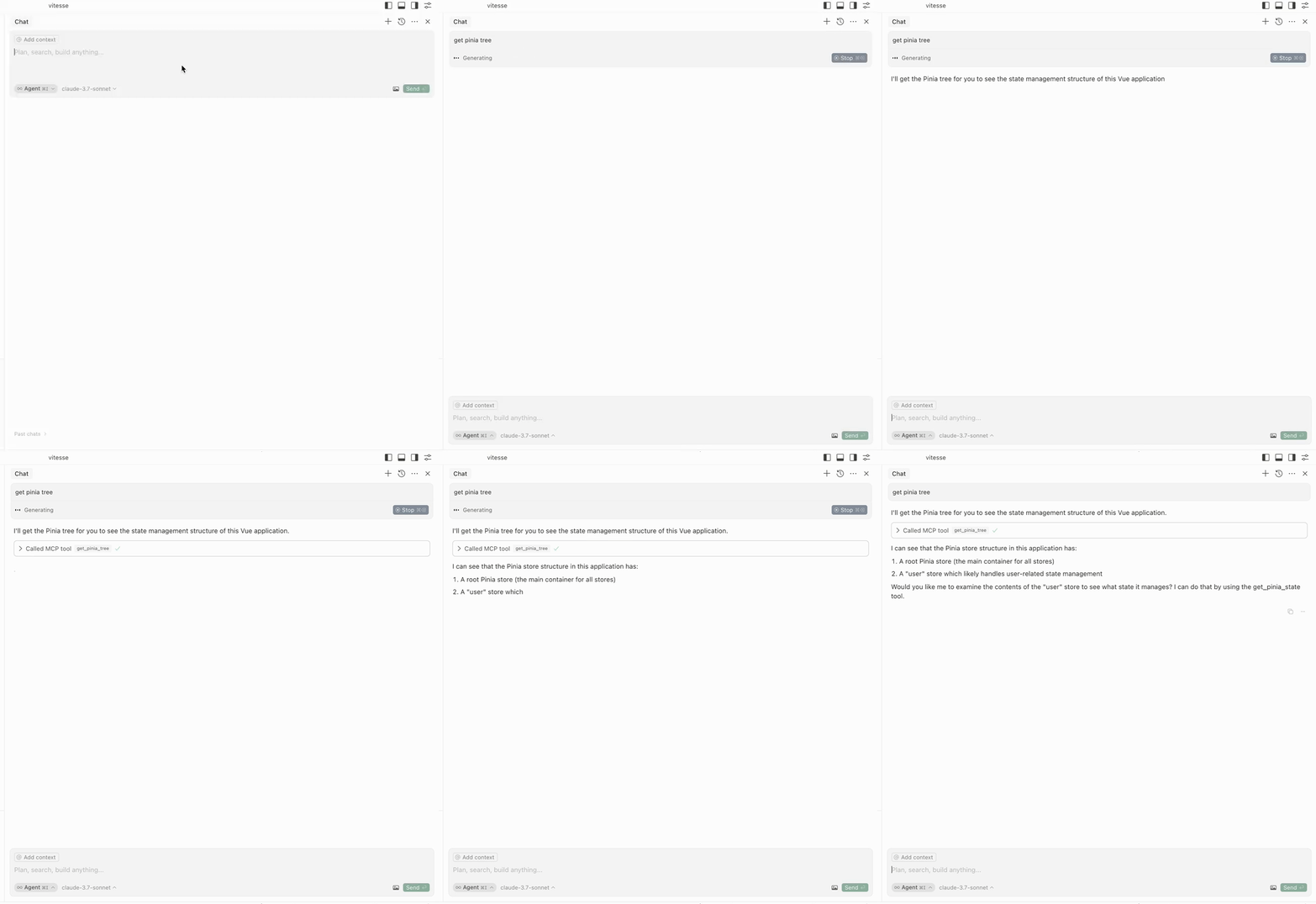
피니아 나무를 얻으세요
get-pinia-tree : 애플리케이션의 Pinia 트리를 가져옵니다.
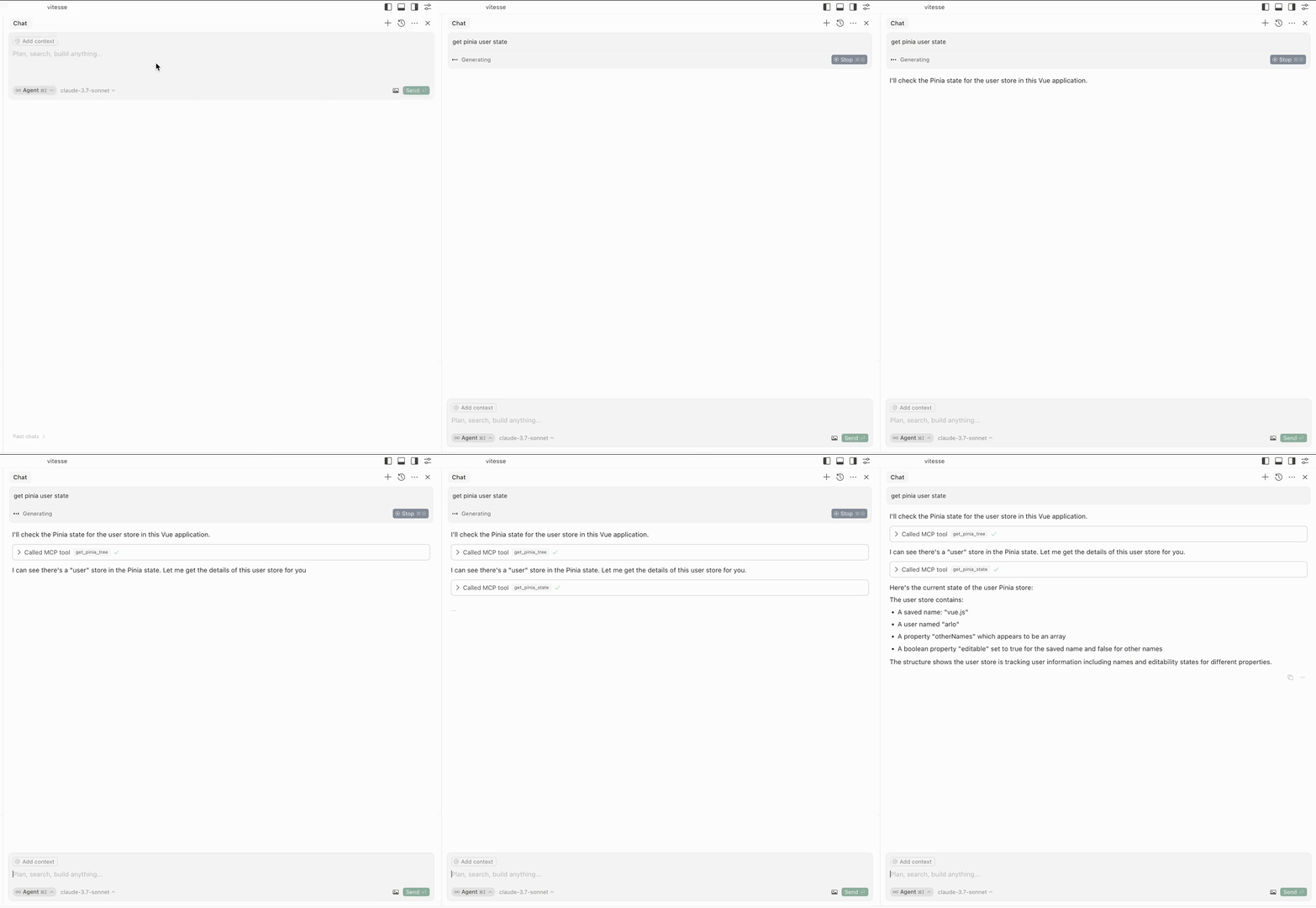
피니아 주를 얻으세요
get-pinia-state : 애플리케이션의 Pinia 상태를 가져옵니다(입력: storeName ).
건축 ⚡️
공지사항 💡
해당 기능을 사용하기 전에 브라우저에서 해당 애플리케이션이 실행 중인지 확인하세요.
크레딧 💖
이 프로젝트는 vite-plugin-mcp 에서 영감을 받았습니다. 훌륭한 작업을 해주신 @antfu 님께 감사드립니다.
라이센스 📖
MIT 라이선스 © Arlo