vite-插件-vue-mcp

Vite 插件为您的 Vue 应用程序启用 MCP 服务器,以提供有关组件树、状态、路由以及 pinia 树和状态的信息。
安装📦
pnpm install vite-plugin-vue-mcp -D
Related MCP server: MCP Server
用法🔨
// vite.config.ts
import { VueMcp } from 'vite-plugin-vue-mcp'
export default defineConfig({
plugins: [VueMcp()],
})
然后 MCP 服务器将可以通过http://localhost:[port]/__mcp/sse访问。
如果您正在使用 Cursor,请在项目根目录下创建一个.cursor/mcp.json文件,此插件将自动为您更新。有关 MCP 的更多详细信息,请参阅Cursor 官方文档。
选项
export interface VueMcpOptions {
/**
* The host to listen on, default is `localhost`
*/
host?: string
/**
* Print the MCP server URL in the console
*
* @default true
*/
printUrl?: boolean
/**
* The MCP server info. Ingored when `mcpServer` is provided
*/
mcpServerInfo?: McpServerInfo
/**
* Custom MCP server, when this is provided, the built-in MCP tools will be ignored
*/
mcpServer?: (viteServer: ViteDevServer) => Awaitable<McpServer>
/**
* Setup the MCP server, this is called when the MCP server is created
* You may also return a new MCP server to replace the default one
*/
mcpServerSetup?: (server: McpServer, viteServer: ViteDevServer) => Awaitable<void | McpServer>
/**
* The path to the MCP server, default is `/__mcp`
*/
mcpPath?: string
/**
* Update the address of the MCP server in the cursor config file `.cursor/mcp.json`,
* if `.cursor` folder exists.
*
* @default true
*/
updateCursorMcpJson?: boolean | {
enabled: boolean
/**
* The name of the MCP server, default is `vue-mcp`
*/
serverName?: string
}
/**
* append an import to the module id ending with `appendTo` instead of adding a script into body
* useful for projects that do not use html file as an entry
*
* WARNING: only set this if you know exactly what it does.
* @default ''
*/
appendTo?: string | RegExp
}
功能/工具✨
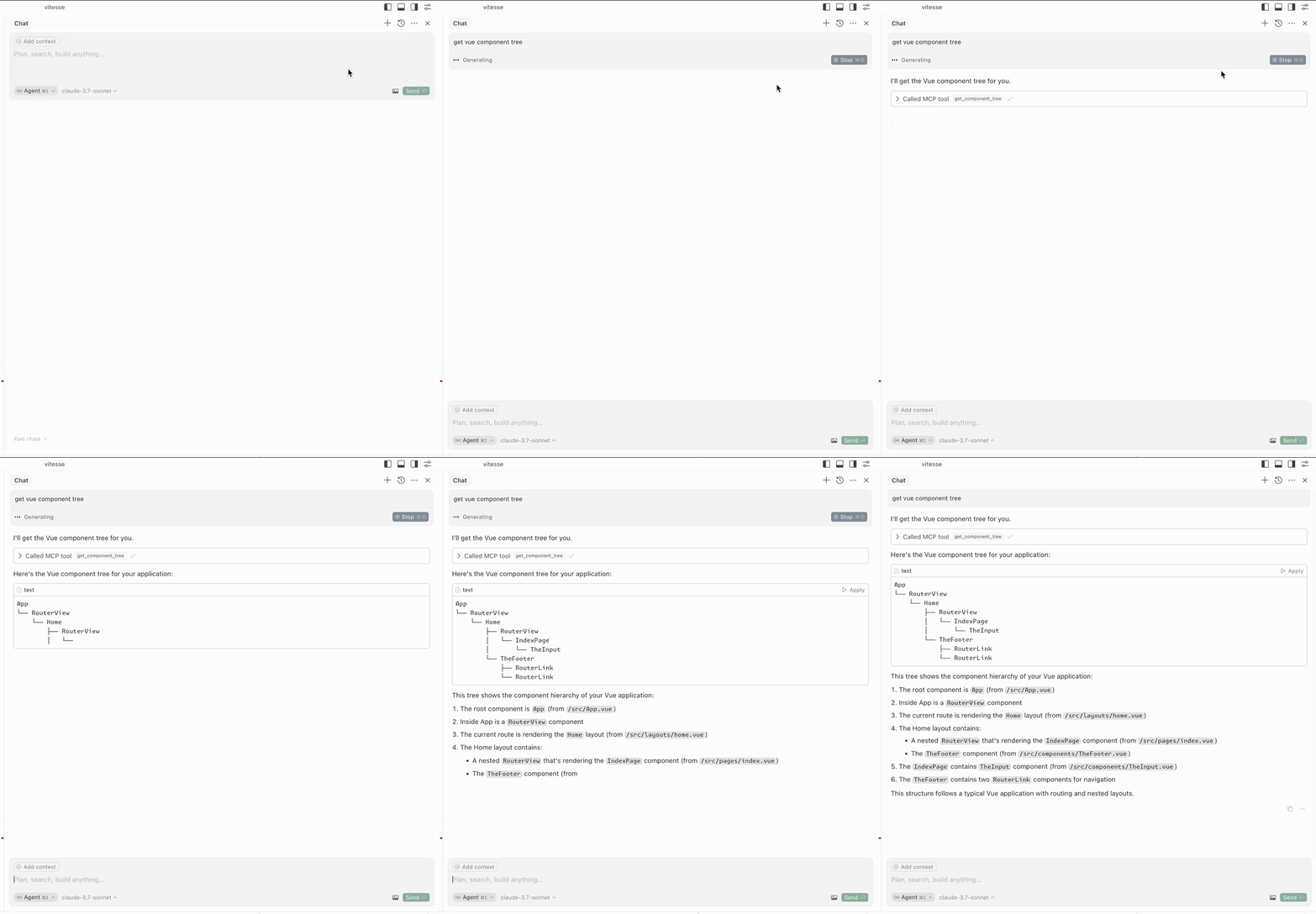
获取组件树
get-component-tree :获取 Vue 组件树。
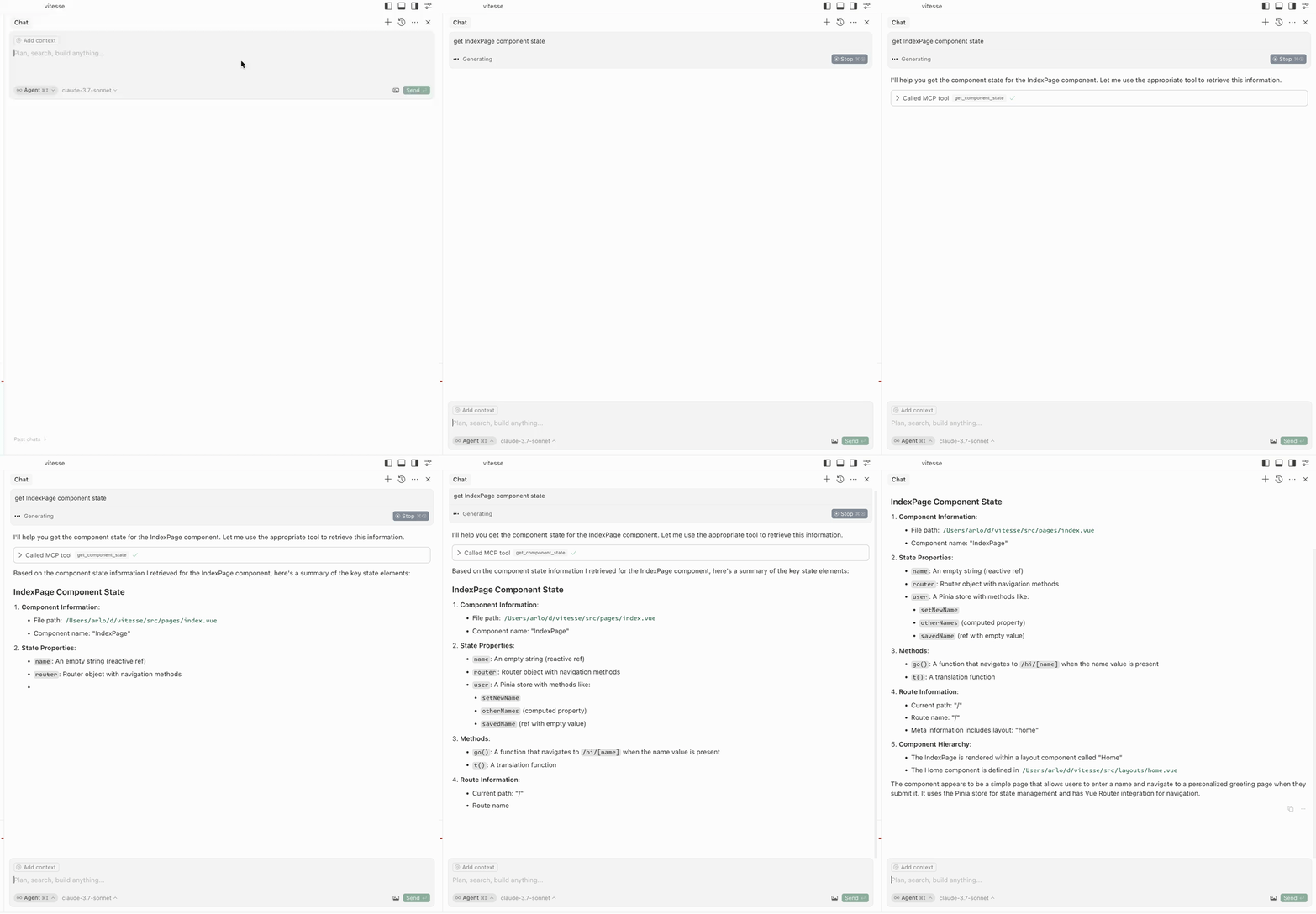
获取组件状态
get-component-state :获取组件的状态(输入: componentName )。
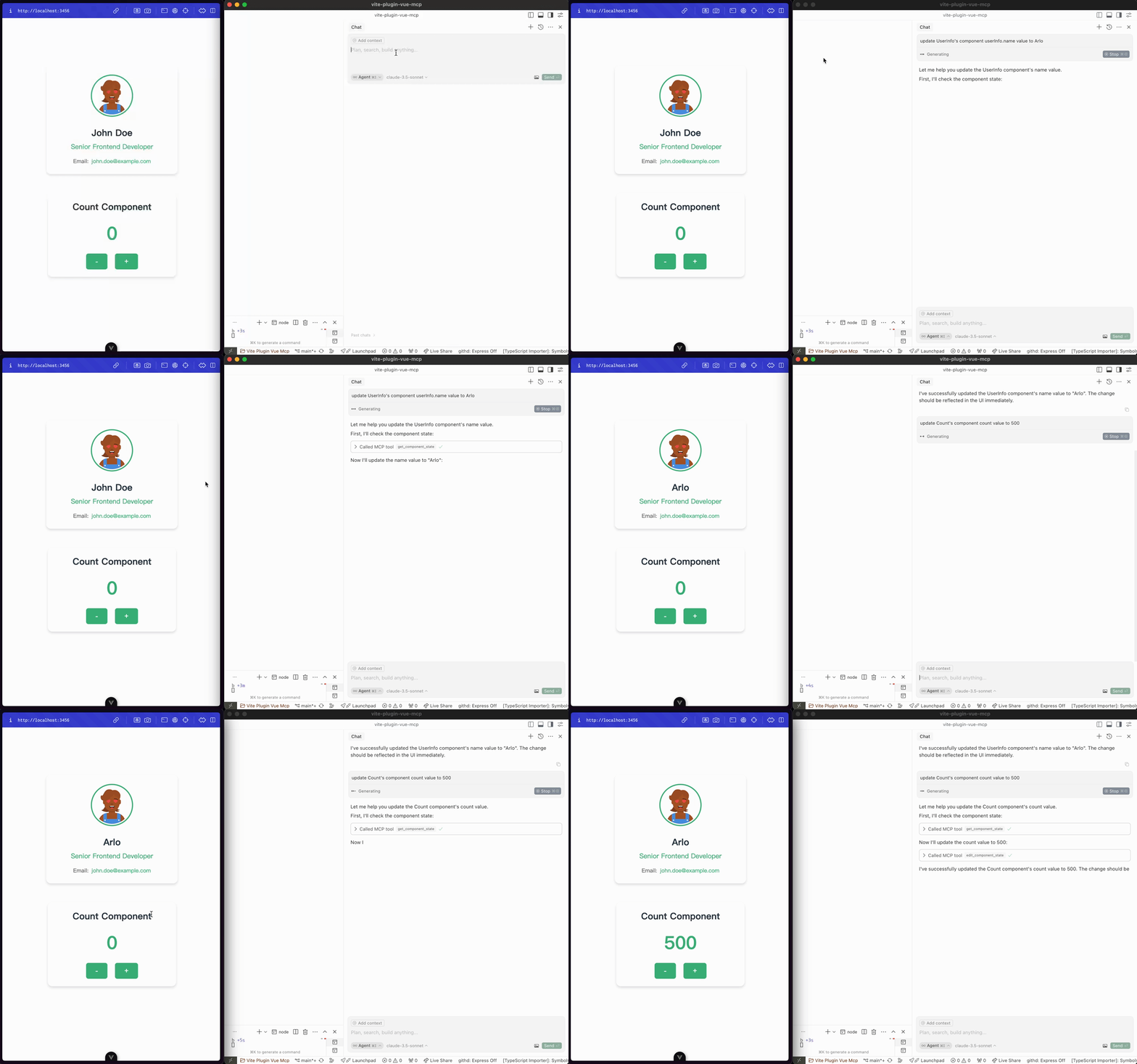
编辑组件状态
edit-component-state :编辑组件的状态(输入: componentName 、 path 、 value 、 valueType )。
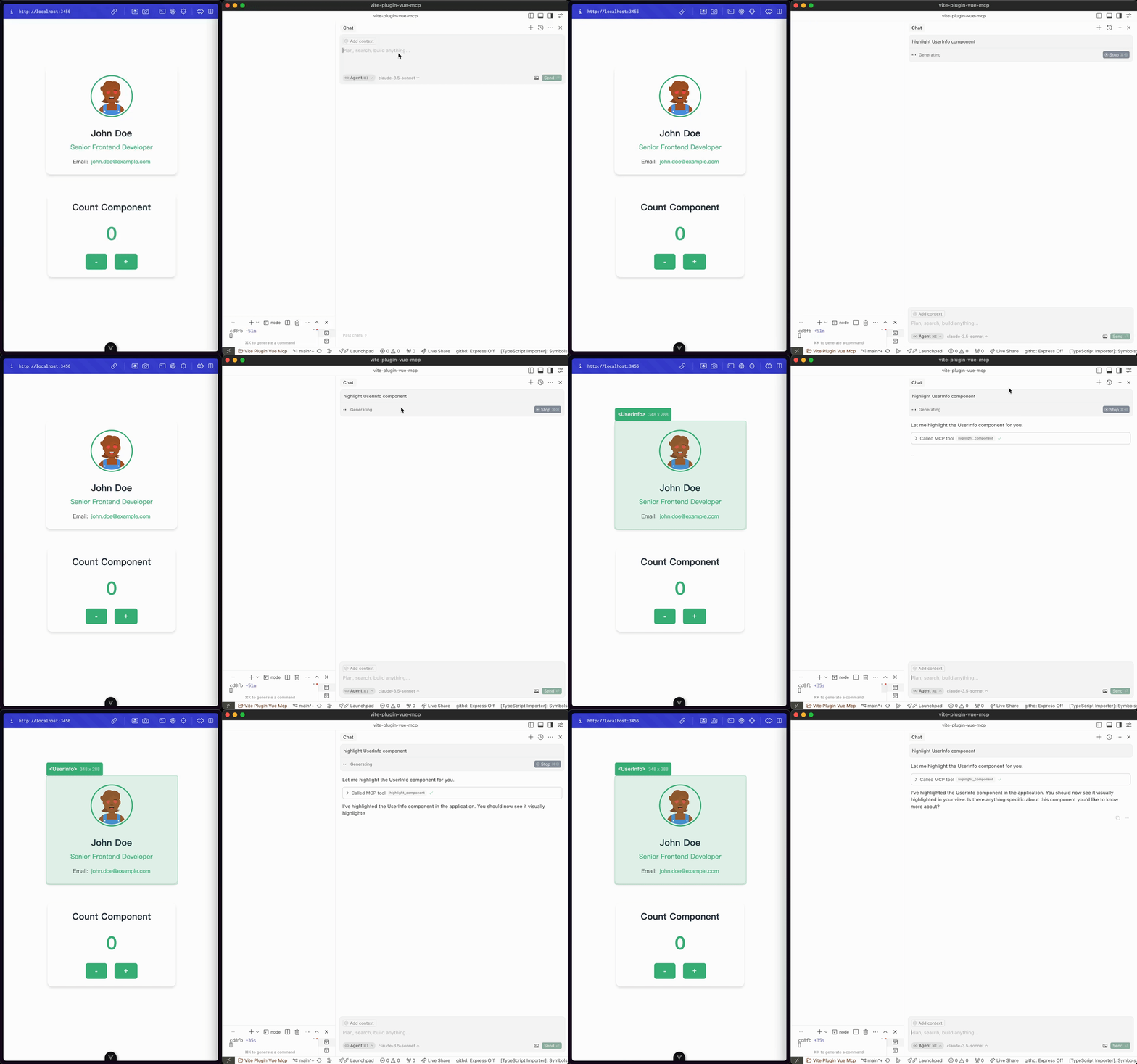
突出显示组件
highlight-component :突出显示组件(输入: componentName )。
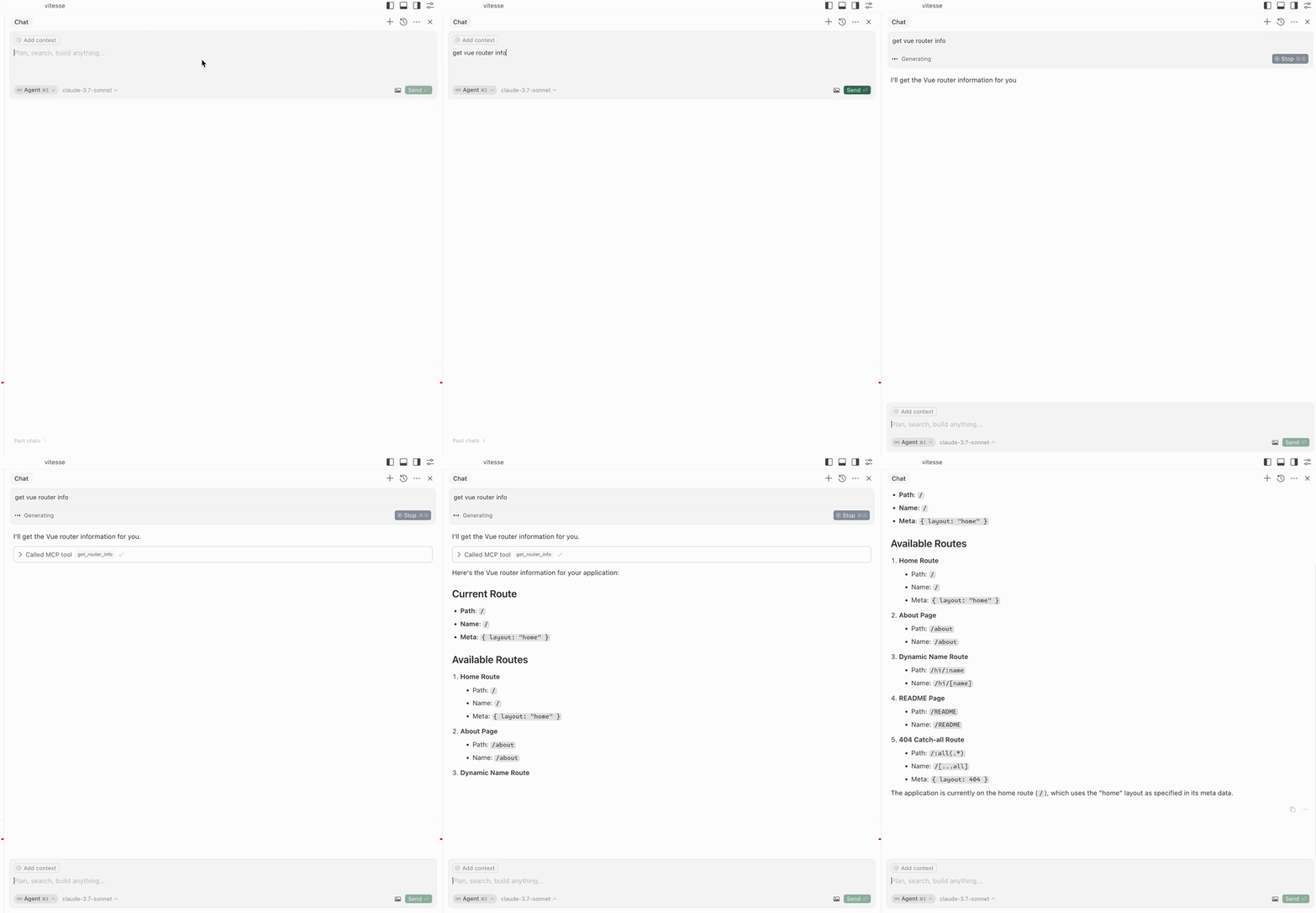
获取路线
get-router-info :获取应用程序的 Vue 路由器信息。
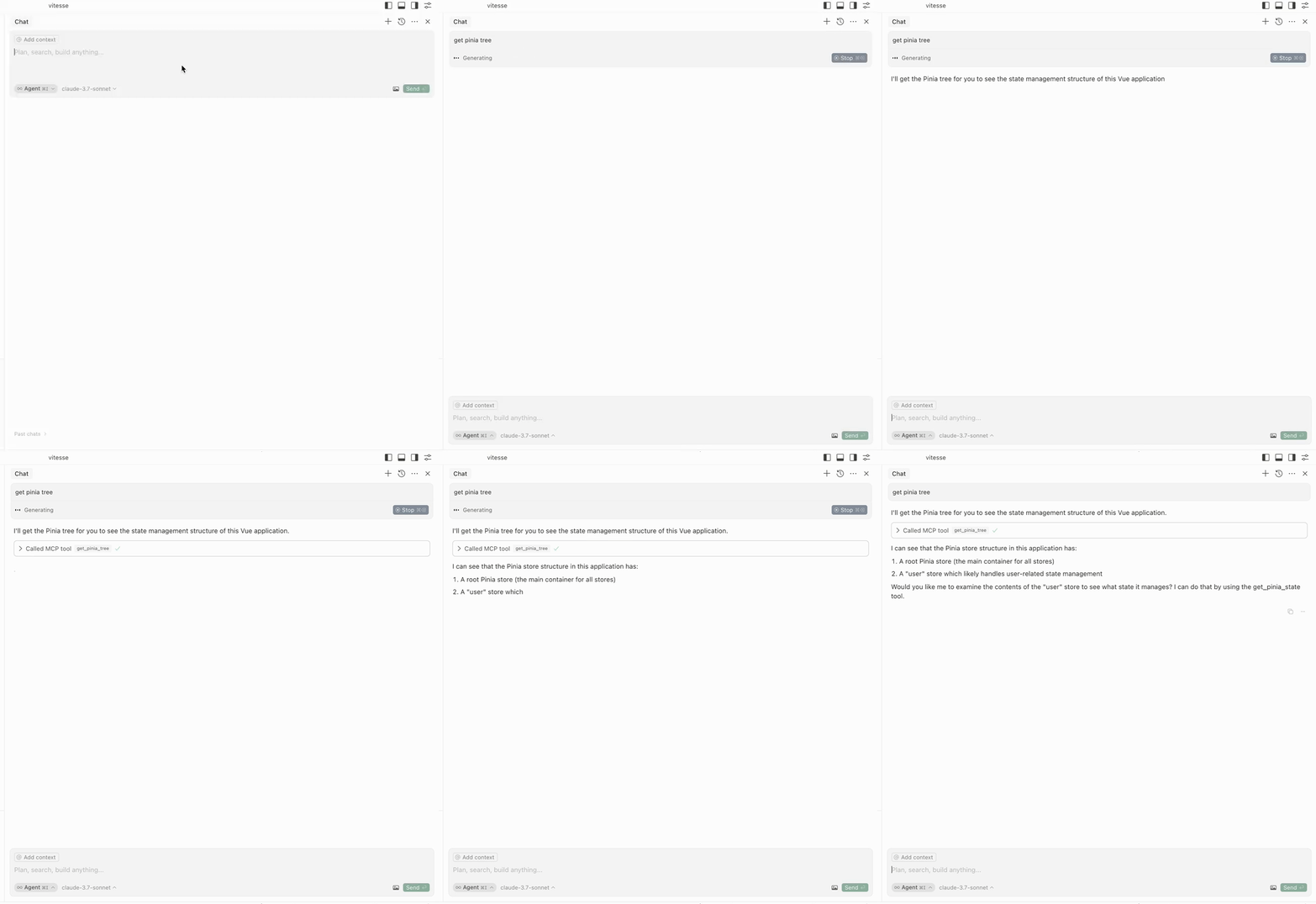
获取 Pinia 树
get-pinia-tree :获取应用程序的 Pinia 树。
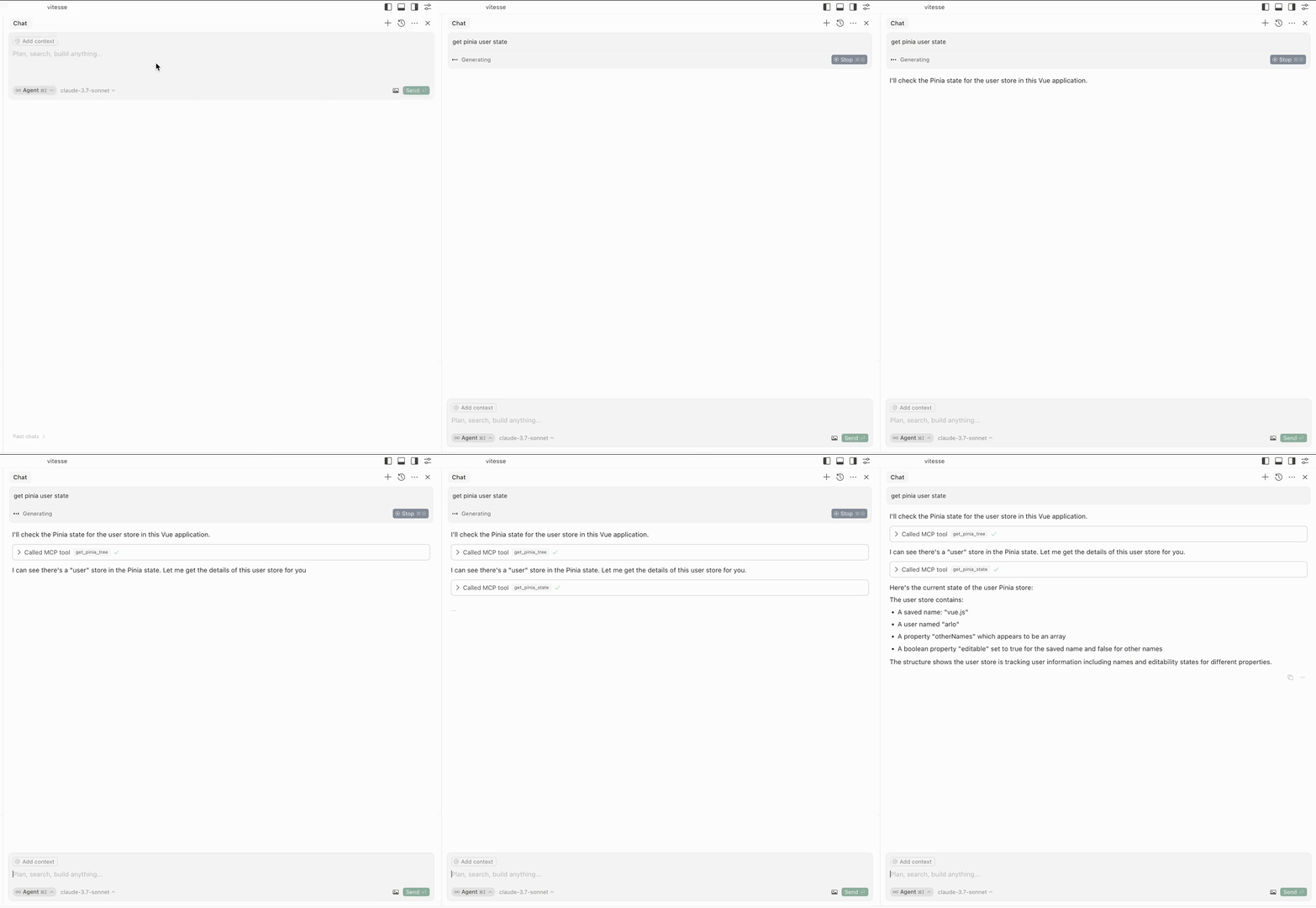
获取 Pinia 州
get-pinia-state :获取应用程序的 Pinia 状态(输入: storeName )。
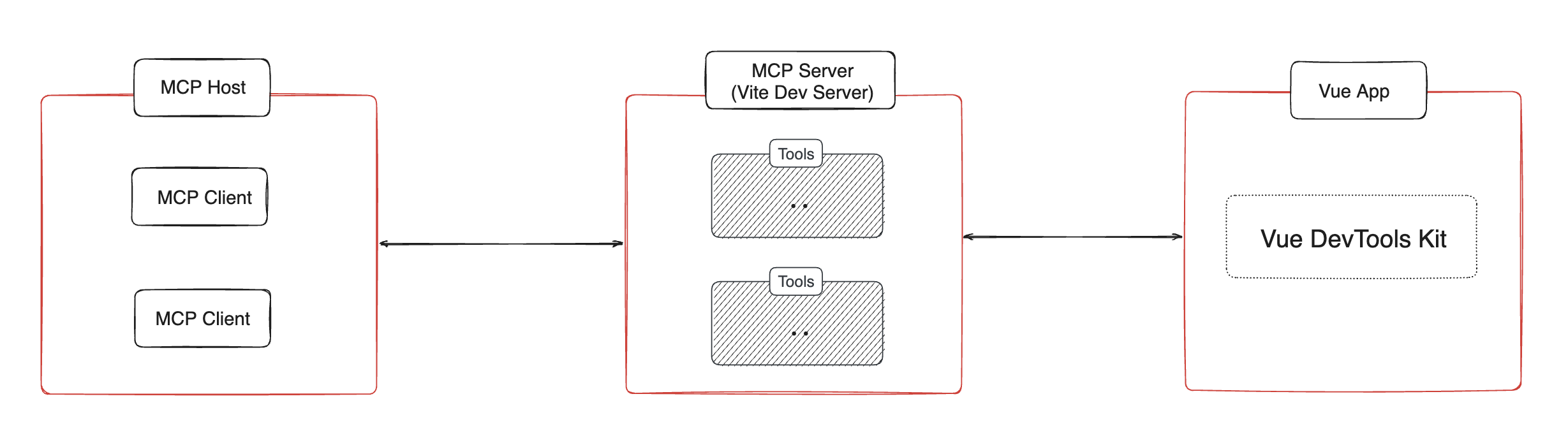
建筑⚡️
通知💡
在使用这些功能之前,请确保应用程序在您的浏览器中运行。
致谢💖
该项目灵感源自vite-plugin-mcp 。感谢@antfu的出色工作。